Make It Cap AI Video: How to Make the Oh You Can Make It Cap Meme With Your Face
How to make the oh you can make it cap AI video, the "oh he tweakin" do-a-360 meme, with your own face and a friend's. Photo tips, the three formats, the original sound and an actual result.
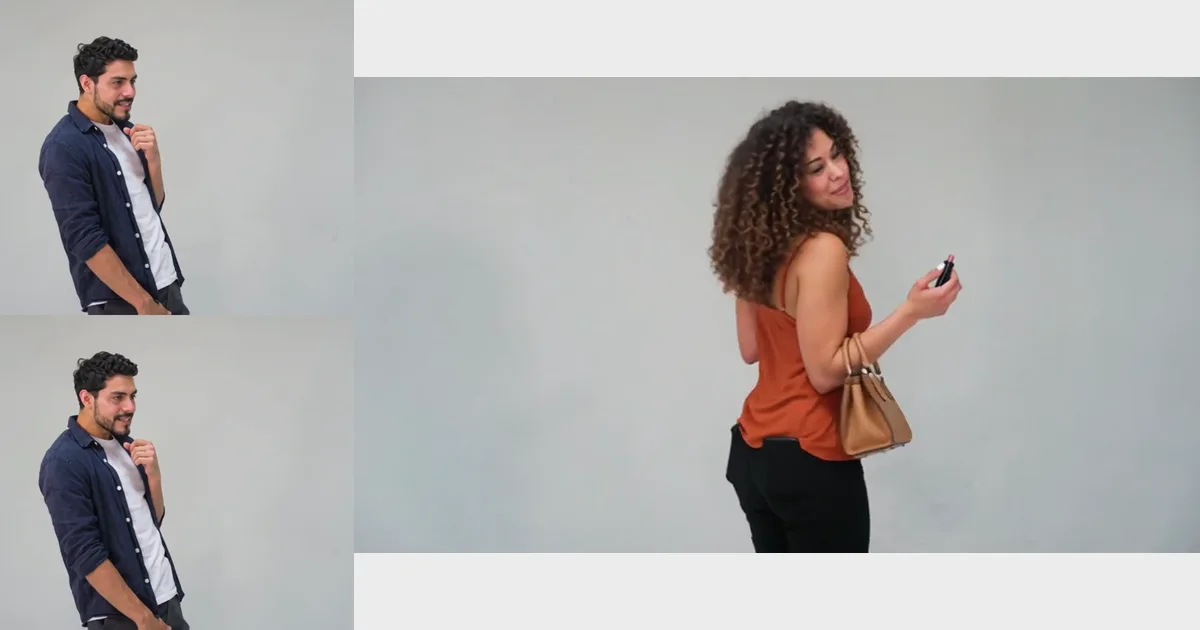
Short answer: to make the make it cap AI video with your face, upload one photo of the person who laughs and one photo of the person who does the 360 on the Oh You Can Make It Cap AI page, pick a format and pay. About fifteen minutes later you download a 15-second MP4 with both faces in the clip and the original sound. One photo is enough if you want to play both roles.
The make it cap AI video is the October 2026 TikTok trend built on the "oh he tweakin" clip: a guy asks a woman to do a 360, she spins with her handbag, he says "oh, you can make it clap" and bites his fist laughing, and she tells the camera "oh, he tweaking". This guide covers what happens in the clip, which photos work, how the two roles are assigned, the three formats you can order and what to check before you post. For the story behind the meme, read what the oh he tweakin meme is.
What happens in a make it cap AI video
The clip runs about fifteen seconds and cuts between the two people eleven times; they never share a shot. Here is the order, with the lines from the original sound:
- 0–2 s: the first person says "let me see you do a 360", twirls a raised finger and lifts an arm.
- 2–3 s: the second person turns on the spot, back to the camera for a moment, handbag on the forearm.
- 3–9 s: "Oh, you can make it clap." The first person bites a fist, looks away and cannot stop laughing; the second person smiles back.
- 9–15 s: "Oh, he tweaking." "I'm tweaking? How?" "You tweaking." It ends on a raised-eyebrow "huh?".
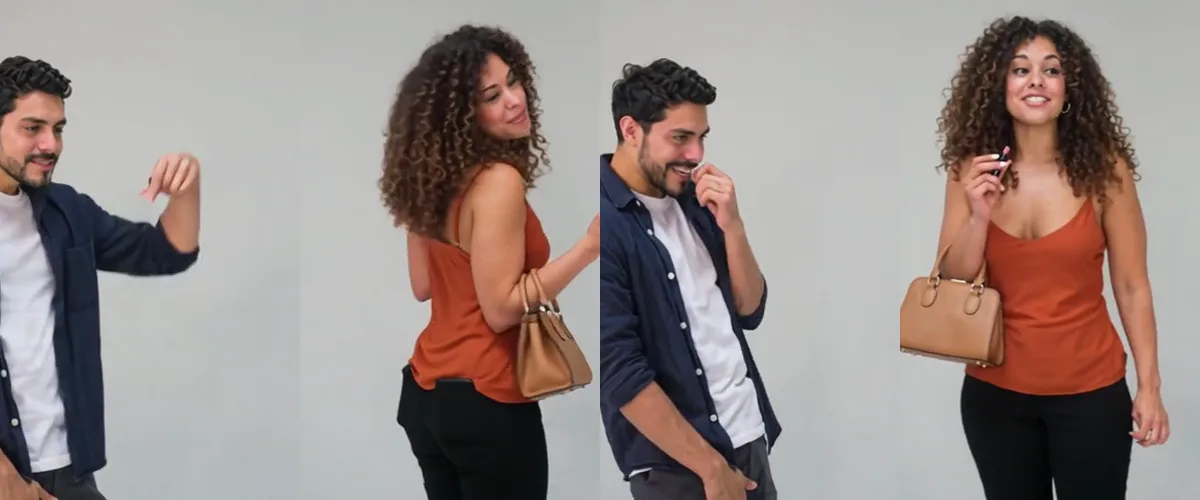
Our scene keeps the original timing, the cuts and the sound, so the mouths move with the real lines. Your photos replace two AI-made stand-ins; nobody from the original footage is in your video.
Who plays which role
Photo 1 is the first role: the one who asks for the 360, laughs and answers "I'm tweaking? How?". It has six of the eleven shots, including the long laugh, so give it to the friend you are roasting.
Photo 2 is the second role: the one who spins, shows off the handbag and says "oh, he tweaking". The handbag and a small lip gloss come from the scene, so photo 2 does not need to hold anything.
Leave photo 2 empty and photo 1 plays both roles, in the same clothes. It costs the same, and it is a popular way to post it alone.
An actual make it cap AI video result
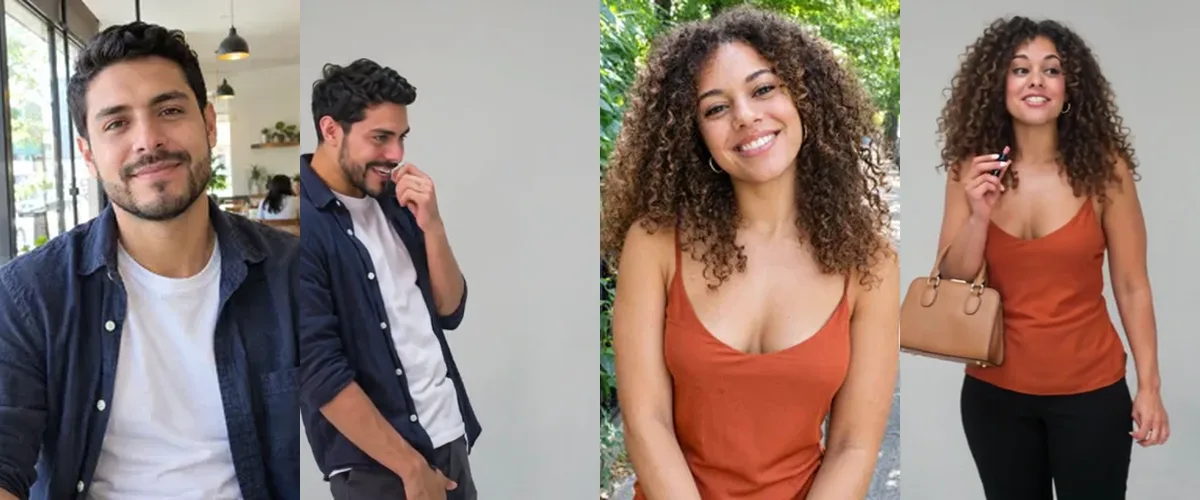
We tested the clip with two AI-generated adult photos: a man with wavy dark hair and a beard in a navy shirt over a white T-shirt, and a woman with long curly hair in an orange camisole. The result below is an actual 480p generation with the original sound added afterwards, shown in the three formats you can order.
 Photo 1
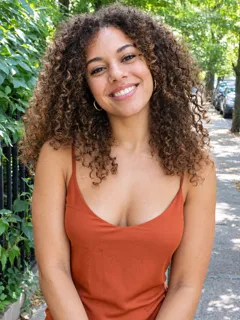 Photo 2
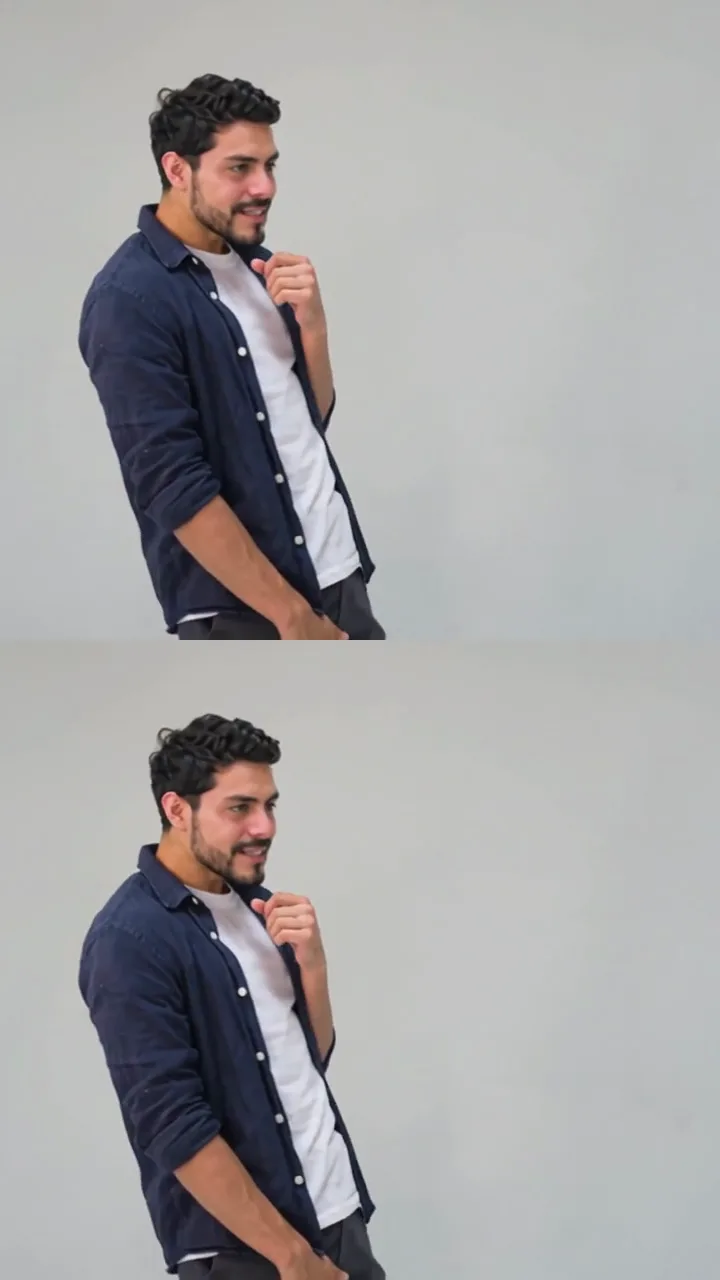 The video
The plain trousers and white sneakers come from the scene because a selfie does not show the legs. Everything above the waist follows the photo.
Choose the right photos
Use one clear adult per photo, face readable and mostly towards the camera, with the whole hairstyle in frame and the clothes you want in the clip. Selfies work. Glasses, beards and long hair are fine; long hair stays long through the spin.
Avoid sunglasses, a covered face, a head turned away, heavy blur and group photos; crop a group photo so one face fills the frame. Photos of children, pets or no visible person are turned away before generation, and the credits return to your balance.
Pick the format: stacked, one big clip or 16:9
The original clip is widescreen, so every version starts as 16:9 and you choose how it fills a phone screen. All three are the same video, price and length.
- Vertical stacked (selected for you): the clip twice, one copy above the other. Four of the five most-viewed make it cap TikToks we checked on October 28, 2026 looked like this, so it is the default.
- Vertical, one big clip: one larger copy in the middle of a blurred fill. A good fit for Instagram Reels, YouTube Shorts and stories.
- Widescreen 16:9: the original frame, for YouTube, a laptop or your own edit.
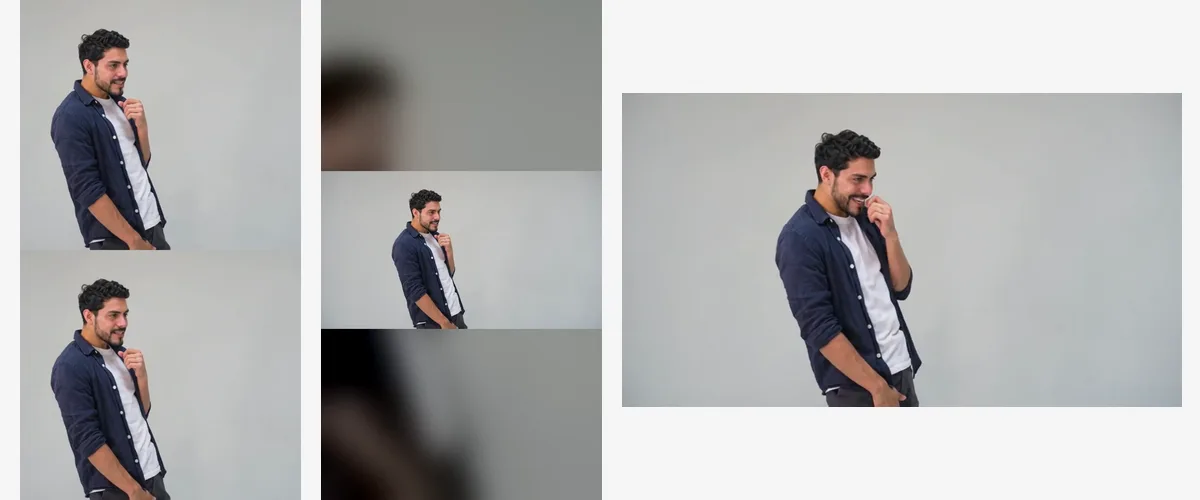
The stacked version crops the sides of the frame, so a raised hand can touch the top edge for a moment, as in the viral posts.
Step by step
- Open the Oh You Can Make It Cap AI page on your phone or computer and scroll to the generator.
- Add photo 1, the person who laughs. Add photo 2, the person who spins, or leave it empty to play both roles.
- Keep vertical stacked for TikTok, or switch to one big vertical clip or 16:9.
- Choose 480p, 720p or 1080p. 720p is selected; the scene, cuts and sound are the same at every resolution.
- Pay once or use credits. Both photos are checked before anything is generated.
- Wait for the email or keep the tab open, watch the clip with sound and download the MP4.
Who to put in it
The clip works best when the person in photo 1 is the one people want to tease: the friend who overreacts, the partner who laughs at their own jokes, the coworker who cannot keep a straight face. Couples, best friends and siblings are the most common pairs. Put the calm one in photo 2, because the second role delivers the punchline. Only use photos of adults who are happy to be in it.
Price, resolution and waiting time
A make it cap AI video costs $6.99 at 480p, $9.99 at 720p or $14.99 at 1080p, or 20, 30 or 45 credits from a pack. One or two photos and every format cost the same, and there is no subscription. There is no free personalized preview, but the example above is an actual result you can watch first, and the MP4 has no watermark.
Allow about fifteen minutes. Our two 480p renders took just under eight minutes on the video model before the sound and format were added; queues and resolution change the wait. You can close the tab, and we email you when the video is ready. If a photo is turned away or generation fails, the credits return to your balance rather than your card.
Check your video before you post
Watch the whole clip with sound. Check the laugh around four to eight seconds and the "oh, he tweaking" line around nine to ten seconds: those are the parts people replay. In the stacked format, check that the raised arm at the start reads well.
Generated details can drift: hands near the mouth, small prints and jewellery change most. A higher resolution sharpens the picture but does not promise an exact likeness.
The original sound includes one swear word near the end, as in the meme. Label the post as AI-generated, use photos you have permission to upload and do not present the clip as real footage. This tool is fan-made and not affiliated with the dating show or the people in the original clip.
Make it cap AI video questions
Is the make it cap AI video the same as the oh he tweakin video?
Yes. Oh you can make it cap, oh he tweakin, you tweaking and do a 360 all name the same clip. "Cap" is a misspelling of "clap" from the subtitles on the reposts.
Can I make it with just my own photo?
Yes. Leave photo 2 empty and you play both roles: the one who asks for the 360 and the one who spins.
Does it keep the original sound?
Yes. The original audio, with the laugh and "oh, he tweaking", is added to your video and timed so the mouths move with the lines.
What is the best format for TikTok?
Vertical stacked, the default. It is how most of the viral make it cap posts look.
Is there a free make it cap AI video generator?
Not here. Every video runs on a paid AI video model, from $6.99 at 480p, with no watermark and no subscription.
Do I need a prompt or an editing app?
No. The scene, the cuts and the sound are already set. You add photos in the browser, pay and download the MP4.