Car Jump AI Video Prompt: 6 Copy-Ready Prompts for Google Flow and Higgsfield
The car jump AI video prompt in six copy-ready versions for Google Flow, Higgsfield and Kling, written so the car flies over you and not into you, plus what our test renders got wrong and the one-photo version.
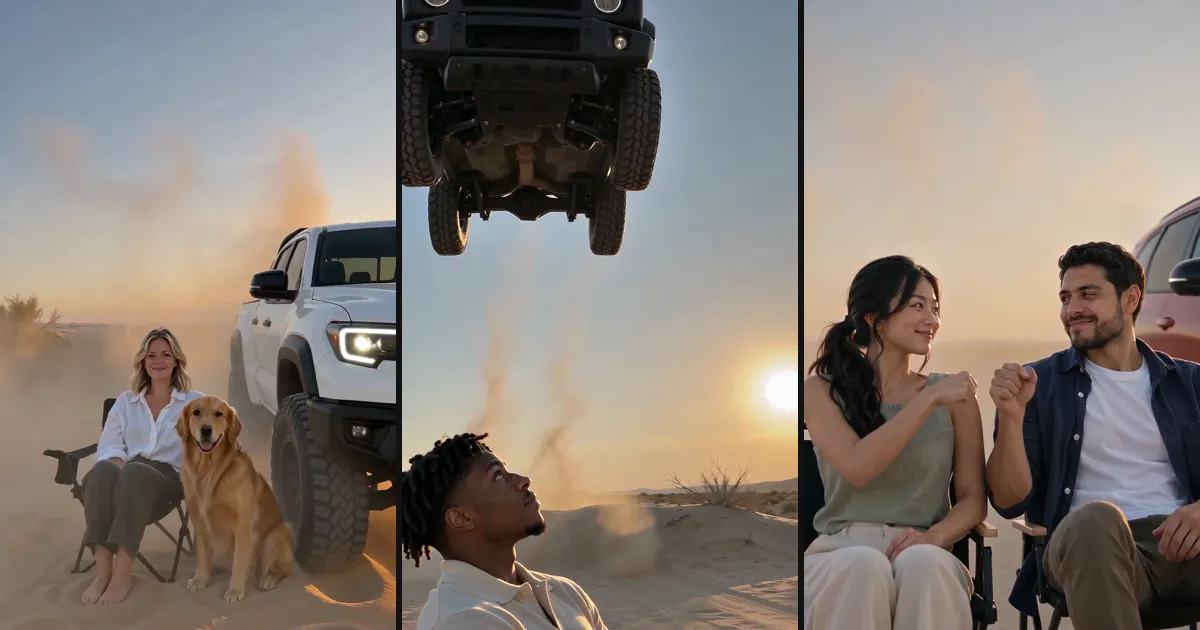
The car jump AI video is the clip where someone sits on a folding chair in the desert, perfectly calm, while an SUV launches over the ridge behind them and flies over in slow motion. Below are six versions of the car jump AI video prompt you can copy into Google Flow, Higgsfield or Kling, written from what worked in our own renders, and the one-photo version if you would rather skip the prompt.
 Photo 1
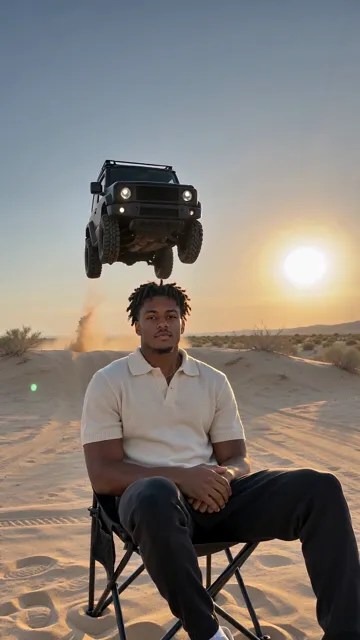 The video
What the car jump AI trend is
It took off on Instagram Reels in late September 2026, biggest in Sri Lanka, India, Bangladesh, the Philippines and the Gulf. The original is one continuous shot: a person on a camping chair, and a black off-roader that jumps the hill behind them and lands in a cloud of dust while they don't even blink.
The searches are mostly for the car jump AI video prompt itself. In the 28 days to early October, Similarweb counted it as the biggest single search in the trend, ahead of "car jump ai video", with long tails like "hilux car jump video prompt". Popular tutorials have you upload the original clip to Google Flow with your photo and paste a prompt that copies its motion.
What a good car jump AI video prompt has to say
We wrote and tested a car jump AI video prompt for our own video version. Four things decided whether a render worked:
- Where the car comes from and where it lands. Say it comes over the ridge behind you, slightly to one side, flies over the space behind your chair and lands a few metres to the other side, fully in view. Leave it vague and the car may come down in front of you or leave the frame.
- That it never touches you. Write it out; it also avoids "dangerous stunt" refusals.
- That you stay still. "Perfectly still and unbothered" is the joke of the trend.
- The car's badges. Describe a real-looking off-roader and the model draws a real one, badge and all (more on that below).
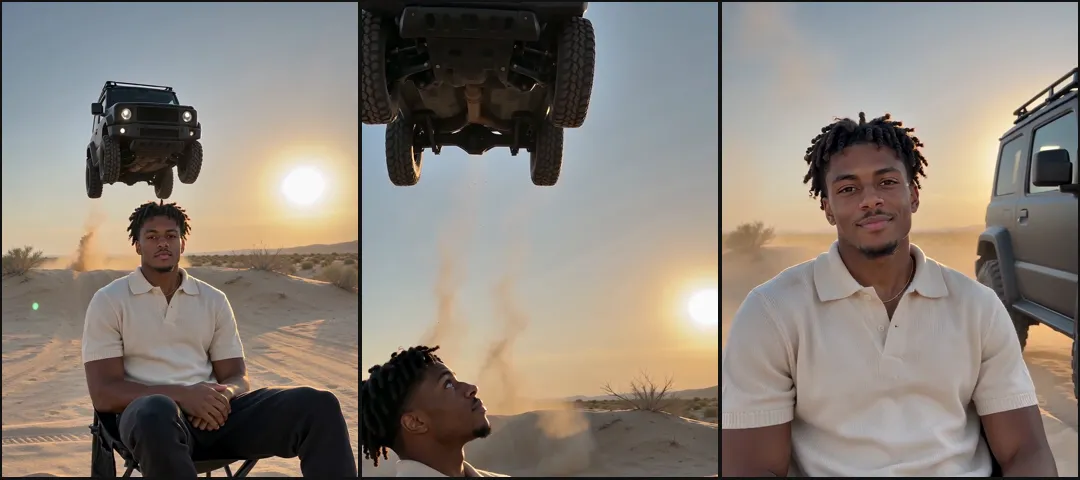
Add this sentence to every prompt so the face stays yours: Keep my face, skin tone, hair and clothes exactly as in my photo; if the photo shows only my upper body, give me plain trousers and shoes that suit my top.
6 copy-ready versions of the car jump AI video prompt
Each car jump AI video prompt below is written for an image-to-video model with your photo attached, 9:16, 8 to 15 seconds. They are generic on purpose: in our tests a real-looking car came with a real logo.
The classic
- A cinematic vertical shot at golden hour in a wide, empty desert. I sit calmly on a plain black folding camp chair, legs crossed, looking at the camera. I snap my fingers. A matte black boxy off-road 4x4 with round headlights bursts over the low sandy ridge behind me, slightly to the left, flies in slow motion over the space just behind my chair, and lands upright on all four wheels about five metres to my right in a huge cloud of dust. I stay perfectly still. The car never touches me. No logos, badges, lettering or number plates anywhere.
The overhead flyby
- Low-angle slow-motion shot from the sand beside a folding chair in the desert, looking up: the dark underside of a white four-door pickup truck passes overhead against the golden sky, wheels spinning, sand raining down, my head and shoulders at the bottom of the frame. Plain grille, no badges or lettering.
The pickup version
- Golden hour, dry scrubland. I sit on a camping chair facing the camera. A white four-door pickup truck with a black roll bar launches over the rise behind me and flies high over the space behind my chair, then lands to my right, bounces once on its suspension and slides to a stop. I don't react. No logos, no number plates.
Two friends
- Two of us sit side by side on two folding camp chairs in the desert at golden hour, the person from the first photo on the left. The person on the left snaps their fingers; a glossy red SUV jumps the ridge behind us, flies over in slow motion and lands to our right in a cloud of dust. We stay still, then turn to each other and bump fists. Keep both faces exactly as in the photos.
With your dog
- I sit on a folding chair in the desert at golden hour with my dog sitting on the sand to the left of the chair. I snap my fingers; a sand-beige off-road SUV jumps the ridge behind us and lands to the right in a cloud of dust. I stay still; my dog only turns its head to watch. The dog is a real animal on four legs. No logos anywhere.
The freeze frame
- Ultra-sharp, high-shutter-speed photo in the desert at golden hour: a heavy black off-road 4x4 frozen in mid-air high above and just behind a person sitting calmly on a camping chair, sand spraying from the tyres, the person looking straight at the camera. Plain grille, no badges or lettering.
We wrote these from what worked in our own tests, not by running each one in every app. If the car lands in the wrong place, repeat where it lands at the end.
Or skip the prompt: the one-photo version
On Car Jump AI Video you add a photo, pick one of four cars and get a 15-second video in three shots: the take-off, the car passing overhead in slow motion, and the landing beside you. A friend or your dog can join from a second photo.
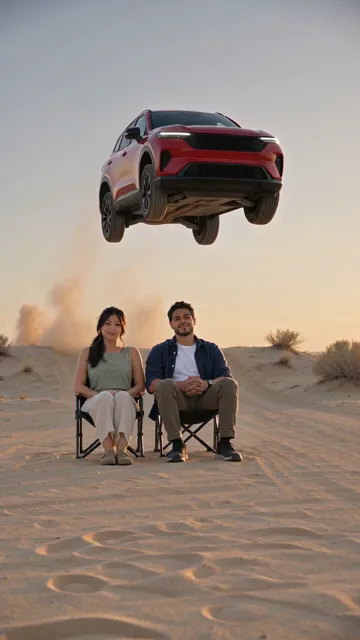
- A red SUV copied from our badge-free reference: plain grille, no emblem
- The person from photo 1 sits on the left, as the prompt asked
- It comes over the ridge behind them, slightly to the left
- Plain camp chairs that stay upright
What our test renders got wrong
We checked our car jump AI video prompt against earlier mistakes and had it reviewed before paying for a render. The first batch of five clips got the staging, the faces, the dog and the sound right. One thing failed on every clip:
- Every car came out as a real model, badge and all. Our "boxy black two-door 4x4 with round headlights" became a recognisable American off-roader with its name across the grille, and both the white pickup and the red SUV grew a Japanese carmaker's emblem. Writing "no badges, no logos" didn't stop it: the description matched a best-selling car so closely that the model drew the whole car.
- The fix was a picture, not more words. We generated four car designs that belong to no carmaker, checked every grille and wheel for marks, and now send the chosen one to the video model as a reference image. The badges disappeared in the retest.
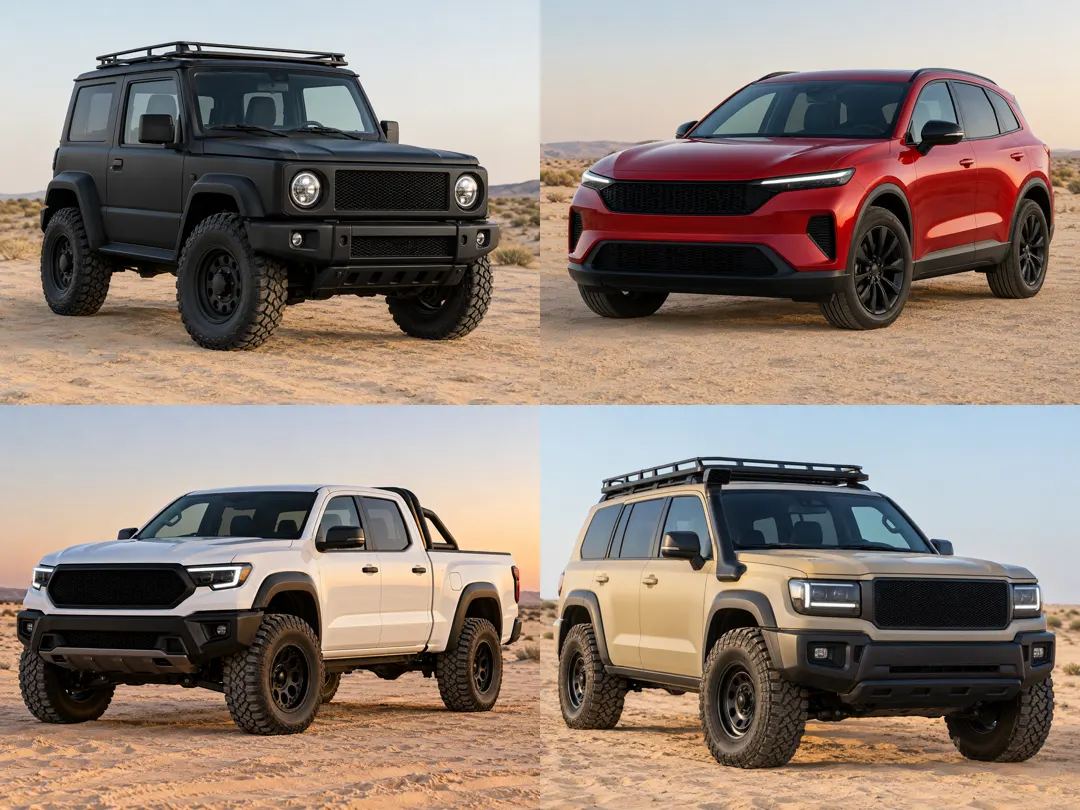
If you write your own car jump AI video prompt, the same lesson applies: attach a reference image of a car with a plain grille. A tiny swoosh-like mark also showed up once on a pair of socks; asking for plain, unbranded clothes covers that. Our test renders took between 3 min 7 s and 6 min 23 s, the slowest one waiting in the model's queue.
What it costs
Google Flow and Higgsfield have free tiers or subscriptions; the prompt route costs you time re-rolling until the car lands in the right place. Our version is paid per video: some new visitors get a free 5-second preview after signing in with Google, and the full 15-second car jump AI video at 720p is 13 credits, $7.99 on its own or about $3.90 out of the $14.99 pack of 50 credits. No subscription, and a failed render refunds itself. The pricing page lists every option.
| Prompt in Google Flow or Higgsfield | One-template apps | Our car jump video | |
|---|---|---|---|
| You do | Find the clip, upload, paste, re-roll | Add a photo | Add a photo, pick a car |
| Friends and pets | If you rewrite the prompt | Usually one person | Yes |
| Car badges | Often a real logo | Depends on the template | Badge-free cars |
| Cost | Free tier or a subscription | Credits or a subscription | $7.99, or about $3.90 from a pack |
Car jump AI video prompt FAQ
What is the best car jump AI video prompt?
One that says where the car comes from, where it lands, that it never touches you and that you stay still, plus the keep-my-face sentence. Prompt 1 above covers all of it.
Does the car jump prompt work in Higgsfield and Kling?
The prompts here are written for any image-to-video model with a photo attached, including Google Flow, Higgsfield and Kling. We wrote them from our own video tests and haven't run each one in every app.
Why does my car have a Toyota or Jeep logo?
The model recognises the shape you described and draws that real car. Attach a reference image of a car with a plain grille.
Can I name a Thar or a Hilux in the prompt?
You can try, but expect the real badge. Our one-photo version uses four generic cars instead.
Can I make it with my dog?
Yes. Put the dog on the sand beside your chair, not on a chair: a big dog on a seat tends to sit like a person.