The Drake party trend, starring you
Burning Bridges AI
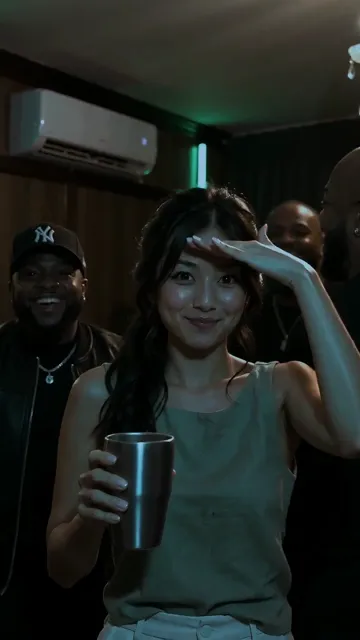
Add one photo and our Burning Bridges AI puts you in the party from the trend: a dim, packed private dining room under crystal chandeliers, a silver cup in your hand, a hand over your eyes on "where she at", then a wave to the camera. Every move follows the original clip second by second, and your video comes with the song. Fifteen seconds, vertical or widescreen, ready in about 5 minutes.
$7.99 a video, or about $6 each in a credit pack
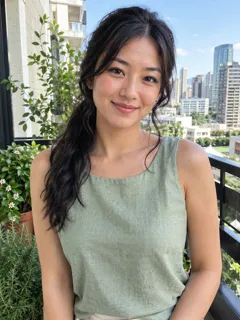
Real result · tap for sound“One photo”
- $7.99 a video, or about $6 each in a credit pack
- Ready in about 5 minutes
- Failed renders cost nothing
Burning Bridges AI examples
Each Burning Bridges AI video below started as one photo. The room, the crowd and the moves came from the AI, in time with the trend. Tap a card for sound. Every face here is AI-generated.
Vertical, for TikTok
From one photo: she parties in a dim private dining room under crystal chandeliers, a silver cup in her hand, reaches out to the cheering crowd, pushes her hand at the lens and scans the room with a hand over her eyes, with the song.
Make one like thisAnother photo
From one photo: he touches his collar, laughs with the friends around him, looks for her with a hand over his eyes on the line and raises his cup, holding it the whole time.
Make one like thisWidescreen, like the original
From one photo, in widescreen like the original: the packed chandelier room, the cup up, the point at the crowd, the hand over the eyes on "where she at" and the wave, with the song.
Make one like this
How to make a Burning Bridges AI video
Three steps, and only the first one needs you. The stopwatch is our own timing, not a promise. Want the story behind the trend or a prompt of your own? Read how to make the Burning Bridges AI video.
Step 1: Add your photo
One clear, front-facing photo of one person: you or a friend who said yes. Waist-up works best. Pick vertical for TikTok and Reels, or widescreen to match the original.
Step 2: Make it and wait
Press make. Most Burning Bridges AI videos finish in about 5 minutes, and we email you if you close the tab.
Step 3: Post it
Your video already has the song in it, lined up with the moves. Post it as it is, or pick the trending sound in TikTok and turn ours down.
Our stopwatch. Timed on the video model, from starting the task to the finished video: our four test videos at 15 seconds took 3 min 6 s to 4 min 50 s, plus about half a minute to grade the colour and add the song.
$7.99 a video, or about $6 each in a credit pack
Inside a Burning Bridges AI video: the moves, second by second
Vibing with the cup
You hold the cup up, nod to the beat and touch your collar.
Hyping up the friends
You turn to the crowd, point at them and reach out while they cheer back.
Cup to the lens
You turn back and push your hand and cup right at the camera.
"Where she at?"
A hand flat over your eyes, scanning the room on the line, then a wave to the camera.
We took the moves and the camera from the trend’s fifteen seconds and nothing else: no frame of the original is in your video. The AI builds the room fresh around you, a dim private dining room with crystal chandeliers and green light, packed with a crowd cheering you on.
The AI keeps your own face, hair and the clothes from your photo, and puts a plain silver cup in your hand from the first second to the last.
Burning Bridges AI options, compared
Search for Burning Bridges AI and you will find three kinds of tools. Here is what each gives you.
| This page | Original-clip face swaps | Party templates | |
|---|---|---|---|
| You get | A new 15-second video with every move of the trend, and the song | Your face on the original footage | A bright ballroom party with similar moves |
| Shape | Vertical 9:16 or widescreen 16:9 | Usually widescreen only | Usually vertical only |
| Quality | 720p | Often 480p | Often 480p |
| Your clothes | Yours, from your photo | Often the original outfit | Often the template’s outfit |
| Cost | $7.99, or about $6 in a credit pack | Credits or a subscription | Credits or a subscription |
Checked on 10 October 2026 against each kind of product’s own pages and examples.
Is Burning Bridges AI free?
One video
$7.99
- Pay once for the video you make
- No subscription, nothing renews
- Failed renders cost nothing
Credit packs
from $14.99
- 50 credits to start
- A default video is 20 credits
- Credits never expire
$7.99 a video, or about $6 each in a credit pack
No. You pay once for each Burning Bridges AI video you make, and you see the price before you pay. The how-to guide is free if you would rather try it in your own video app.
The 15-second party video is 20 credits at the default quality, $7.99 on its own, or out of a credit pack from $14.99. No subscription, and a failed render costs nothing. See every price.
Before you upload
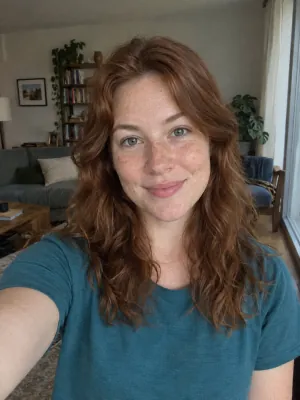
Works: One person, straight on, even light
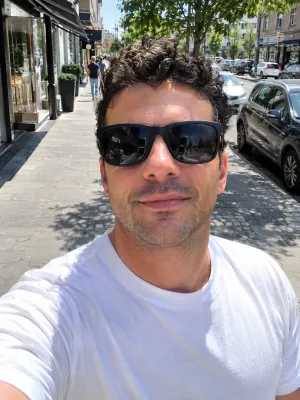
Avoid: Sunglasses
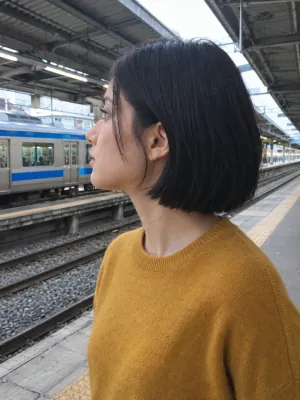
Avoid: Side profile
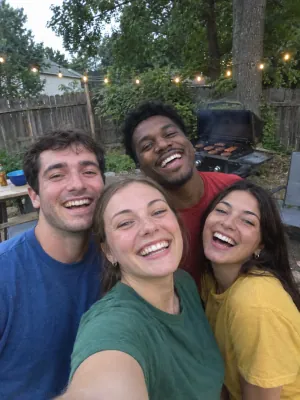
Avoid: Group photo
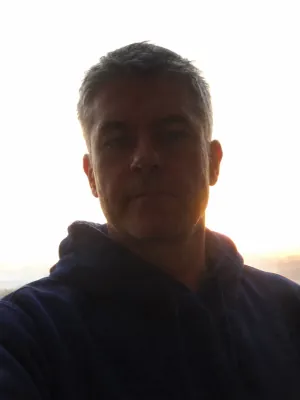
Avoid: Dark or backlit
Use a photo you’re allowed to use, of one adult; photos of children are turned away, and so are pets for now. A front-facing, well-lit photo keeps the likeness best: no sunglasses, one face. This page is a fan-made take on a viral trend, not connected to Drake, his labels or the song’s rights holders; the song clip in your video belongs to them, so follow the music rules of the app you post on. Rights holders can reach us at support@airapduo.io. Want another one-photo trend? Try the Rumpelstiltskin AI tiptoe dance.
Private photos Deleted automatically after 30 days.
Failed renders cost nothing The credits go back on their own.
One-time payments No subscription. Nothing renews.
Secure checkout Paid through Stripe. We never see your card.
Burning Bridges AI FAQ
What is the Burning Bridges AI trend?
Drake’s "Burning Bridges" video ends at a party in a chandelier-lit private dining room: a cup in his hand, a hand over his eyes on "where she at", a wave to the camera. In September 2026 people started using AI to put themselves, friends and TV characters into that party, and it spread across TikTok, Reels and Shorts. We are not connected to Drake or his labels.
Can I put myself in the Burning Bridges video?
Yes. Add one photo and Burning Bridges AI makes a new 15-second version of the party with you as the one everyone is cheering: every move in time with the trend, in your own clothes.
Does it come with the song?
Yes. Your video carries the part of the song the trend uses, lined up so "where she at" lands on the hand over your eyes. You can still swap in the trending sound in TikTok.
Is it the original video with my face on it?
No. We copy the moves and the camera, not the footage. The room, the crowd and you are made fresh by the AI, so your face, hair and clothes stay your own.
Can I do it with my dog or with two people?
Not yet. The moves are a person’s, and pets came out with odd hands in our tests, so for now we take one photo of one person.
Why does the room look so dark?
Because the original does. The party in the clip is lit only by chandeliers and green light, so we grade every video down to that mood while keeping your face clear in the chandelier light.
Vertical or widescreen?
Both. Vertical 9:16 fills a phone screen for TikTok and Reels; widescreen 16:9 matches the original video. Pick the shape before you press make.
How long is it and what does it cost?
Fifteen seconds. At the default quality it’s 20 credits, $7.99 as a single video or about $6 out of a credit pack. A failed render returns its credits on its own.
You’re on the guest list
One photo and one tap, and your Burning Bridges AI video is on its way.