How to Make a Hotel Lobby AI Video From Two Photos
How to make a hotel lobby AI video from two photos, step by step, with our real render times, the free preview rules, photo fixes and how the Higgsfield route differs.
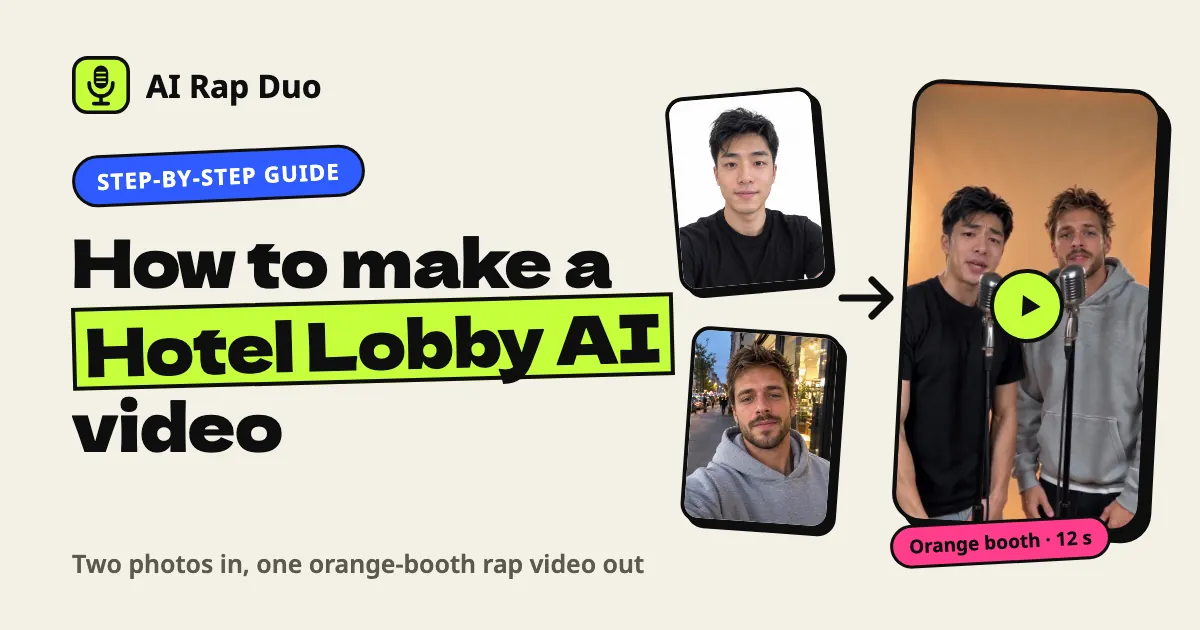
A hotel lobby AI video is the clip that keeps showing up in your feed: two people in an orange room with vintage mics, trading rap lines straight at the camera. You can make one from two ordinary photos. It takes a minute of choosing and about three minutes of waiting.
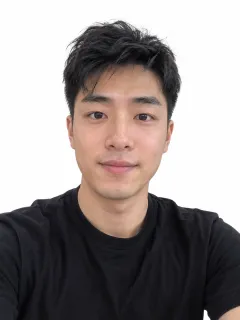 Photo 1
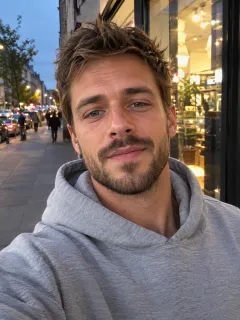 Photo 2
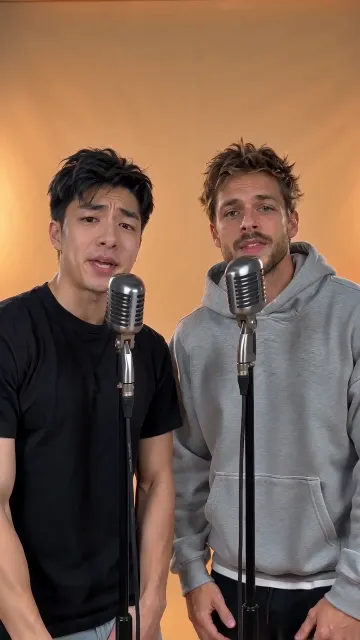 The video
What the hotel lobby AI trend is, and why it's everywhere
The meme is simple. Two people who have no business being a rap duo stand in an orange room and deliver a verse like they've toured together for ten years. The joke is the casting: TV characters, athletes, two cats, and more and more often, your friends.
The look comes from a June 2022 COLORS performance of "Hotel Lobby" by Quavo and Takeoff of Migos: an orange set, one mic hanging between them, verses passed back and forth. The AI versions took off on TikTok and X in September 2026. AI Rap Duo isn't affiliated with the artists, COLORS or the song.
Why so many? The shot is easy for video models to copy: one wall color, two people, a camera that barely moves. And tools piled in fast.
Between 12 and 29 September we counted more than 20 newly registered websites named after the trend, and 15 of the 17 we opened already had a generator running.
About the song: plenty of trend clips reuse the original audio. Yours gets a new song written from your topic, with an AI beat and two AI voices. Nothing is sampled and no voice is cloned.
How to make a hotel lobby AI video in 4 steps
Open Hotel Lobby AI. The Orange Booth stage is already picked on that page, so the look is set before you touch anything.
- Add two photos, one person in each. Tap Photo 1 · You, then Photo 2 · Your duo. Photo 1 becomes the person on the left, who raps the first line.
- Keep Orange Booth. It's the orange wall with chrome mics on stands; most of our videos give each rapper a mic, and some have them share one. Luxury Lobby is the literal version: marble floor, chandelier, gold light.
- Add a topic, or skip it. Tap Add a topic (optional) and type up to 120 characters. Leave it empty and the AI writes about two friends taking over the lobby.
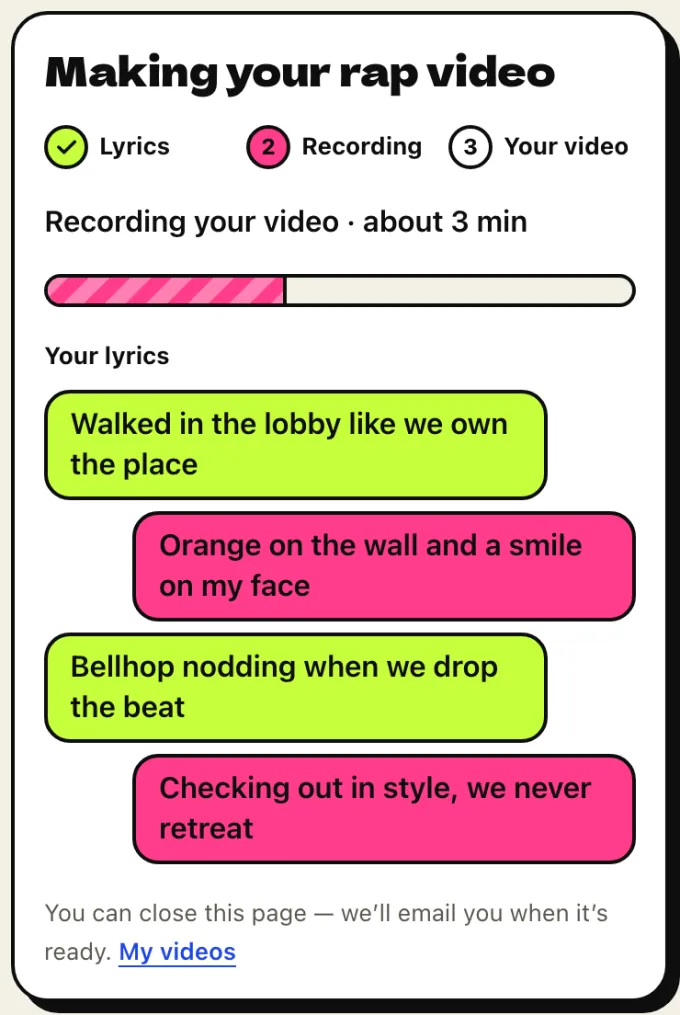
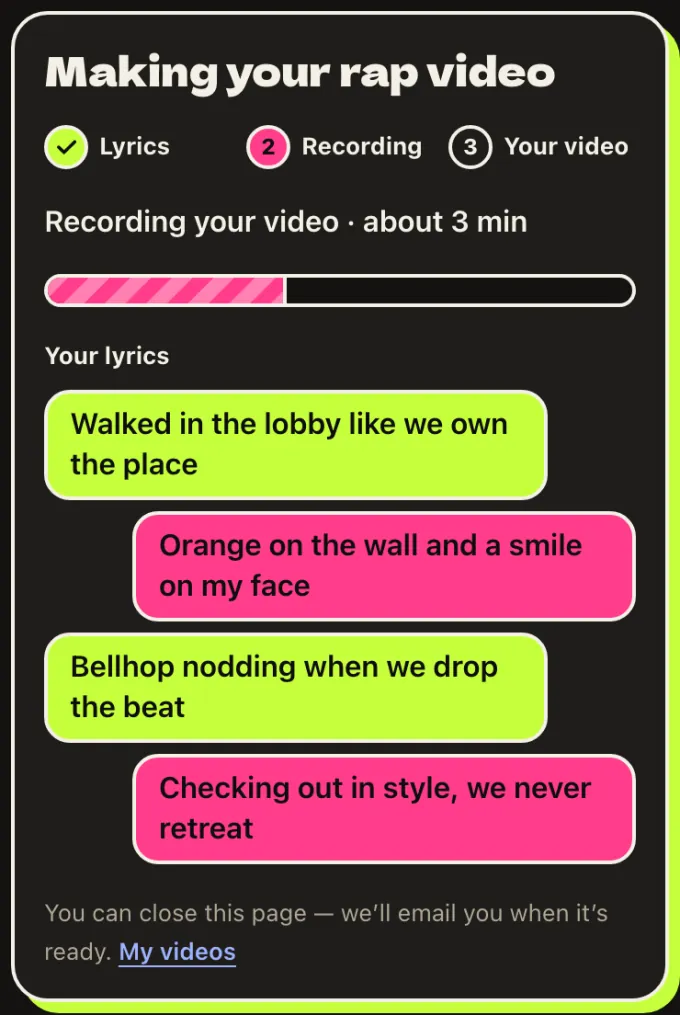
- Tap Make our rap video. Sign in with Google or email. Your lyrics show up first, lime bubbles for the left rapper and pink for the right, then the video records.
The options row under the stages reads Standard · 720p · 12s · 9:16 · 10 credits by default. For this trend, leave it alone. Vertical fills a phone screen, and 12 seconds gives four lines, two each.
- Orange Booth: orange wall, warm key light
- Photo 1 on the left raps lines 1 and 3
- Photo 2 on the right answers with lines 2 and 4
- Two chrome mics on stands, one each
What a hotel lobby AI video costs, and what's free
Some new visitors get a free 5-second preview after signing in with Google, with no card needed. It's a low-res 480p cut, one per person, and it can't be downloaded. It's there so you can check the faces before you pay.
The full video is paid. The default one (Standard, 720p, 12 seconds) is 10 credits, or $4.99 bought on its own. Credit packs start at $14.99 for 50 credits, enough for five default videos, and credits never expire.
Payments are one-time, with no subscription; the pricing page lists every option. If a render fails, its credits come back automatically. A video that finishes but that you don't love isn't a failed render, so get the topic right before you tap Make.
Photos that work, and the ones that don't
A hotel lobby AI video is only as good as the two photos behind it. The model rebuilds each face from one picture, so give it a clear one.
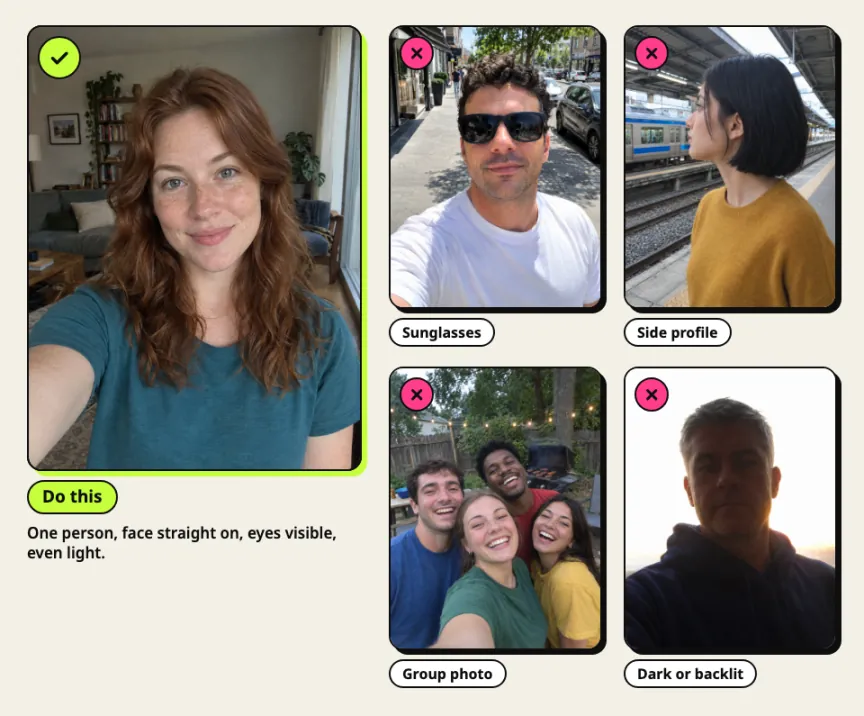
- Sunglasses. They hide the eyes, so the model has to invent them, and that's where likeness slips first.
- Side profiles. Half the face is missing. Straight-on or slightly angled works far better.
- Group photos. One person per photo. Crop your friend out of the group shot, or the wrong face can end up at the mic.
- Low light or backlight. A dim bar photo, or a face against a bright window, loses the detail the model needs.
- Tiny or blurry images. Your browser scales small photos up to 480 pixels on the short side, but it can't add detail that was never there.
- Wide shots. Very wide or tall photos are cropped from the center, so a friend at the edge of a panorama can get cut off.
How long it takes: our render log
The site's estimate for a Standard hotel lobby AI video is about 3 minutes, and our logs agree. Three test renders at 720p and 12 seconds took 164, 186 and 220 seconds from job start to finished file. A 5-second 480p preview took 139 seconds, and the six example videos on this site each took about 2.5 to 3.5 minutes.
Bigger tiers are slower: the estimate is about 5 minutes for Pro and 6 for Ultra. You don't have to watch the bar. Close the tab and we'll email you, and every video waits in My videos.
How people make a hotel lobby AI video with Higgsfield
Higgsfield's tool for this is Genjutsu, in its Motion Transfer mode. It keeps the motion, camera and timing of a source clip and rebuilds the scene from your reference images, so the result follows the original performance closely.
The steps creators share: choose Motion Transfer, upload a source clip (4 to 30 seconds) and your reference images, say in the prompt who replaces the left and right performer, check the credit cost, then generate. One published walkthrough used four reference images. Higgsfield's launch post prices a 15-second clip at 40 credits for 480p, 104 for 720p (about $5.20) and 144 for 1080p.
The two-photo route skips the source clip. Nobody's moves get copied: the model makes a new performance, two people trading lines at the mic, to a song written for your topic.
| Film it yourselves | Motion transfer (Higgsfield Genjutsu) | Two photos (AI Rap Duo) | |
|---|---|---|---|
| What you need | Both of you in one room, an orange wall, a phone, an editor | A source clip of 4 to 30 seconds plus reference images | Two photos, one person each |
| Steps | Set up, film, edit | Mode, uploads, prompt, credit check, generate | Photos, stage, topic, Make |
| Moves come from | You | The source clip | A new performance on the stage you pick |
| Length | Whatever you film | Follows the source clip | 5, 8, 10, 12 or 15 seconds |
| Cost (Sept 2026) | Your time | 104 credits for 15 seconds at 720p | 10 credits for 12 seconds at 720p, or $4.99 |
| Wait | Your shoot and edit | Not published | About 3 minutes on Standard |
We tried a reference-clip method on our own video model during testing. With the original song still on the clip, the model provider's copyright check refused the job; with the audio stripped, it rendered, but one face drifted toward the dancer in the reference. That was our model, not Higgsfield's, so treat it as one data point.
Posting it without breaking the lip-sync
Tap Download video to save your hotel lobby AI video as an MP4. Then:
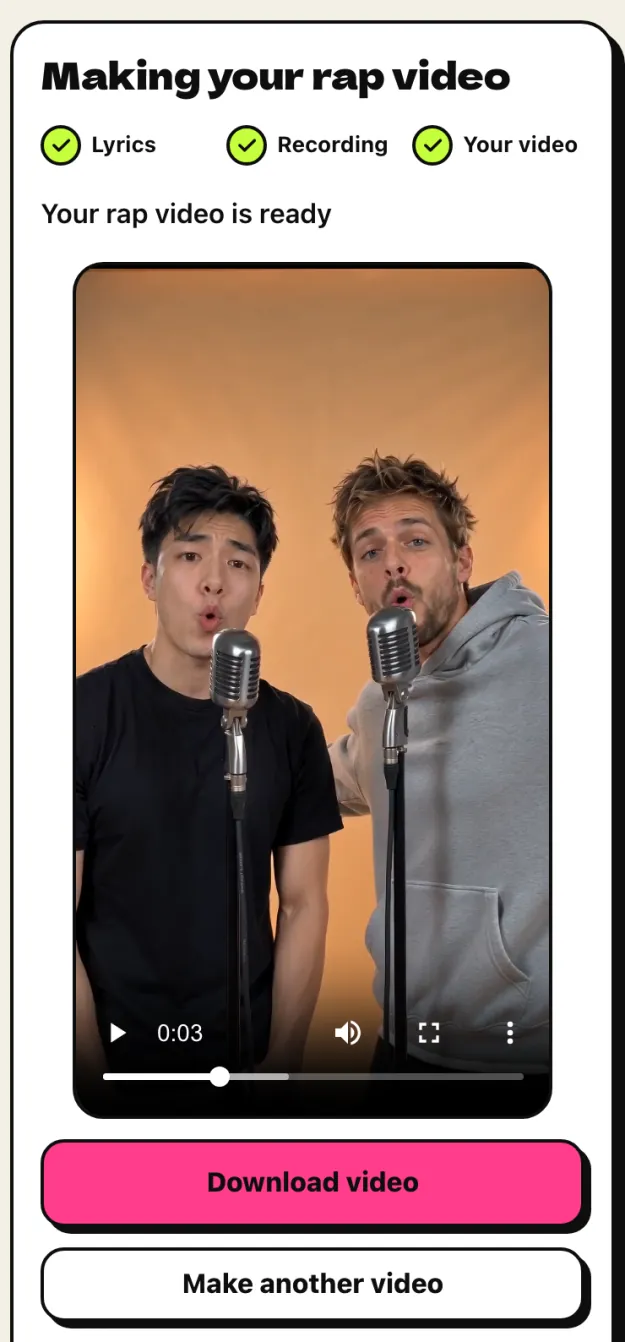
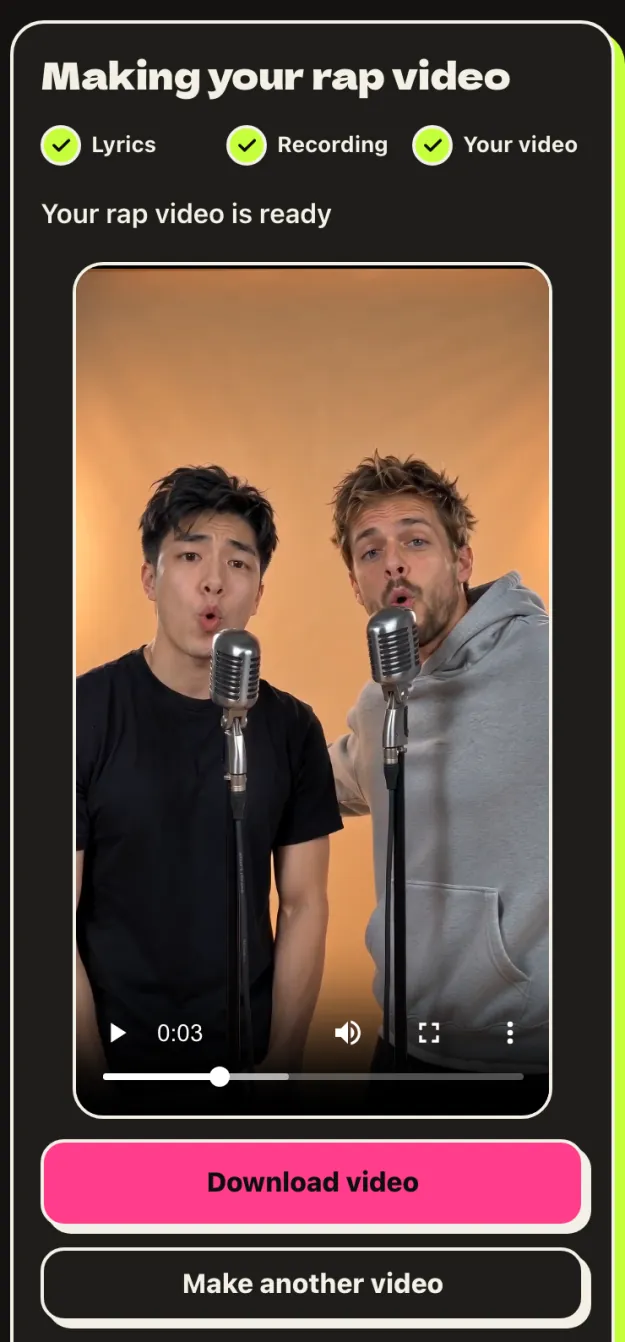
- Keep the audio. The mouths are synced to the song we made. Any other sound, including one from TikTok's library, makes the lip-sync look off.
- Add the lyrics as captions. Copy them from the page into TikTok or CapCut as text. Trim the ends if you like, but don't re-time the audio.
- Say it's AI. "We're a rap duo now (AI)" is honest, and some platforms ask for the label anyway.
Want topics that rap well? Our guide to making a viral rap duo video shows six real topics and the exact lines the AI wrote for each.
Hotel lobby AI video FAQ
Can I make a hotel lobby AI video for free?
Partly. Some new visitors get a free 5-second, 480p preview after signing in with Google. The full video starts at $4.99, or 10 credits at the default settings.
Is it the real Hotel Lobby song?
No. Every video gets an original song: AI-written lyrics from your topic, an AI beat and two AI voices. There's no voice cloning and no copyrighted track.
Can I use a photo of my kid or a celebrity?
No to both. Everyone pictured must be 18 or older, and you need permission to use both photos. The lyrics never name celebrities, artists or brands.
Why doesn't it look exactly like us?
It's generated video: expect a close likeness, not a copy, and a different take every time.
What happens to my photos?
They're stored privately and deleted automatically after 30 days.