Two photos. One tiny table.
Fancy Cafe AI
Fancy Cafe AI puts you and a friend in the viral concrete café clip. One person sits on a tiny round table until the other walks in, sits on the bench and shows how it is really used. Two photos make a 15-second vertical video with sound.
720p is $9.99, or use a credit pack

Real result · tap for soundTwo photos
- 720p is $9.99
- Allow about 15 minutes
- Failed renders cost nothing
Fancy Cafe AI example: two photos in, café video out
Watch this actual 720p Fancy Cafe AI result made from two adult photos. Tap for sound.
Duo · two people · actual 720p result
An actual 15-second 720p video made from two AI-generated adult photos in the concrete café scene, with sound.
Make one like thisInput photos
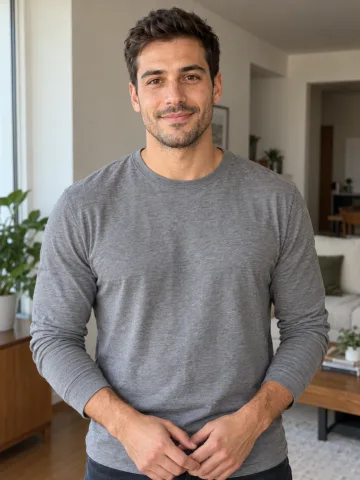
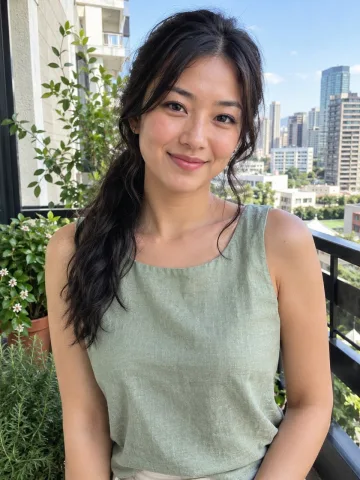
On the table Walks in
How to make the Fancy Cafe AI video
The Fancy Cafe AI scene, timing and sound are already set. Read the Fancy Cafe AI video guide for photo tips and a prompt.
Step 1: Choose the person on the table
Photo 1 is the person initially sitting on the left-hand table and later moving down to the bench.
Step 2: Choose the person who walks in
Photo 2 is the person entering from the right with a cup and sitting on the bench.
Step 3: Add clear photos
Use one clear photo of one adult per role. The Fancy Cafe AI scene comes from the reference; you do not need to write a prompt.
Step 4: Watch and download
Watch your 15-second Fancy Cafe AI video with sound and download the MP4.
720p is $9.99, or use a credit pack
What happens in the Fancy Cafe AI video
The mistake
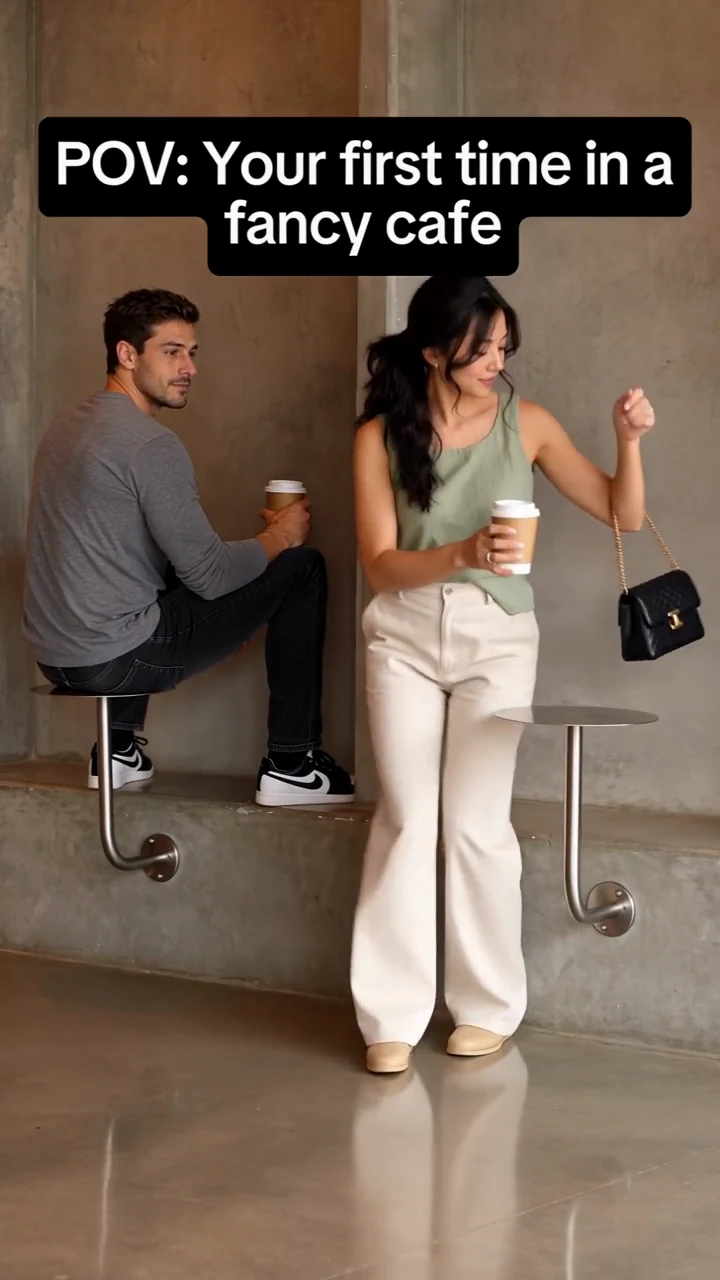
A person perches on a small round table against a concrete wall, holding a cup.
The arrival
A second person walks in, sits on the low bench and uses the other table for a cup.
The realization
The first person looks over and understands what the furniture is for.
The payoff
The first person climbs down from the table and sits on the bench. The camera stays in one fixed shot.
The First Time in a Fancy Cafe trend is a visual joke about someone misunderstanding the furniture in a minimalist café. The picture is a stationary wide shot of a concrete wall, a low concrete bench and two small round metal tables on curved supports. A person is sitting on one of the tables. When another person enters and sits on the bench, the first person realizes what the furniture is for and moves down beside them. The on-screen caption reads “POV: Your first time in a fancy cafe.”
The concrete café shot has appeared with different people in widely shared versions. The @leehoustonx video had about 9.8 million views when checked on November 3, 2026. Other people have made takes in different cafés, so a video about a fancy café is not necessarily this particular small-table scene.
This page is for the two-person concrete café version: it puts two photo subjects into one 15-second shot. It does not recreate a visit to a real café or generate a new story about reading an expensive menu.
Your photos in the Fancy Cafe AI clip
- Two photos, two roles
- Concrete café and tiny tables
- One fixed shot
- 15 seconds, 9:16
- Sound added
Use one clear photograph of one adult for each slot. A front-facing or slightly turned face, even lighting and an unobstructed view of the hair give the model useful detail. A waist-up photo can show more of the outfit you want in the video; a head-to-toe photo is helpful if you want the model to see the whole look. The input background does not have to be a café.
Avoid group photos, heavily blurred faces, sunglasses that hide the eyes and extreme side profiles. If only the upper body is visible, the model has to infer the trousers and shoes, so those details can differ. Because the viral scene is a wide shot, faces appear smaller than in a portrait. A clear input helps but cannot guarantee that every frame will look identical to the photograph.
Use photos of adults who have agreed to be included. If the result does not look like the people in the photos, check the inputs and contact support rather than representing the clip as real footage.
Fancy Cafe AI price
One video
$9.99
- Pay once for the video you make
- No subscription, nothing renews
- Failed renders cost nothing
Credit packs
from $29
- 100 credits to start
- A default video is 30 credits
- Credits never expire
The 720p Fancy Cafe AI video costs $9.99 or 30 credits; 1080p costs $14.99 or 45 credits. There is no free personalized preview. You can watch the actual 720p example first.
If a photo is unsuitable or a generation fails, credits are returned to your balance. A credit refund does not refund your card. See all prices.
Sharing your Fancy Cafe AI video
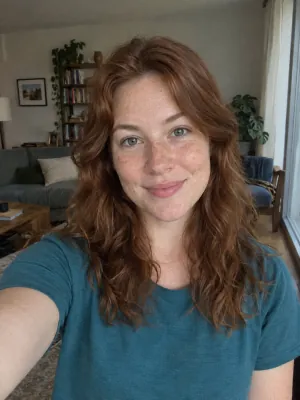
Works: One person, straight on, even light

Avoid: Sunglasses
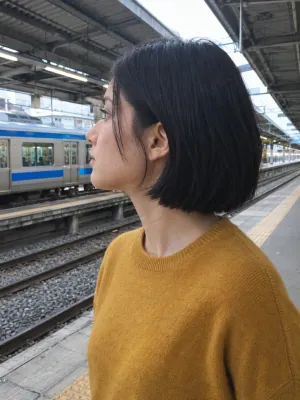
Avoid: Side profile
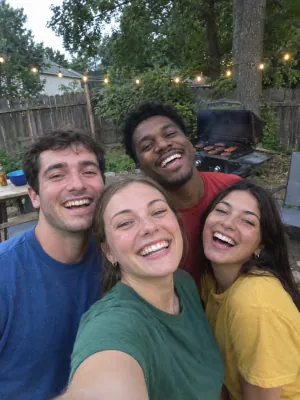
Avoid: Group photo

Avoid: Dark or backlit
The Fancy Cafe AI video is an AI-generated fictional clip. The people in the photos did not necessarily visit this café. Use photographs of adults who agree to be included, and label the video as AI-generated when you share it.
The fixed scene is the reason the joke works: the left-hand person is already on a small round table, while the person from the second photo enters with a cup and sits correctly on the low bench. Their reactions and the timing convey the misunderstanding without requiring a new script.
Private photos Deleted automatically after 30 days.
Failed renders cost nothing The credits go back on their own.
One-time payments No subscription. Nothing renews.
Secure checkout Paid through Stripe. We never see your card.
Fancy Cafe AI questions
How can I recreate the viral “first time in a fancy cafe” video using AI with my own face and my friend’s face?
Upload one photo of each person to make a 15-second video in the concrete café scene. The first person sits on a small round table by mistake; the second enters and sits on the bench, and the first moves down beside them. The wide camera, scene and main action follow the reference, although AI can change small gestures or details.
Which AI tool can turn two photos into this funny café video?
Use the tool on this page to put two adults into the fixed café clip. Add the table sitter to Photo 1 and the person who walks in to Photo 2. The result is a vertical MP4 with sound; no separate face-swap app, source video or written prompt is needed.
Do I need separate full-body photos of both people, or are face selfies enough?
One clear selfie of each adult can be used; full-body photos are optional. Choose well-lit photos with one person per image and eyes, face and hair clearly visible. A waist-up or full-body photo also shows more clothing. If trousers or shoes are not visible, the model has to infer them, so they may differ.
Can I use my own photo and my friend’s photo to make the two characters look exactly like us?
The tool uses each photo for its corresponding person, but cannot guarantee an exact likeness in every frame. Faces are small in the wide café shot, and turns or occlusion can make them harder to preserve. Use clear, unobstructed photos and check the result before sharing; clothing visible in each photo guides that person’s look.
What if a face looks wrong or the clothing changes?
If a result does not resemble the person in the photo, contact support with the order details. Check whether each input shows one adult clearly, without heavy blur, sunglasses or an extreme side angle. A failed generation returns charged credits to your balance; a credit refund is not a card refund. Contact support about a completed result you are unhappy with.
How much does the Fancy Cafe AI video cost? Is it free?
The video costs $9.99 or 30 credits for 720p, and $14.99 or 45 credits for 1080p. There is no free personalized preview; play the actual 720p example above before deciding. A single video is a one-time purchase, and you can also use a credit pack.
What video aspect ratio and resolution work best for posting this meme on TikTok and Instagram Reels?
The tool makes a 15-second, 9:16 vertical MP4 for full-screen vertical sharing. Choose 720p for the lower price or 1080p for a higher-resolution output; the example above was made at 720p. When the result is ready, use its download button to save the MP4, then upload that file to TikTok, Instagram Reels or YouTube Shorts.
Does the video include music, and can I add my own dialogue or sound effects?
The tool adds the fixed reference clip’s music after generating the video. Play the example with sound to hear the soundtrack. The generator does not offer custom audio, personalized voices, separate café ambience or pacing controls. You can edit the downloaded MP4 separately to add dialogue, captions or effects, or to trim the timing.
Can I make the café video look like a candid recording?
The tool follows the reference’s fixed wide camera and concrete café setting. The scene is AI-generated and details such as faces, hands, gestures or clothing may differ from the reference or the input photos. This version does not offer separate lighting, clothing or Parisian café controls.
Can I make the Fancy Cafe AI trend with one person or a pet?
This version needs two adult photos and makes the fixed table-and-bench scene. Solo and pet versions are not offered here. Use photos with permission and follow the AI disclosure and music-use rules of the platform where you share your fictional clip.
Your turn at the fancy cafe
Add two photos and make your Fancy Cafe AI video.