Ceiling Fan Transition AI Prompt: 5 Copy-Ready Prompts for the Fan Outfit Change
The ceiling fan transition AI prompt in five copy-ready versions, with your own outfits, as a couple, with your dog or in Halloween costumes, written from what worked in our own test renders, plus the one-photo version.
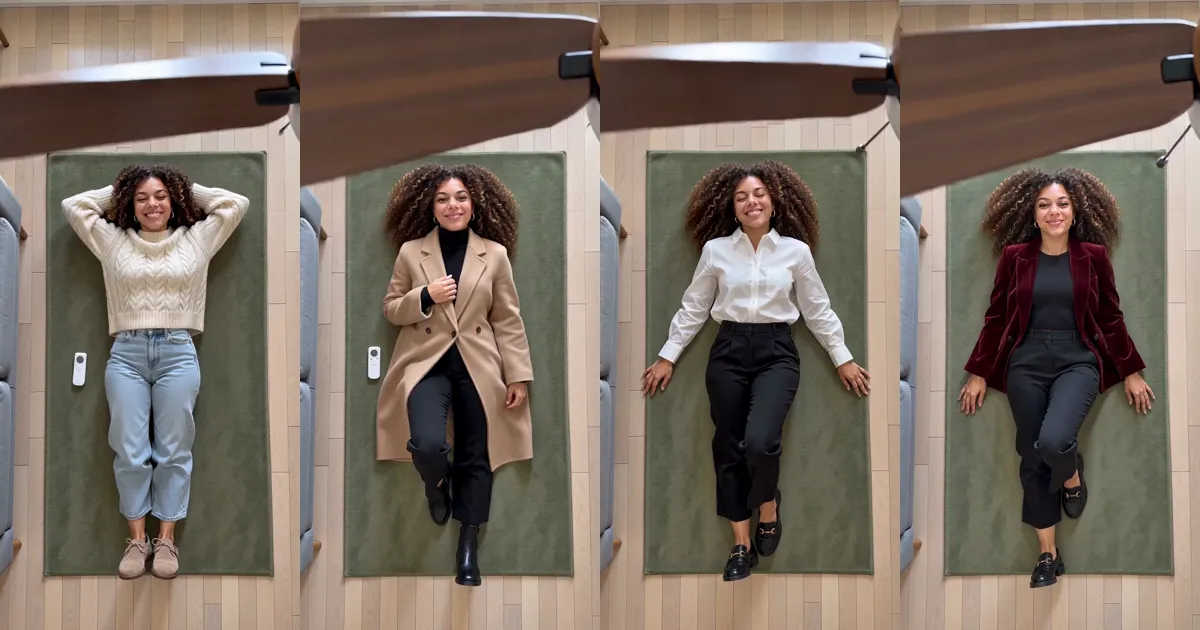
The ceiling fan transition is the TikTok clip where the camera looks straight down from the ceiling, someone lies on the rug under a turning fan, and every time a blade sweeps past the lens they are wearing a different outfit. Below are five versions of the ceiling fan transition AI prompt you can copy into an image-to-video app, written from what worked in our own renders, and the one-photo version if you would rather skip the prompt.
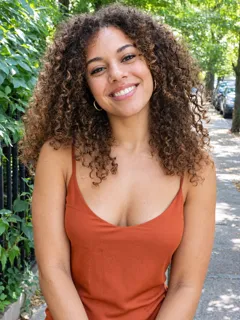 Photo 1
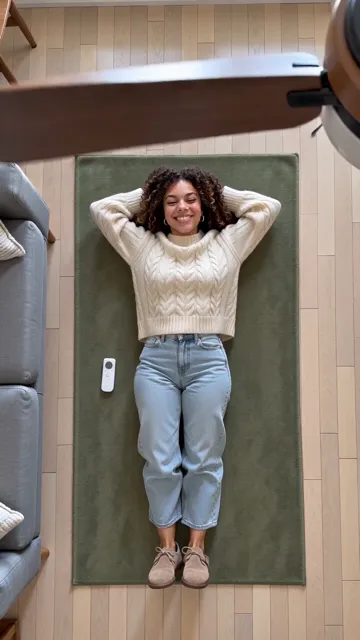 The video
What the ceiling fan outfit change trend is
It took off on TikTok in late September 2026, also called the fan transition or the under-the-fan trend. The first clips were filmed for real, with a phone taped to the ceiling; most you see now are AI.
Searches are mostly about how to do it with AI: in the four weeks to early October, Similarweb counted "fan transition / fan-blade outfit change", "can we make fan transition reels with ai" and "fan outfit transition ai video" as the biggest ones. Google Trends shows the most interest in Australia, the Philippines, Canada, the UK and the US.
What a good ceiling fan transition AI prompt has to say
We wrote and tested a ceiling fan transition AI prompt for our own video version, and had it reviewed before paying for a single render. Five things decided whether it worked:
- The camera never moves. A phone fixed to the ceiling, looking straight down; the room never changes.
- Where the fan is. Its centre just outside a top corner, so only the blades sweep across. A fan in the middle sits on your face.
- How fast it turns. "Very slowly, the way a fan does just after it is switched on". A normal-speed fan becomes a blur.
- When the clothes change. Only when a blade fully covers the lens, one look at a time, and say how many changes there are.
- Plain colours with contrast. Solid colours, no logos, and a rug that contrasts with the outfits: a cream sweater on a cream rug looks like no change.
Add this sentence to every prompt so the face stays yours: Keep my face, hair, skin tone and body build exactly as in my photo in every outfit; only the clothes change.
5 copy-ready versions of the ceiling fan transition AI prompt
Each ceiling fan transition AI prompt below is written for an image-to-video model with your photo attached, 9:16, 10 to 15 seconds.
The classic: four autumn looks
- A realistic vertical phone video from a camera fixed to the ceiling, looking straight down; the camera and the room never change. I lie on my back on a sage-green rug, head near the top of the frame, smiling up at the camera. A wooden ceiling fan hangs just below the camera, its centre just outside the top-right corner, and turns very slowly, the way a fan does just after it is switched on. Each time a blade fully covers the lens, I appear in the next outfit, in this order: instead of the clothes in my photo, a cream cable-knit sweater with light jeans; a long camel wool coat over a black turtleneck; a white shirt with black trousers; a deep-red velvet blazer over black. Exactly four changes. After the last one I wink at the camera. Solid colours, no logos, no text on screen.
Your own clothes
- Image 1 is me; images 2 to 5 are four outfits. Use only my face, hair, skin tone and body build from image 1, not its clothes. Overhead camera fixed to the ceiling, looking straight down at me lying on a rug under a slowly turning wooden ceiling fan. Each time a blade fully covers the lens, I am wearing the next outfit, from image 2 to image 5, each exactly as in its photo. Exactly four changes, one at a time.
Two of you
- Overhead camera fixed to the ceiling. The two of us lie side by side on our backs on a rug, shoulders touching, the person from the first photo on the left. A wooden ceiling fan turns very slowly just below the camera. Each time a blade fully covers the lens, we both switch at the same instant into matching outfits: matching cream sweaters, then matching camel coats, then matching white shirts, then matching red velvet blazers. After the first change, neither of us is ever back in the clothes from our photos. At the end we turn to each other and laugh.
With your dog
- Overhead camera fixed to the ceiling. I lie on my back on a rug; my dog lies on its belly beside me, head up. A wooden ceiling fan turns very slowly. At each blade we both change: I wear a cream sweater, then a camel coat, then a white shirt, then a red velvet blazer, and my dog wears a little knit sweater, then a navy coat, then a black vest with a white collar, then a red velvet jacket. The dog is a real animal on four legs.
The Halloween version
- Overhead camera fixed to the ceiling, looking down at me lying on a dark rug under a slowly turning wooden ceiling fan. Each time a blade fully covers the lens, I appear in the next costume: a witch's black dress and pointed hat, a vampire's cape, a skeleton onesie, a pumpkin outfit. My face stays uncovered and recognisable in every costume. Exactly four changes, family-friendly, no blood.
We wrote each ceiling fan transition AI prompt from our own tests; prompt 1 is closest to what we rendered.
Or skip the prompt: the one-photo version
On Ceiling Fan Outfit Change AI you add a photo and get the 15-second clip of prompt 1: the overhead shot, the turning fan, four outfit changes and a wink. Your partner or your dog can join from a second photo.
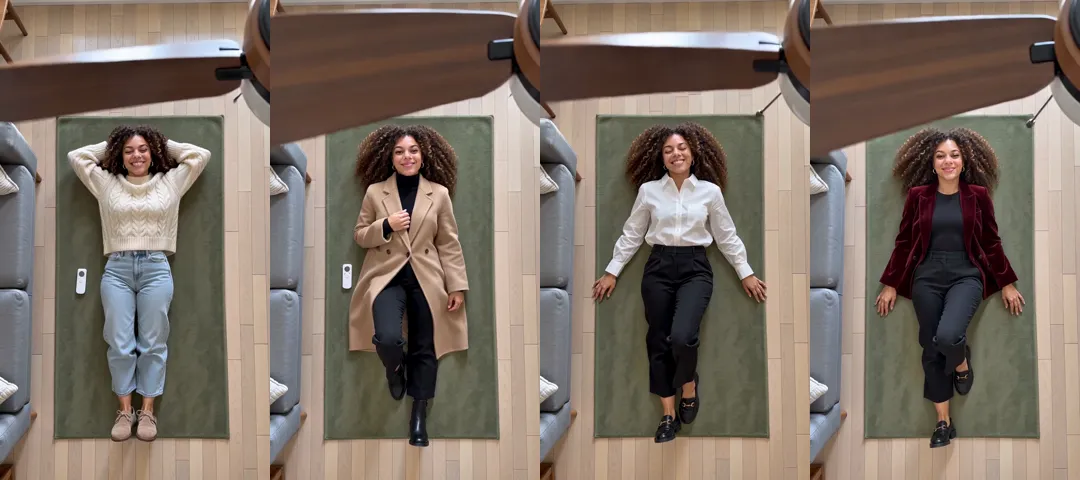
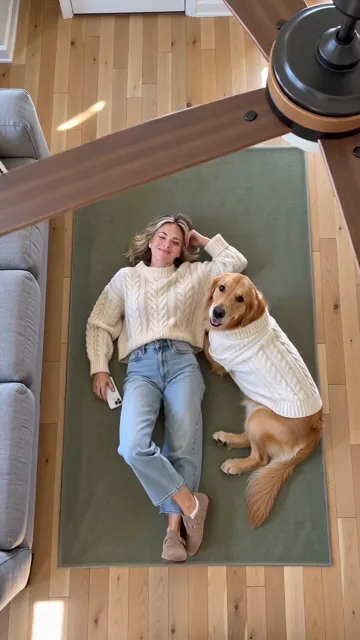
- A blade sweeping in from the fan in the top-right corner
- Her face stays her own in every look
- A real dog lying down, in a knit sweater to match hers
- A green rug, so a cream sweater still reads as a change
What our test renders got wrong
We tested our prompt on one clip first, then ran the rest. The single-person video got the shot, the fan, all four outfits and the face right.
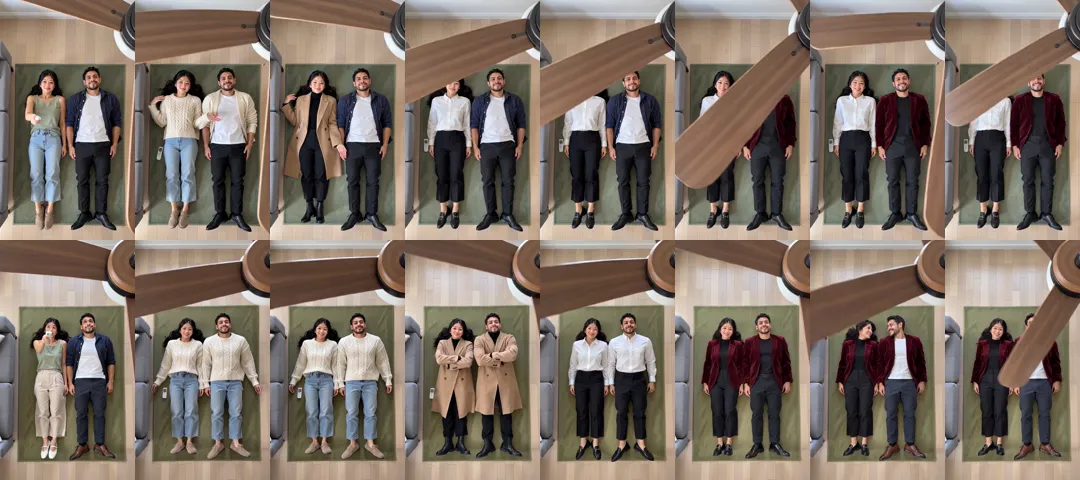
- The couple didn't change together. Our first couple prompt said "each in their own size", and the model shared the outfits out. Asking for matching outfits at the same instant, and never the clothes from the photos again, fixed it.
- The dog was a beat late, about a second after each blade. It still reads as a fan transition.
- Small slips. A leg bent awkwardly; shoes from the photo came back. Check before you post.
Our 720p examples weren't perfect either: in the couple video he keeps his own shirt for the first look, and in the dog video she slips back into the white shirt on the last blade. We re-rolled each once and kept the better take. Our test renders took between 2 min 44 s and 3 min 30 s.
What it costs
Video apps have free trials, credits or subscriptions. Our version is paid per video: the 15-second ceiling fan outfit change at 720p is 13 credits, $4.99 paid once or about $3.90 out of the $14.99 pack of 50 credits. No subscription, and a failed render refunds itself. The pricing page lists every option.
| A prompt in a video app | One-tap templates | Our fan transition | |
|---|---|---|---|
| You do | Write the prompt, add outfit photos, re-roll | Add a photo | Add a photo |
| Your own outfits | Yes, with outfit photos | Rarely | Not yet: four set looks |
| Couples and pets | If you rewrite the prompt | Usually one person | Yes |
| Cost | Credits or a subscription | Free trial, then credits | $4.99, or about $3.90 from a pack |
Ceiling fan transition AI prompt FAQ
What is the best ceiling fan transition AI prompt?
One that fixes the camera, keeps the fan's centre out of frame, slows the fan, counts the changes and keeps your face, like prompt 1.
Can we make fan transition reels with AI?
Yes, either with a ceiling fan transition AI prompt like the ones above, or from one photo on our ceiling fan outfit change page.
How do I do the fan transition with CapCut?
Film yourself in each outfit from the same spot and cut between the clips under a green-screen fan-blade overlay.
Why does my outfit change in the open, or come back?
The fan is turning too fast, or the prompt doesn't say how many changes there are. Slow the fan down and count the changes.
Can I use my own clothes?
Yes, with prompt 2: attach one photo of each outfit after your own photo. Our one-photo version uses four set looks for now.