Angry Dance Filter AI Video: The Trend, Photo Tips and How to Make Yours
Make an Angry Dance Filter AI video from one photo. See two actual 15-second results of the viral angry hand-gesture dance, choose a clear photo and compare resolutions.
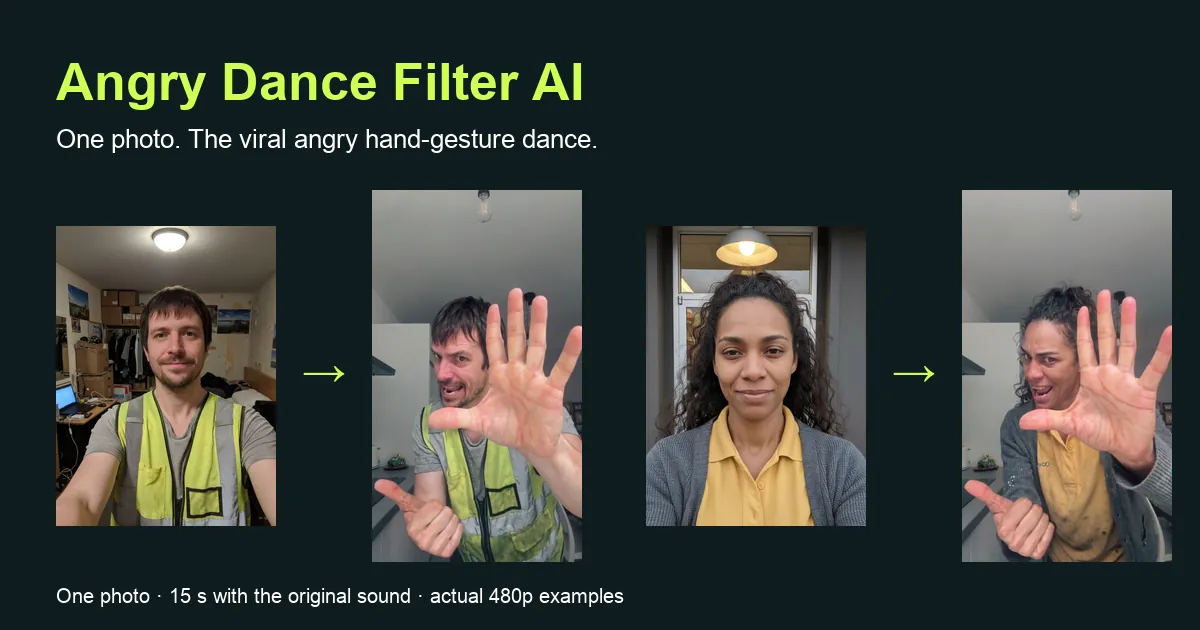
An Angry Dance Filter AI video puts the adult in your photo into the angry hand-gesture dance that took over TikTok feeds this month. You walk into a white kitchen with a thumbs-up, lean right into the lens, jab a finger at your open palm, push a flat hand at the camera, shout, turn away and come back for a final fist to the chest. You supply one photograph; the finished clip runs about fifteen seconds in 9:16 with the original sound.
This guide walks through the dance move by move, shows two actual results next to the photos that made them, and explains which photo works best, what the resolutions mean and what to check before you post. You can watch both examples before paying on the Angry Dance Filter AI page.
What happens in an Angry Dance Filter AI video
The trend is one continuous shot from a phone propped on a kitchen counter. There is no partner and no prop: one person argues with the camera using only hands, face and timing. The comedy comes from how serious the performer looks while doing something completely ridiculous, exactly on the beat. A CapCut template spread it quickly, which is why many people search for it as a filter.
The routine has four parts. In the first second you walk in from the back of the kitchen with a thumbs-up. From about one to four seconds you lean close and tap one finger against the open palm of the other hand, as if counting off everything that went wrong. Around the fourth second the open hand pushes flat toward the lens, then a finger goes to the lips and chin, then comes the big shout. In the last part you step back, turn away, and return to the camera with a fist to the chest and a raised hand.
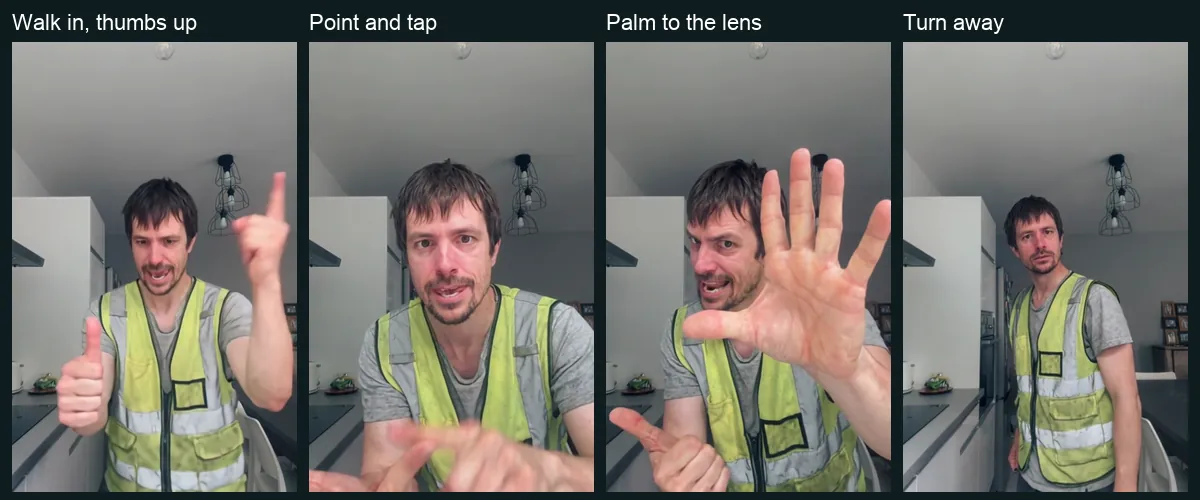
In your video, your photo replaces the dancer. The kitchen, cabinets, chair, ceiling bulb, lighting and camera position come from the scene, so every gesture lands where the original sound expects it. You do not need to pull an angry face in your photo or film anything yourself.
Two actual Angry Dance Filter AI video examples
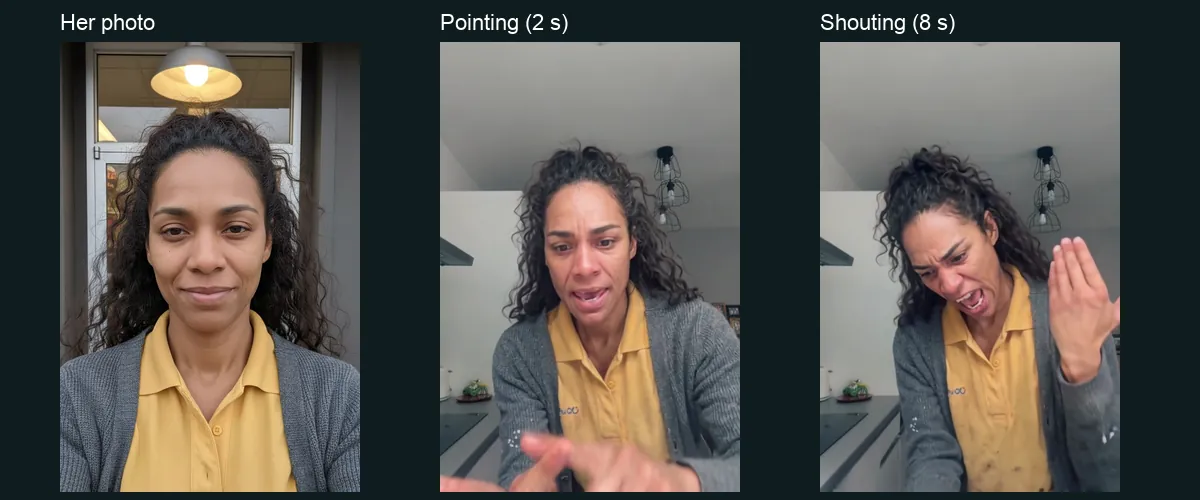
We tested two very different people. The first is a man in a worn hi-vis vest over a stretched grey T-shirt, with shaggy dark hair and stubble. The second is a woman with long curly hair pulled back, in a mustard work polo under a pilled grey cardigan. Both photos are AI-generated adults made for testing; both videos are actual 480p generations with the original sound added afterwards.
A finished clip alone does not tell you how close the result stays to the person in the photo. Below, each photo sits next to its result.
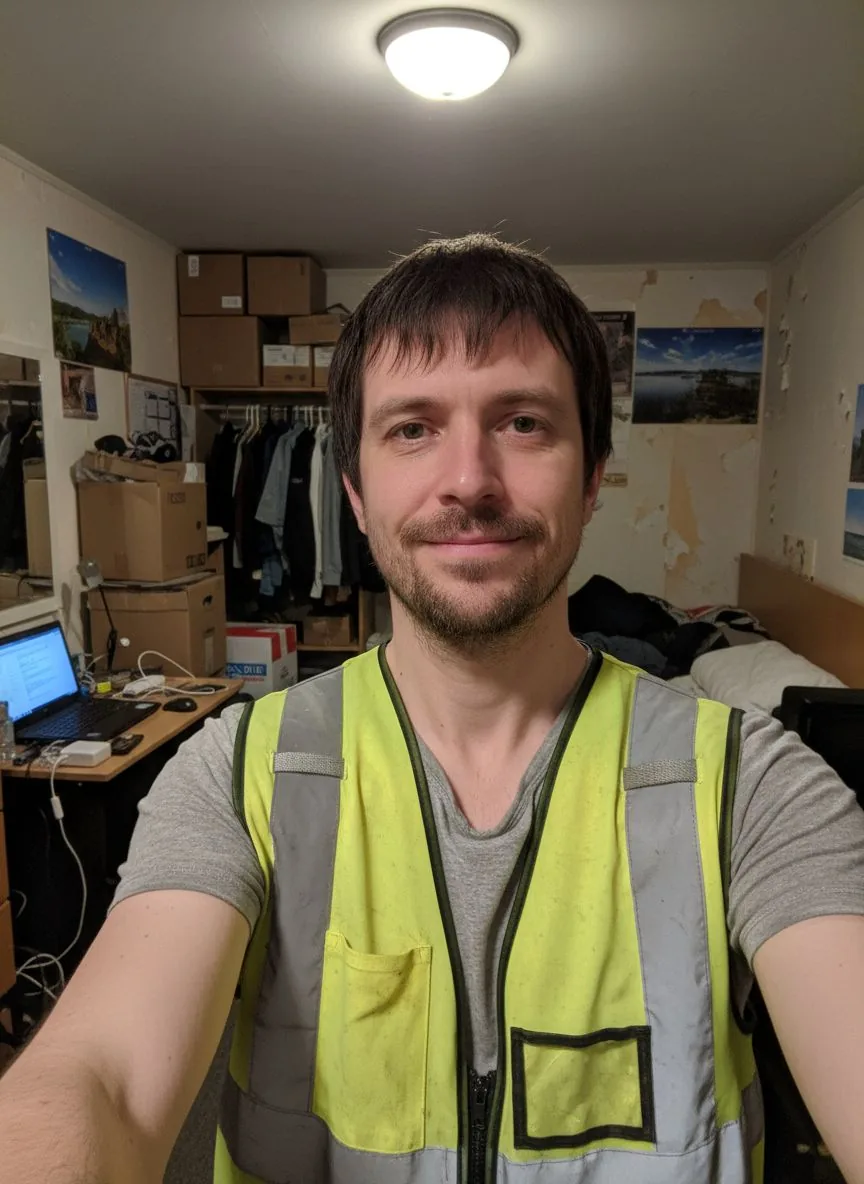 Photo 1
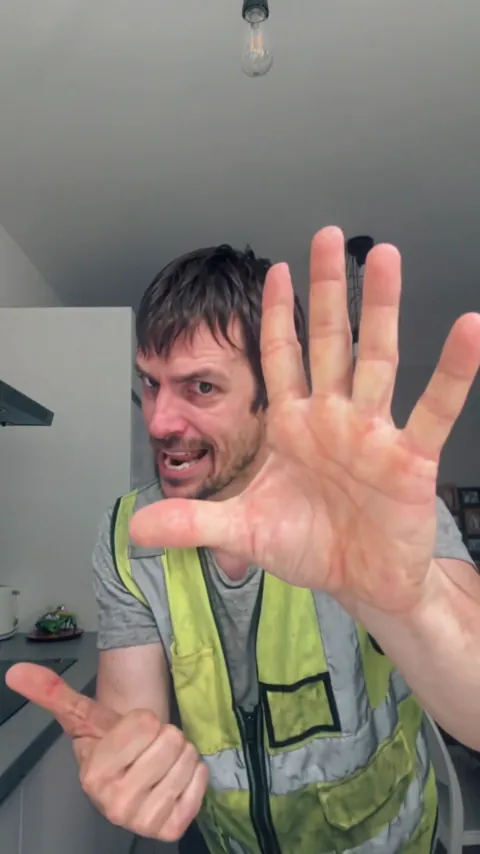 The video
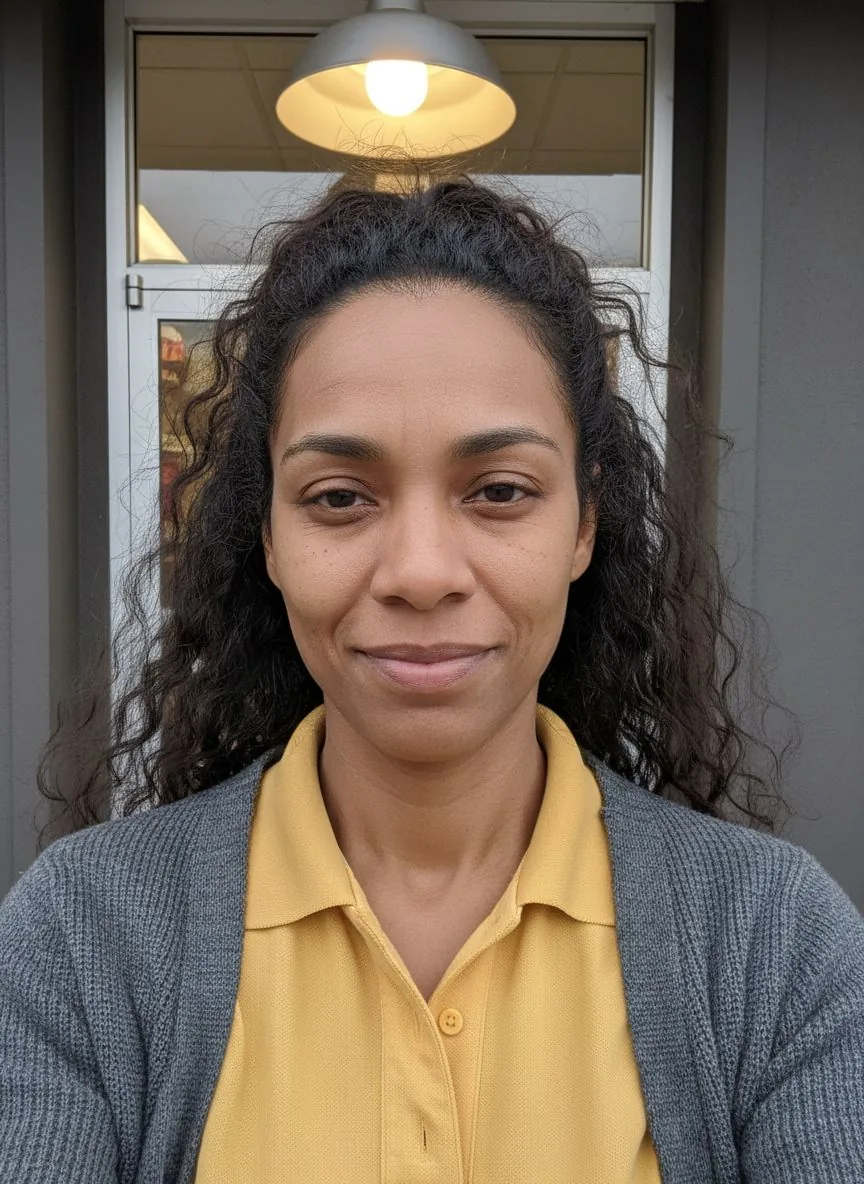 Photo 1
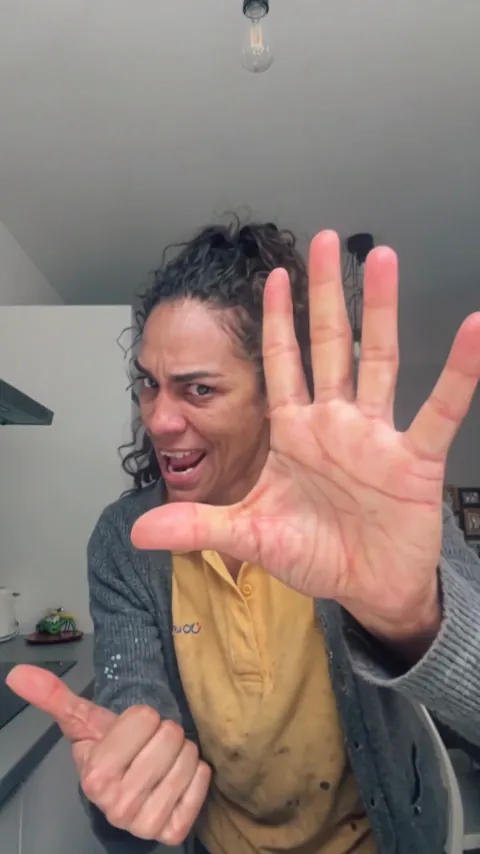 The video
Choose a photo for your Angry Dance Filter AI video
Start with one clear adult. The face should be readable, mostly towards the camera and free of large obstructions. Keep the hair inside the frame and wear the outfit you want in the video. An ordinary phone selfie in daylight usually works better than a dramatic photo with deep shadows or a heavy filter.
A selfie or upper-body photo is accepted. A waist-up photo gives the video more of your real outfit, because the dance shows you from the knees up when you step back and turn away. Without that, the model has to fill in the clothes outside the crop. Glasses and facial hair are fine, and you can smile in the photo; the angry expressions come from the dance.
Avoid a hand or phone covering the face, a head turned away, strong overexposure, heavy blur and group shots. Photos of children, of several people or with no visible person are turned away before generation, and the credits return to your balance. The background of your photo is not used, so a bedroom or a shop doorway is fine.
Make an Angry Dance Filter AI video step by step
Open the generator and add your photo. You need only one upload. The scene, moves and length are fixed, so there is no prompt to write, no template to download and no app to install. Watch the complete public example first if you want to be sure this is the dance you mean.
Choose 480p, 720p or 1080p; 720p is the default. These options change output resolution and keep the same scene, timing and sound. Both public examples are labelled 480p because that was the setting of the tests; they are not a demonstration of the higher resolutions.
Continue to the payment panel. It shows the price for one video and the credit packs. After payment, the photo is checked before generation. If it is unsuitable, the credits return to your balance and you can pick another photo. A finished video gets the original sound before delivery.
Resolution, price and waiting time
A single video costs $6.99 at 480p, $9.99 at 720p and $14.99 at 1080p, or twenty, thirty and forty-five credits from a pack. There is no subscription and no free personalized preview for this trend; the public examples stay available to watch.
Allow about fifteen minutes including processing. Our two 480p tests took five minutes and ten seconds for the man and five minutes and fifty-four seconds for the woman on the video model, before the sound was added. That is a recorded observation, not a delivery promise; queues and the resolution you choose change the wait. You can close the tab, and we email you when the video is ready.
If the photo check rejects an image or generation fails, the credits return to your account balance for another attempt. That is different from a refund to your card; contact support if you need help with a charge.
Check your Angry Dance Filter AI video before you post
Watch the whole clip with sound. The walk-in shows whether the face, hair and outfit read as you from a distance. The close-ups between one and eight seconds are the part people replay, so look at the face and the hands there. The turn away near the end shows the back of your hair and your clothes from the side.
Generated details can drift. In our woman’s example, a few small light dots appear on the cardigan during the turn; the man’s example shows no notable change. Fingers held close to the lens, logos, small prints and jewellery are the details most likely to change. Higher resolution shows more detail but cannot promise an exact likeness.
Sharing the angry dance
The 9:16 MP4 fits TikTok, Reels and Shorts without cropping. The original sound is already in the file, so you can post it as it is. If you add a trending sound in an app, listen before publishing so the beat is not doubled.
Label your post as AI-generated and use only photos you have permission to upload. This is a fan-made meme tool. It is not affiliated with, endorsed by or connected to TikTok, CapCut or the creator of the original video, and no app logo or template screen appears in your clip. For order questions or rights concerns, contact support@airapduo.io.
Angry Dance Filter AI video questions
Is this the same as the angry dance filter on TikTok?
It is the same trend: the one-person kitchen routine with the finger tapping, the palm pushed at the lens, the shout and the turn away. People search for it as angry dance filter, angry dance AI or the angry dance trend. Here you make it from a photo in your browser, without CapCut.
Can I use a pet or two people?
Not yet. This version accepts one adult photo and replaces the one dancer in the scene. Pet and two-person versions would need their own scene, and we have not made them.
Can I change the moves or the kitchen?
No. The routine and the room are what make the trend recognizable. You choose the photo and the resolution; the gestures, the timing and the sound stay the same.
Do I need to look angry in my photo?
No. A calm, clear photo works best. The expressions, the shouting and the attitude come from the dance itself; your photo supplies the face, hair and clothes.