Ozil Goal AI Video: The Move, the Photo and How to Make Yours
Make an Ozil Goal AI video from one full-body photo. See the chip, the defenders, the finish, actual examples, photo tips and the three resolution prices.
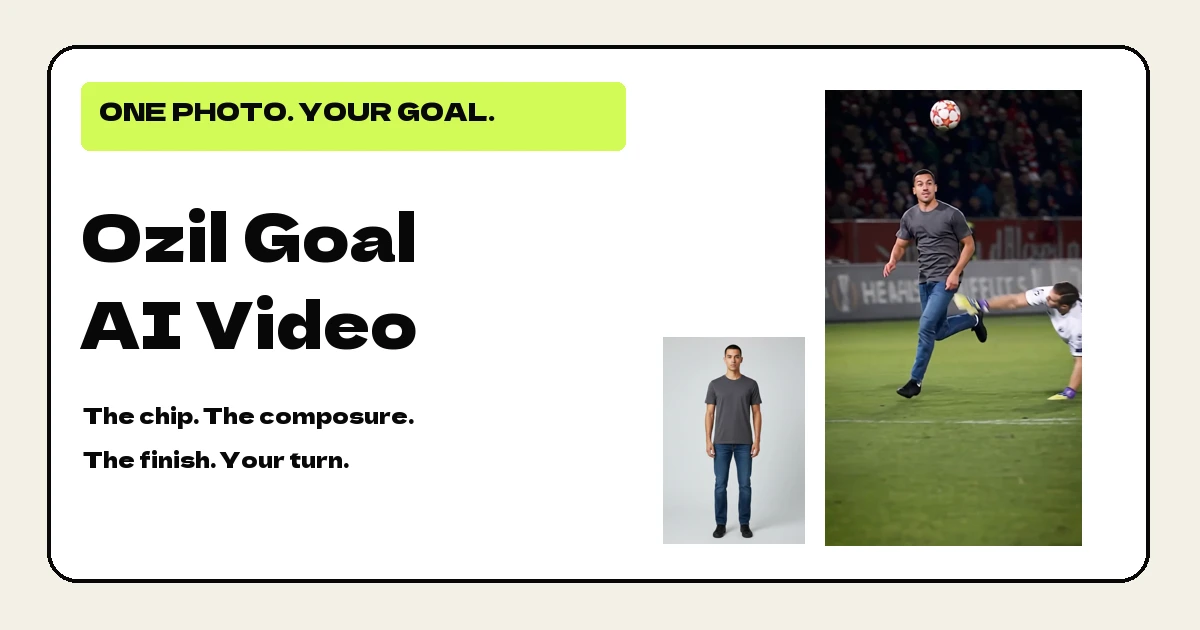
An Ozil Goal AI video puts the person in your photo into a football attack: the ball goes over the onrushing goalkeeper, defenders try to recover, and the attacker stays composed before taking the shot. You supply one photo, rather than filming yourself playing football. The result is a short AI recreation with the sound already included. This guide explains the move, shows the two examples we have actually made, and walks through the photo, resolution and payment choices on our page.
Where the Ozil goal comes from
The move recalls Mesut Özil’s late winner for Arsenal away to Ludogorets in November 2016. Arsenal came back from two goals behind to win 3–2, and his solo effort settled the match. You can read the contemporary account in UEFA’s match report.
The football sequence is memorable because the attacker seems to have more time than everyone around him. Getting over the keeper is only the first obstacle. He then has to stay with the ball while the remaining defenders close in. The contrast between their urgency and his composure is what makes putting an everyday person into the scene funny.
Our version is a fan-made AI recreation. It is not affiliated with Mesut Özil, Arsenal or UEFA, and it is not evidence that the person in your upload played in the original match.
The Ozil Goal AI video, moment by moment
The version on our page is vertical and lasts about fifteen seconds. Both current example files are 14.9 seconds long. The table describes this particular sequence, rather than promising that every AI recreation of the goal uses identical framing.
| Part | What to watch |
|---|---|
| The opening | The attacker has the ball and the goalkeeper moves out to challenge. |
| Past the keeper | The ball is lifted over the keeper as the attacker continues the run. |
| The recovery | The attacker stays with the ball while defenders move into the space. |
| The evasions | Small changes of direction keep the attack going through the challenges. |
| The shot | The attacker takes the shot and the camera follows the ball at the end. |
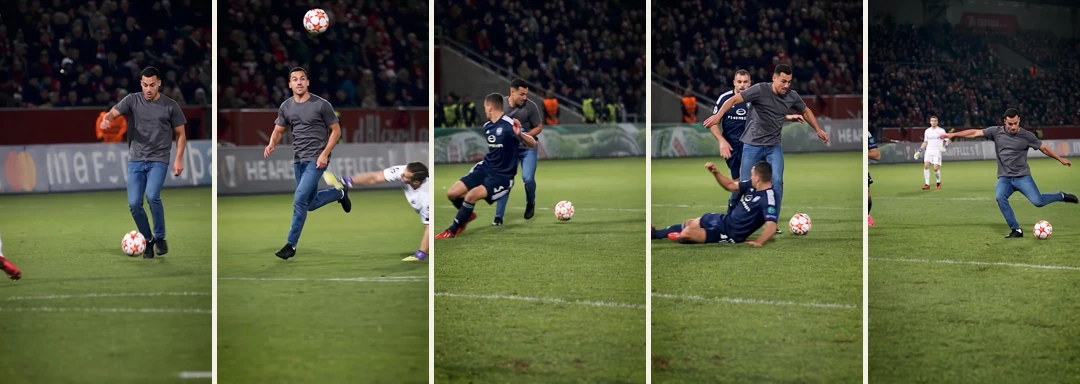
The brief occlusions matter. Another player can pass in front of the attacker, and the camera can show a side or back view. A useful recreation needs to continue the same outfit through those moments, not introduce a new player every time the main subject comes back into view.
How to make an Ozil Goal AI video from one photo
Open Ozil Goal AI and look at the full examples before starting. The scene, action and approximate length are fixed. You are choosing who goes into that attack and the resolution of the finished file, rather than commissioning a different football story.
- Pick one adult’s full-body photo. Include the head, legs and shoes, with a face that is clear enough to read.
- Upload that one photo. You do not need a separate face close-up, a video of yourself or a football reference clip.
- Choose the resolution. The page starts at 720p; 480p and 1080p are also available.
- Choose how to pay. Buy this video on its own or use a credit pack. The panel shows those options before checkout.
- Wait for the photo check and render. An unsuitable photo is returned for replacement before the video is submitted.
- Play and download the result. The MP4 already includes sound, and an email lets you know when it is ready.
There is no prompt box for this trend. If you want a different outfit, use a different photograph wearing it. If you want a different match, camera angle or sequence of tricks, this particular template is not designed to make those changes.
Two real Ozil Goal AI video examples
The man’s example was generated at native 720p, with a 720×1280 frame. His input shows a charcoal short-sleeved T-shirt, blue jeans and black shoes. Those everyday clothes give you a useful way to follow the main player in the football scene.
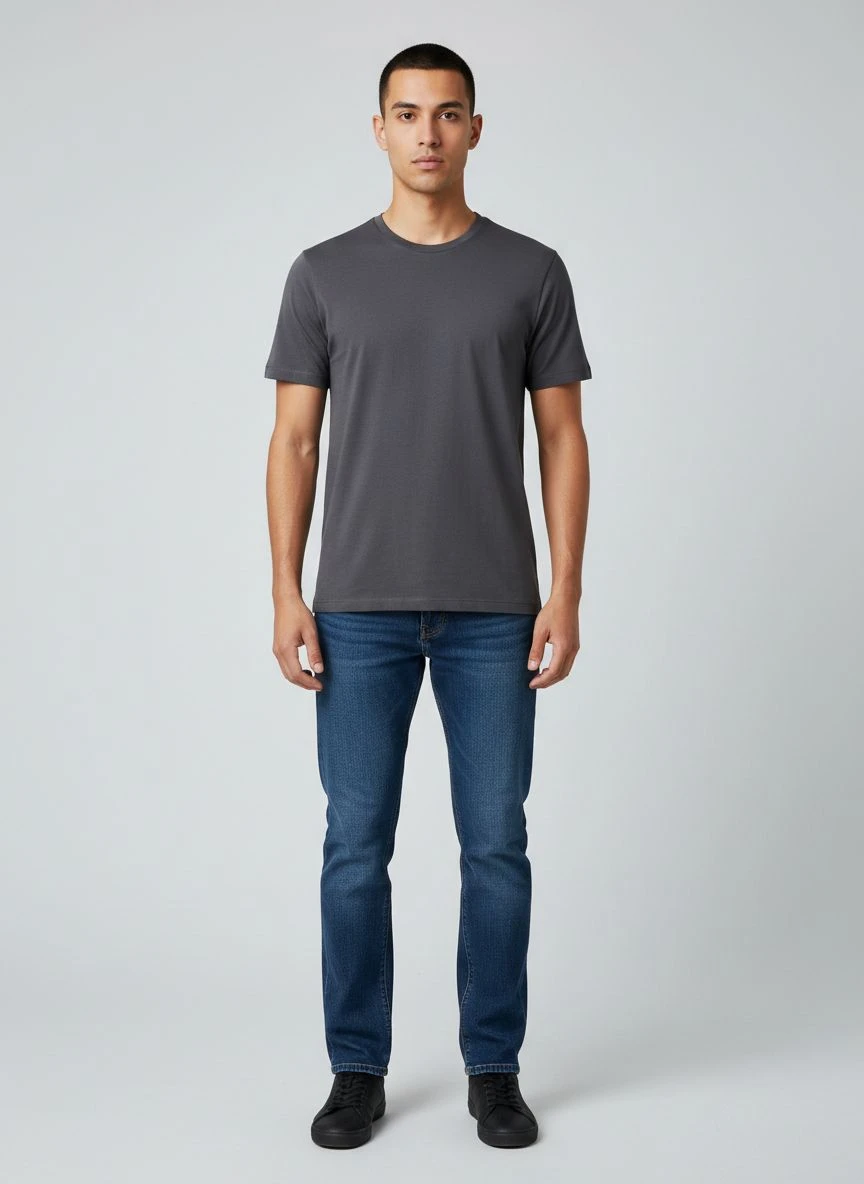 Photo 1
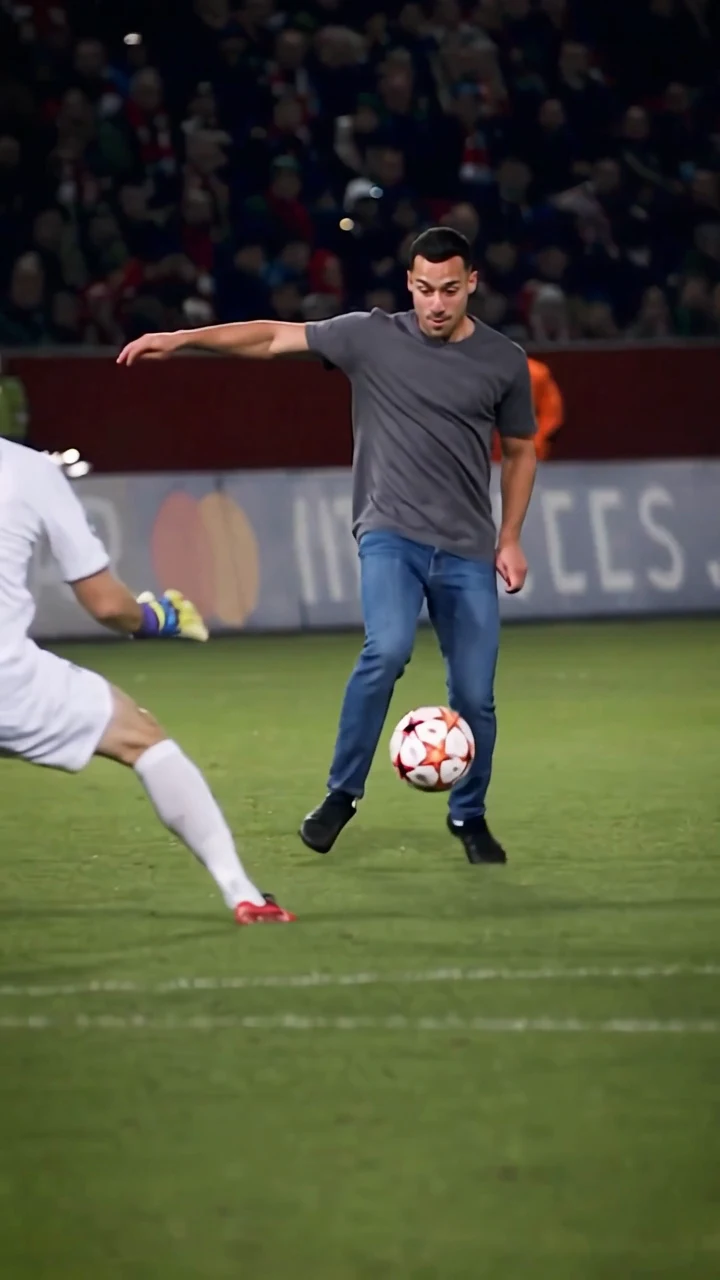 The video
The woman’s example was generated at native 480p, with a 480×854 frame. Her input shows a white T-shirt, light-grey trousers and white trainers. We have kept that example at its actual resolution rather than enlarging it and labelling it as a higher-resolution result.
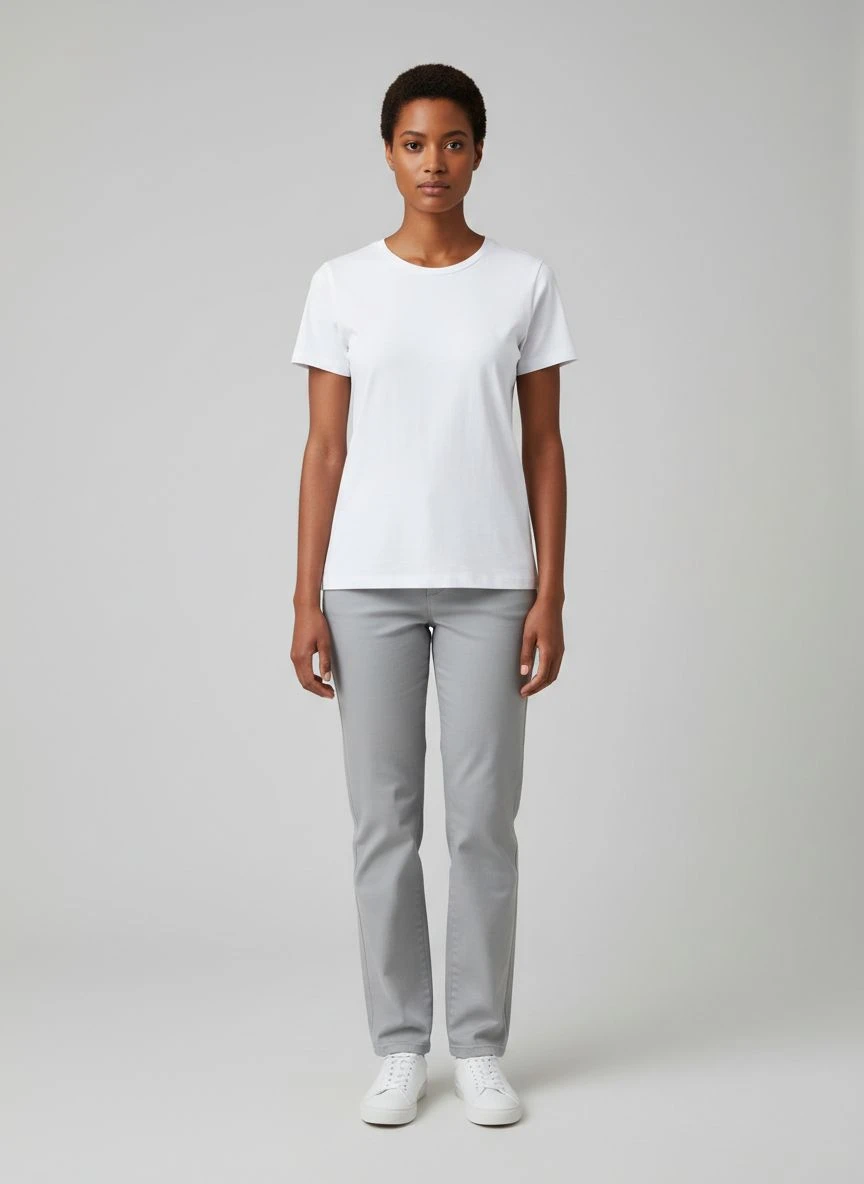 Photo 1
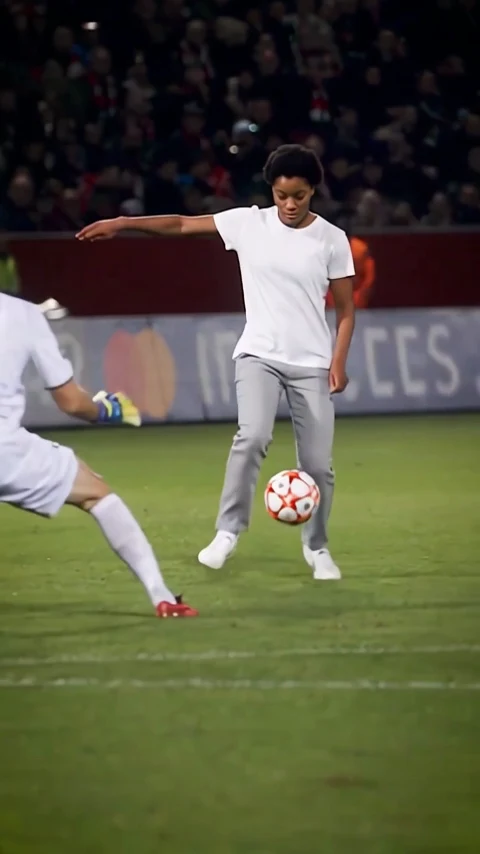 The video
These examples use different photos and were made in different test runs. They demonstrate the format, but they are not a controlled comparison of image quality or likeness between resolutions. Watch each result beside its own photo, then watch the whole move with sound. A good opening frame does not tell you what happens during the busiest part of an attack.
Pick a photo for your Ozil Goal AI video
A close selfie may show a face beautifully, but football is a full-body activity. Trousers, sleeves and shoes all move across the screen. If the upload leaves them out, the video has no direct source for those parts of the outfit. That is why this page asks for a head-to-toe photograph.
Keep the person large enough in the photo that the facial details remain readable. Include a little room around the head and shoes so they are not clipped at the edges. Stand naturally, face mostly towards the camera and use even light. A plain background can help you check the outline, although the background itself will not be used as the pitch.
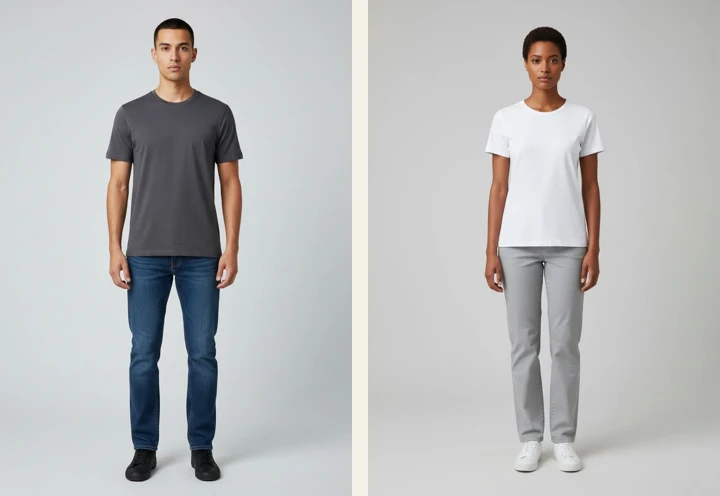
Avoid an object covering the face, dark sunglasses hiding the eyes, a face turned away and severe blur. Ordinary clear glasses and facial hair are acceptable. Choose the clothes you want in the result; you do not need to dress as a footballer. A distinctive colour combination can also make the attacker easier for you to follow among the other players.
Ozil Goal AI video prices and resolutions
| Resolution | One video | Credits used |
|---|---|---|
| 480p | $6.99 | 20 |
| 720p, selected by default | $9.99 | 30 |
| 1080p | $14.99 | 45 |
The choice changes the output size. It does not change the attack, add a longer ending or guarantee that small facial details will match perfectly. The current public examples show actual 480p and 720p outputs; there is no claimed 1080p example on this page yet.
If you plan to make several videos, compare the packs at checkout or on the pricing page. A $29 pack contains 100 credits, so a 30-credit video uses $8.70 of that pack and leaves 70 credits. Larger packs have their own rates. Packs are one-time purchases, not subscriptions, and you do not have to use the whole pack on this trend.
After you pay for your Ozil Goal AI video
The photo check runs before video generation. It looks at visible suitability: whether there is one clear adult subject, whether the face is readable, and whether the head, legs and shoes are included. It does not establish who the person is or guarantee the resemblance of the eventual video.
If the photo is unsuitable, the credits return to your balance and you are prompted to choose another image. Generation failure also returns credits. This is different from automatically sending money back to your card: contact support if you need help with a payment or refund question.
Allow about twenty minutes including processing. Our single measured 720p test took fourteen minutes and fifty seconds on the video model, before the final handling. Queues can change that, so treat it as an example rather than a fixed delivery time. Closing the browser does not cancel the job; you can return to the page when the ready email arrives.
Sharing your Ozil Goal AI video
Play the downloaded file with sound before posting. Check the beginning, the crowded middle and the final camera follow. The original sound is already present, although you can choose another sound in your social app if you prefer. Keep the portrait framing when sharing it as a phone video.
Use a photo you have permission to upload. Be clear that the result is AI-generated, especially when showing it to someone who has not seen this format before. This is a playful recreation of a famous football moment, not a match highlight proving someone’s sporting performance.
Ozil Goal AI video FAQ
Is it a photo effect or a video?
A moving video, about fifteen seconds long, with sound. A single photograph supplies the main player’s appearance; the football scene supplies the action and camera movement.
Can I upload a selfie?
Use a head-to-toe photo instead. A face-only or waist-up crop leaves out the legs and shoes needed for this sequence, so this page asks you to replace it.
Can my dog or cat do the goal?
Animal videos are not currently offered here. They need their own testing before we add a pet option and example. The two examples shown now are adult people.
Can I make a horizontal version?
The current version is portrait, 9:16. There is no horizontal option on this page yet, and we do not crop a vertical example and present it as a tested horizontal result.
Is there a free Ozil Goal AI video preview?
No. Watch the public examples before buying. A rejected photo or failed generation returns credits to your account, so you can use a suitable replacement without buying those credits again.
Will a higher resolution make it look exactly like me?
A larger frame cannot guarantee an exact likeness. Start with a clear full-body photo and use the full examples to judge the format. Fast motion and occlusion can still alter details in an AI-generated result.