Charme Dance AI Video: The Scene, Photo Tips and How to Make Yours
Make a Charme Dance AI video from one photo. See the actual 13-second dance, choose a clear input, compare resolutions and understand the original sound and framing.
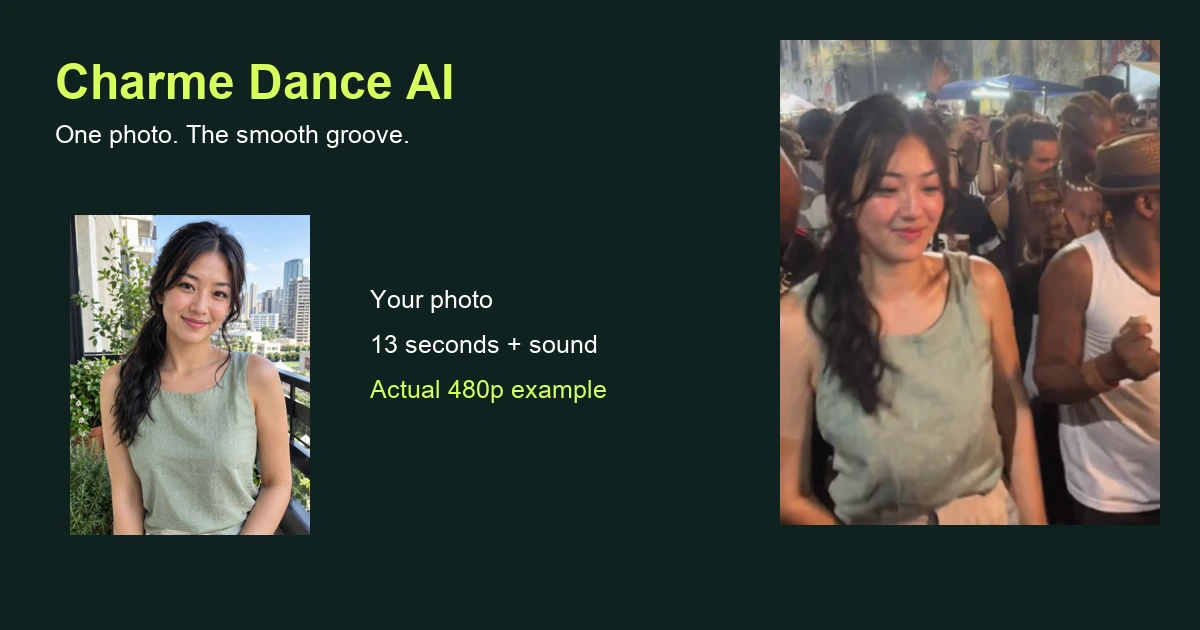
A Charme Dance AI video puts the adult in your photo into the lead of a relaxed dance in a lively square. The attraction is the groove: small side steps, loose shoulders, soft knees and an easy lean into a turn. The surrounding people and moving camera give it the feeling of a shared moment. You supply one photograph, and the finished clip follows the scene for about thirteen seconds with the original sound.
This guide shows two actual results and explains how to choose a useful photograph, what the resolution options mean and what to check before sharing. You can watch the examples before paying on the Charme Dance AI page.
What happens in a Charme Dance AI video
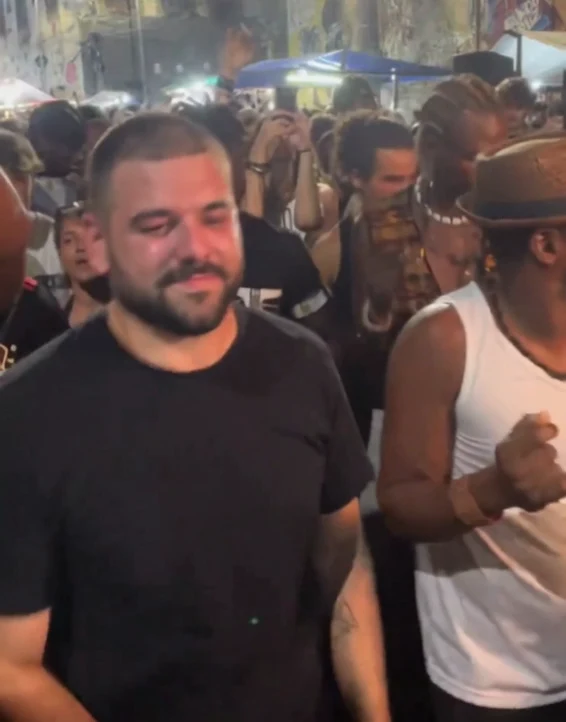
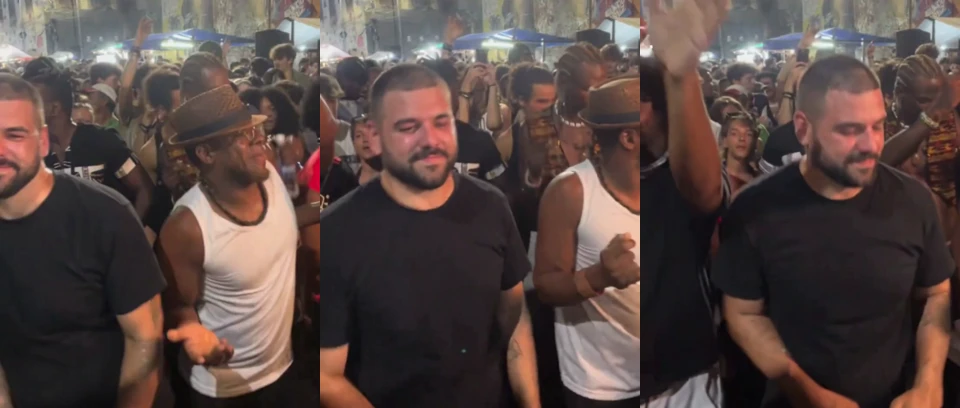
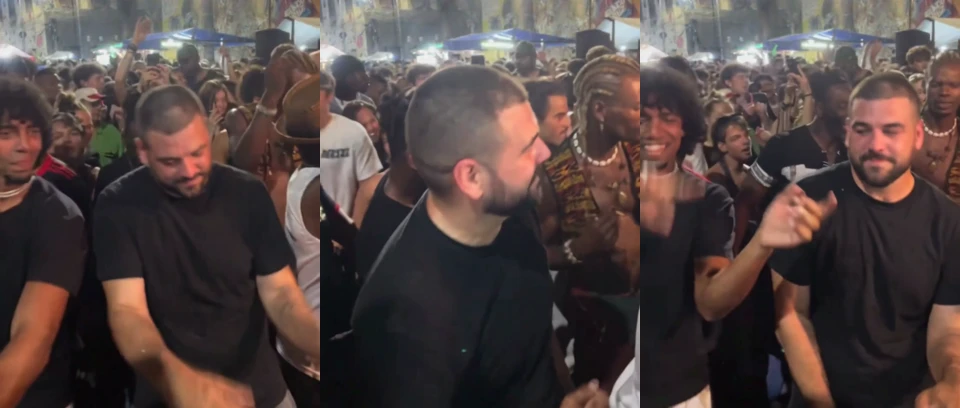
The scene is a continuous shot rather than a series of posed portraits. In the opening, the main dancer is already moving among other adults. The middle stays with the smooth steps and shoulder rhythm. Later, a glance, lean and turn change the angle of the subject while the crowd remains close by.
The foreground lead is the person your upload replaces. Other people in the square keep their own appearance and clothes. Your photograph supplies visible details of the lead, while the scene supplies the movement, camera, setting and timing. You do not need to photograph yourself mid-step or find a background that resembles the square.
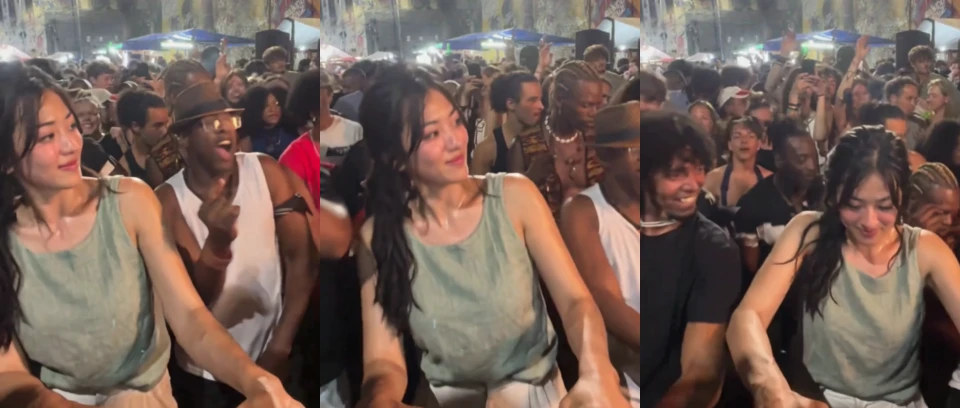
The examples below are two actual 480p tests, each using one photo and the full thirteen-second sequence. The woman’s input has long side-tied hair and a sage sleeveless top; the man wears a black T-shirt. Both receive the original soundtrack. These are specific results, rather than a promise of identical details from every photograph.
Choose a photo for your Charme Dance AI video
Start with one clear adult subject. Their face should be readable, mostly towards the camera and free of large obstructions. Keep the hair inside the photograph and include the clothing you want the dance to use. An ordinary phone portrait in daylight is usually more useful than a dramatic image with deep shadows or a heavily filtered face.
A selfie or upper-body photograph is accepted for this effect. A full-body image is helpful if the trousers and shoes matter to you, because the model then has an appearance source for those parts too. Without that information, it must fill in clothing outside the crop. Stepping farther away is only helpful while the face remains clear.
Clear glasses and facial hair are acceptable. Avoid a phone covering the face, a head turned completely away, strong overexposure, heavy blur and several equally prominent people. Small distant background figures are different from a group portrait where the intended dancer is ambiguous. Choose another image if you have to explain which person the video should use.
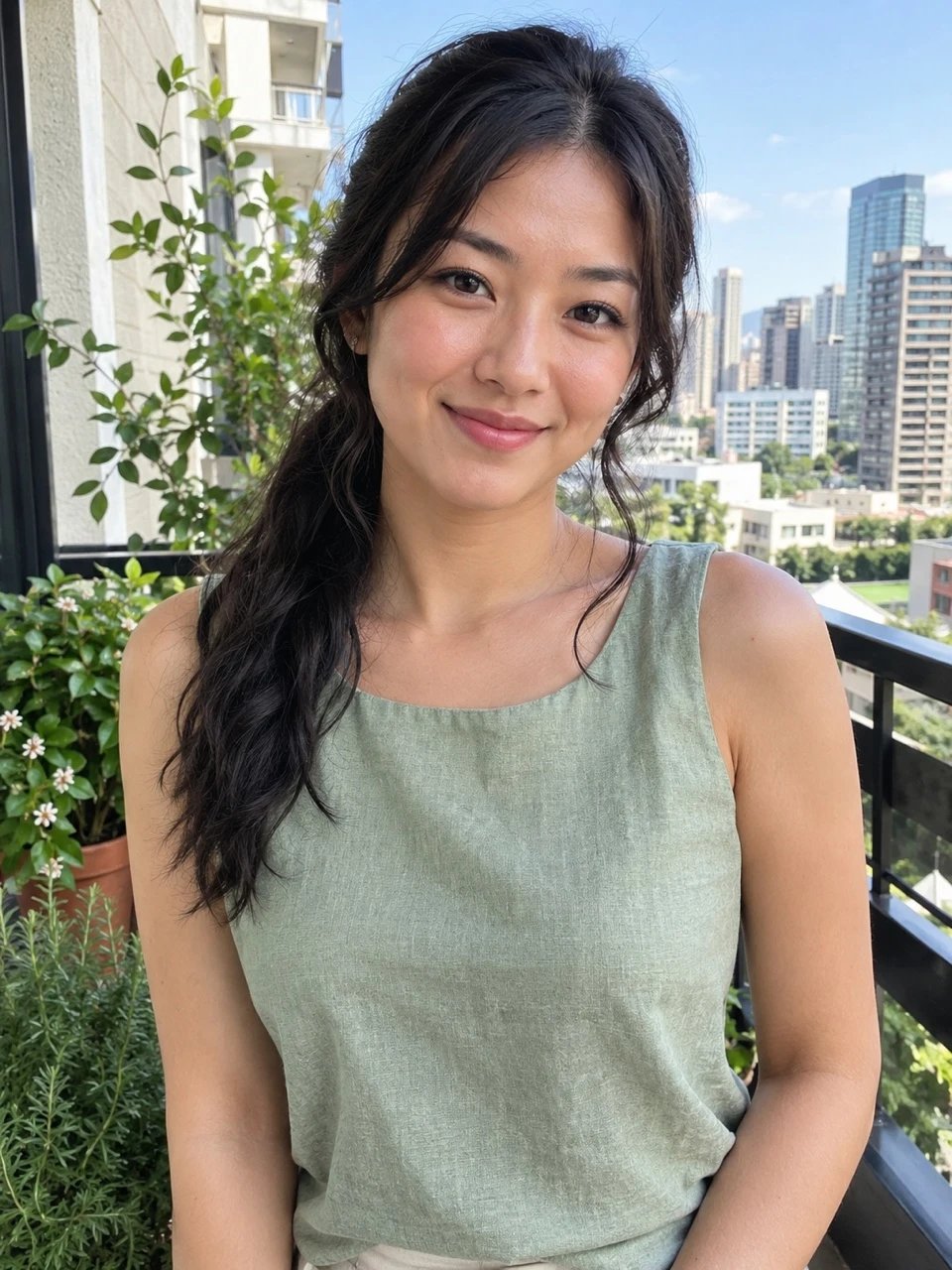 Photo 1
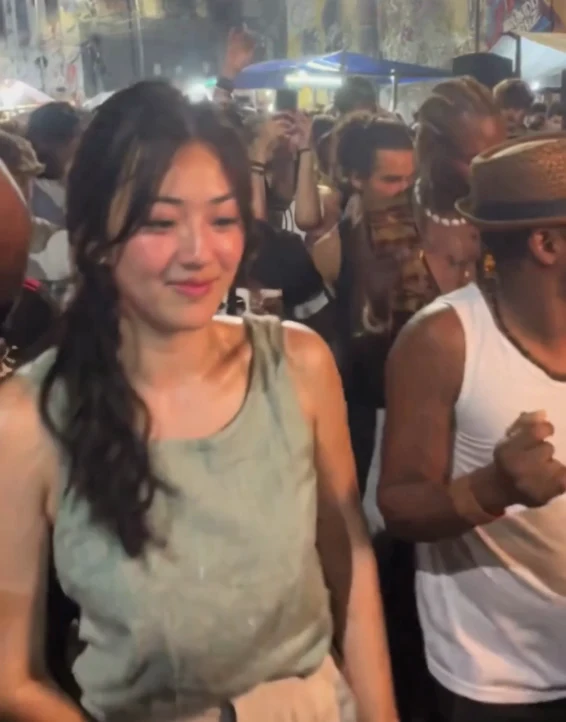 The video
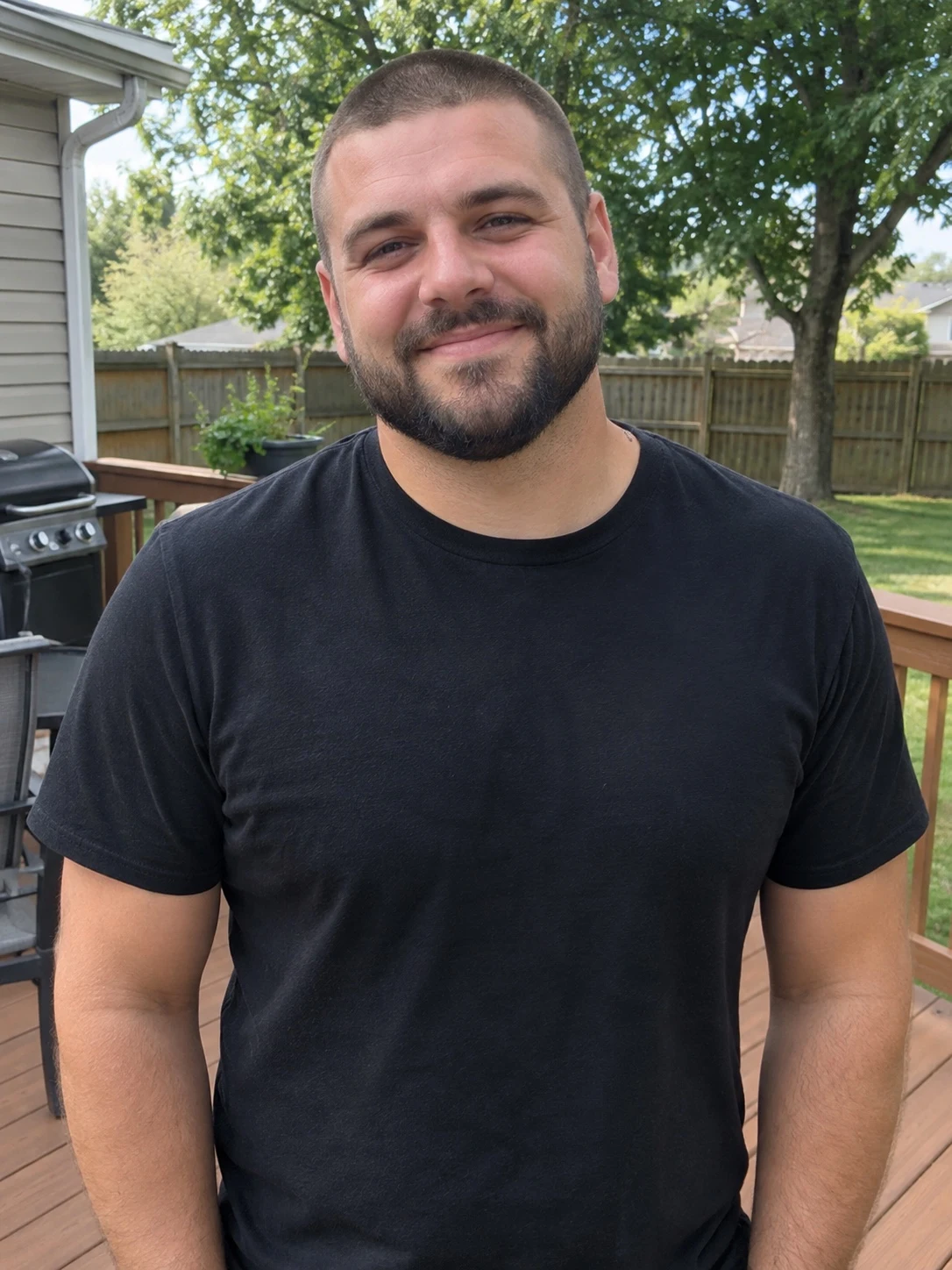 Photo 1
 The video
Clothing, framing and movement
You do not have to wear the source dancer’s clothes. A plain T-shirt, casual shirt or another visible outfit can supply the new look. The best choice is an image where the clothing is easy to read, rather than partly hidden by a bag, another person or a tight crop. Small printed details and jewellery are harder to maintain through motion.
The camera sees the person from changing angles. A clear front view gives the model information it can carry into those turns, but it does not supply a photographed view of every side. Generated hair, sleeves, hands and textures can change as the body rotates. Higher resolution can show more detail; it cannot guarantee that those changes disappear.
The source is portrait, approximately 640 by 818, which is wider than the familiar 9:16 phone format. Your Charme Dance AI video keeps that composition. Nearby dancers remain visible, and we do not stretch people to fill a narrower frame. If your social app adds borders around the clip, that is a consequence of preserving the original shape.
Make a Charme Dance AI video step by step
Open the generator and add your photograph. You need only one upload. The dance, duration and scene are already selected, so there is no prompt to write and no choreography to record. Review the complete public example if you are unsure whether this is the particular dance you mean.
Choose 480p, 720p or 1080p. The default is 720p. These options change output resolution while keeping the same routine, approximate length and included sound. The example is labelled 480p because that was the requested setting of the measured test; it is not presented as a demonstration of a higher resolution.
Continue to the payment panel. It shows the price for one video and the available credit packs. After payment, the image is checked for visible suitability before video generation. If it is unsuitable, the credits return to your balance and you can choose another photo. A successful generation receives the original soundtrack before delivery.
Resolution, price and waiting time
The single-video prices are $6.99 for 480p, $9.99 for 720p and $14.99 for 1080p. Those choices use twenty, thirty and forty-five credits respectively. Credit packs offer another way to pay if you plan to make several clips. There is no subscription and no free personalized preview for this trend; the public example remains available to watch.
Allow about fifteen minutes including processing. Our measured 480p video-model tests took four minutes and six seconds for the man and four minutes and twenty-four seconds for the woman, before audio handling. That is a recorded observation, not a fixed delivery time. Queue conditions and the chosen resolution can change the wait. Closing the tab does not cancel an active job, and a ready email lets you return later.
If the photo review rejects an image or generation fails, credits return to your account. That balance can fund another attempt. It is different from automatically sending money back to a payment card. Keep your order details and contact support if you need help understanding a charge or resolving a payment issue.
Check the complete Charme Dance AI video
Watch the opening, middle and ending with sound. The opening establishes the lead and surrounding dancers. The middle shows how the uploaded clothing continues through the step sequence. The later turn changes the angle and brings arm movement into view. Checking all three is more informative than choosing a single flattering still.
The female test keeps the long dark hair and sleeveless sage top through the side turn and ending. The accepted male test keeps short hair and a black T-shirt but contains a small tattoo-like forearm texture absent from the input. We leave the actual video visible so you can judge that limitation. A generated detail can be noticeable without making the whole clip unusable; decide what matters for your intended post.
A Charme Dance AI video is an AI recreation, not evidence that the photographed person attended an event. The scene can be convincing in motion even when details are invented. Use it as a playful personalized clip, and describe it accurately when showing it to someone who has not seen the effect before.
Sound and sharing your Charme Dance AI video
The original sound is included at the sequence’s normal speed. Your uploaded photograph needs no audio, and you do not have to search for a soundtrack to hear the effect. Listen to the downloaded MP4 before posting, especially if you have added another sound in a social editor and accidentally muted or doubled the existing track.
Keep the original portrait composition when possible. Cropping a wider portrait into a tall full-screen post can remove nearby people, hands or part of the movement. Preview the social app’s final crop before publishing. Borders are often a better choice than cutting away an important part of the dance simply to fill every pixel.
Only upload photographs you have permission to use. Label the result as AI-generated and avoid presenting it as documentary footage. This fan-made effect is not affiliated with the source performers or event. For order questions or rights concerns, contact support@airapduo.io with enough detail to locate the relevant video.
Charme Dance AI video questions
Is charm dance AI the same search?
People sometimes omit the final e when searching. Here, Charme Dance AI video refers to the smooth dance in the square shown in the example. Watch the scene rather than relying on a similar spelling alone, since a short trend name can be used for different clips.
Can I use two people or a pet?
This version accepts one adult photograph and replaces one foreground lead. It does not offer a two-person version or pet uploads. The nearby dancers remain part of the existing scene rather than becoming additional people from your photo.
Can I make a longer or horizontal version?
The current result is about thirteen seconds in the source portrait framing. The generator does not offer a longer routine or a horizontal version. Changing the resolution does not extend the clip or change which part of the dance it includes.
Do I need to write instructions?
No. The scene and replacement instructions are already set. Your choices are the photograph and resolution. A clear image provides more useful appearance information than an extra description of clothes that cannot actually be seen.