24 Car Trend: How to Make the Unforgettable Car Reveal with AI
What the 24 car trend is, why it is also called the Unforgettable car trend, how the UNO card reveal works second by second, and how to make your own 24 car trend video with AI from one photo, with your own car if you like.
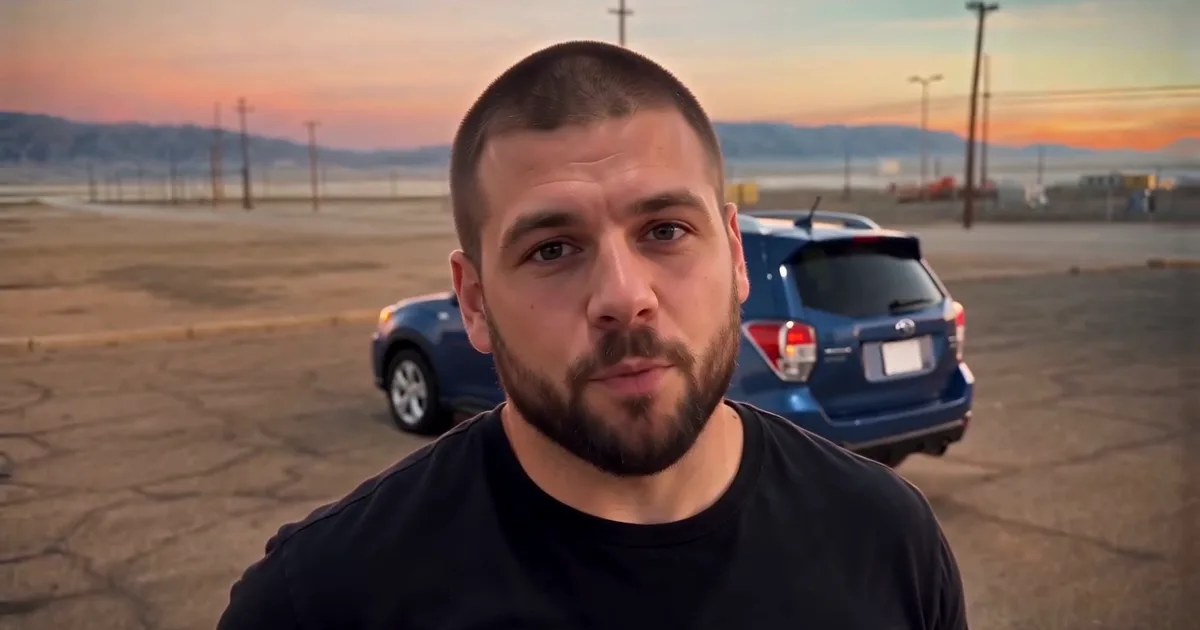
The 24 car trend is a ten-second magic trick for cars. Someone films themselves in an empty lot, holds two playing cards to the lens, a 2 and a 4, sweeps them across the camera, and when the view clears there is a supercar parked behind them. They glance back at it, shrug at the camera and play it cool. The song under every version is French Montana's "Unforgettable", which is why it is also called the Unforgettable car trend. Below is where it came from, how the reveal works, why AI versions took over, and how to make yours from one photo, with a dream car or your own.
What the 24 car trend is
The idea is simple: you don't own a supercar, and then, for one second, you do. The two cards read "24" together, the hand hides the cut, and the car appears in the gap. The person never reacts much. That deadpan "yeah, that's mine" face is half the joke.
It started in early September 2026 with a creator who really owned the car. He filmed the card swipe in a parking lot at night, cut on the frame where his hand covered the lens, and posted it with the "Unforgettable" track. It passed four million views. People without a car of their own wanted the same clip, and within a few weeks the AI versions outnumbered the real ones.
On TikTok and Reels you'll see it under several names:
| Name people use | What it means |
|---|---|
| 24 car trend | The two cards, 2 and 4, together read 24 |
| Unforgettable car trend | The song under every version |
| UNO car trend, UNO reverse car | The cards look like green UNO number cards |
| 24 song AI video | Tutorials for the AI version |
They are all the same video. We don't show the original post or anyone else's clip here; every example below is our own AI render.
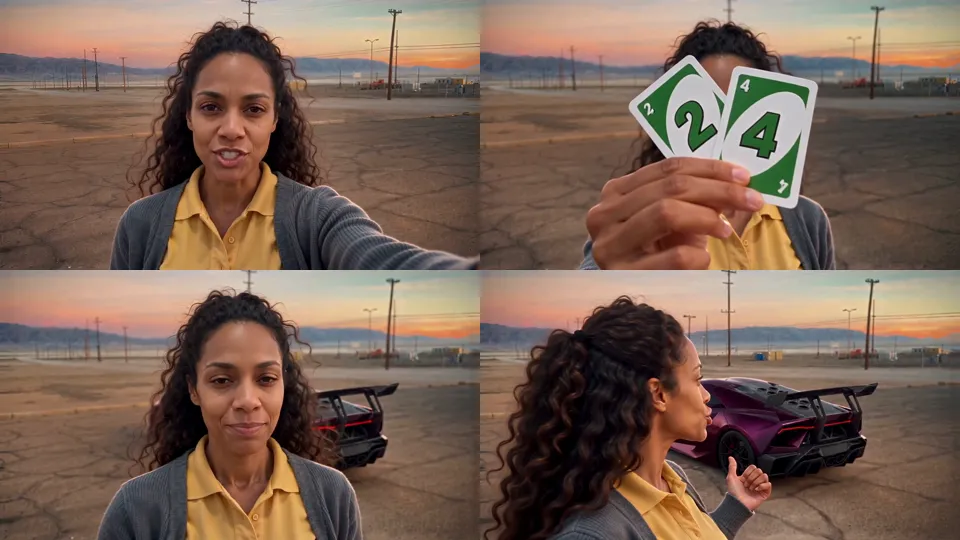
The 24 car trend, second by second
The whole video lasts about eleven seconds. Every good version keeps the same beats, because the timing is what sells the trick.
| Seconds | What happens |
|---|---|
| 0–1 | You look off to the side, then turn to the camera |
| 1–2.3 | You face the lens and say something, as if you're about to explain |
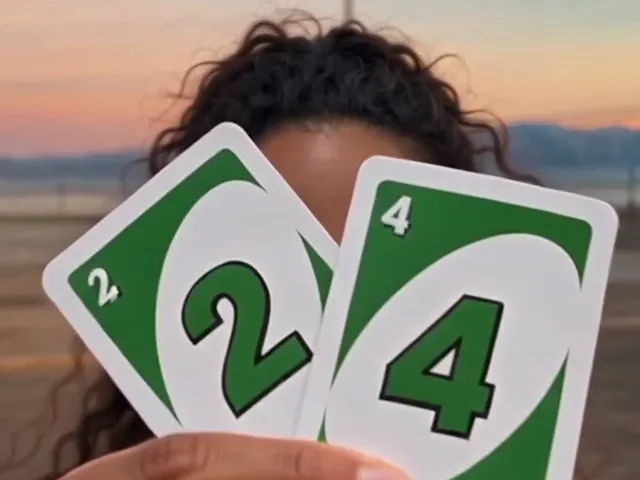
| 2.4–3.1 | You lift the cards to the lens: the 2 in front, the 4 fanned behind it |
| 3.2–3.7 | Your arm sweeps up across the lens and the frame blurs |
| 3.8–4.5 | The view clears and the car is parked behind you |
| 4.6–5.9 | You look back at the car and point at it with your thumb |
| 6–9.3 | You talk to the camera, cup a hand by your mouth, glance back again |
| 9.4–11 | A last flick of the cards, both hands on your head, and you turn away |
Two details make or break it. The cards have to read 24, upright and not mirrored, or the joke doesn't land. And the car must not be there before the swipe; if the parking lot already has a car in it, the reveal is gone.
Why AI took over the 24 car trend
The real version needs a real car. The AI version only needs a reference clip and your photo. A video model copies the reference's motion and camera and swaps the person, so the swipe, the blur and the reveal land on the same frames as the song.
That copying is also the catch. A model copies more than motion: it copies whoever is in the reference clip, including their hair, their clothes and sometimes their face. So the reference matters as much as your photo.
We made our own reference for this trend. Our AI stand-in is a man with a very short buzz cut, a plain black jacket and a white T-shirt, and no sunglasses. The stand-in looks nothing like most people who use the page, so the model replaces him cleanly instead of keeping bits of him. Sunglasses are a common choice in other versions, but they hide your eyes, and your eyes are what make the video look like you.
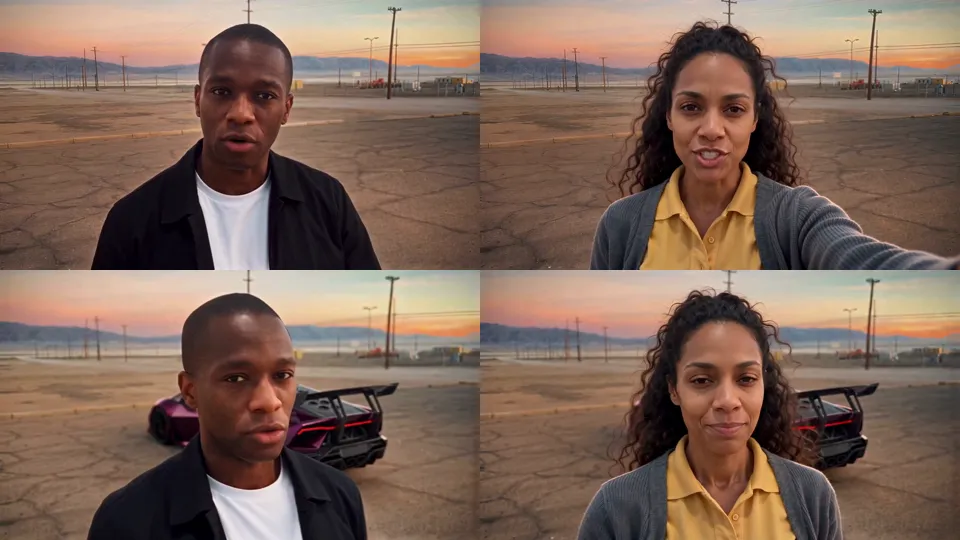
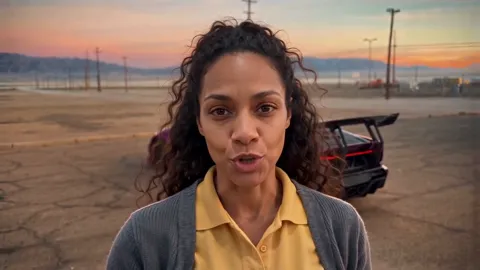
The default car is one we designed for it: a purple supercar with a big rear wing, in the colour the trend made famous, without any real brand's badge on it.
Put your own car in the 24 car trend
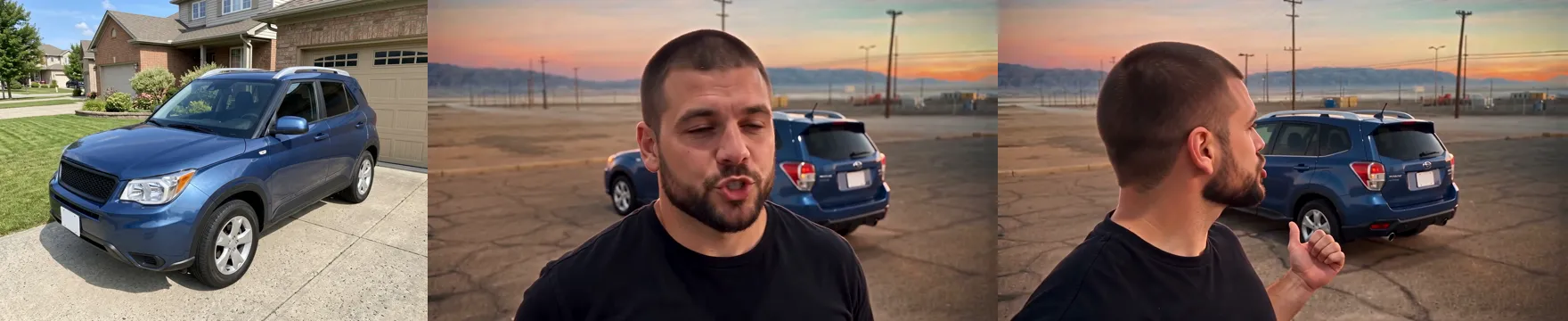
The most asked question about this trend is "can it be my car?" On our page it can. Add a second photo of your car, and the purple car is replaced with yours in every frame after the reveal: same colour, same shape, same wheels.
A family SUV in the reveal is funnier than you'd think, and a car you're saving for is a good motivation clip. Use one clear photo with the whole car in view, outside, in daylight. The car's real badge usually comes through, because it is your car.
How to make your 24 car trend video
You have three ways in. They differ in effort and in how close the result gets to the real thing.
| App template | Your own prompt | Our page | |
|---|---|---|---|
| Effort | Low | High | Low |
| The cards read 24 | Often | Rarely | Yes, checked |
| Your own car | Rarely | Possible, many tries | Yes |
| Quality | Often 480p | Varies | 480p, 720p or 1080p |
| Sound | Varies | Add it yourself | Already in the video |
1. An app template. Several AI video apps added a template for it within days. Many give you one fixed car and a 480p file, and a few change the scene every time.
2. Your own prompt. A video model with a reference clip can recreate it, but the cards and the swipe are exactly where it slips: two 2s, a 42, a car that's already parked.
3. One photo on our page. On 24 Car Trend AI you pick the purple car or your own, add your photo (and your car's), choose 480p, 720p or 1080p, and choose a wide 16:9 video or a vertical 9:16 one. Every example shows the photo next to the result.
 Photo 1
 The video
Photo tips for the 24 car trend
- One adult, face to the camera. Good light, no sunglasses, nothing covering the face. Photos of children are turned away.
- Your hair and beard stay. Long hair stays long when you look back at the car, and a cap stays on when your hands go to your head.
- Your clothes come from the photo. If you want a jacket in the video, wear one in the photo.
- For your car, the whole car. Outside, daylight, nothing parked in front of it, and the car filling most of the frame.
Posting your 24 car trend video
This is a wide video; the original and the viral AI versions are all 16:9. On TikTok and Reels people post it two ways: the wide clip inside a vertical frame, or the original on top and their AI version underneath. Pick 9:16 on our page and you get a vertical file ready to post, with the wide video in the middle and a soft blurred background above and below.
Your video already has the song lined up with the swipe. Add "Unforgettable" or "24 car trend" to the caption, label it as AI-generated when you post (TikTok and Instagram both ask for it), and only use photos of people who agreed to be in it.
Our page is a fan-made take on a viral trend. It isn't affiliated with French Montana, Mattel or UNO, or the creator of the original video, and none of its frames come from their footage.
24 car trend FAQ
What is the 24 car trend?
A short video where someone holds two cards reading 2 and 4 to the camera, sweeps them across the lens, and a supercar appears behind them, set to French Montana's "Unforgettable". It is also called the Unforgettable car trend.
Why is it called the 24 car trend?
Because of the cards: a 2 and a 4 held together read 24. The song gives it its other name, the Unforgettable car trend.
Can I use a photo of my own car?
Yes. Pick "Your own car" and add a clear photo of the whole car next to your own photo. The car in the video becomes yours after the reveal.
Is this the real video?
No. Every frame on our page is AI-generated from your photo and our own stand-in clip. We don't use the original post or any other creator's footage.
How much does it cost?
Each video is a one-time payment with no subscription: 480p, 720p or 1080p, and a failed render costs nothing. There is no free preview for this trend, but every example on the page is a real render.