The smooth groove in the square. Your turn.
Charme Dance AI
One photo puts you in the lead of the relaxed dance in the square: soft knees, easy side steps, a shoulder groove and that lean into the turn. Your 13-second video keeps the original sound and portrait framing. Choose 480p, 720p or 1080p; 720p is selected for you.
720p is $9.99, or use a credit pack

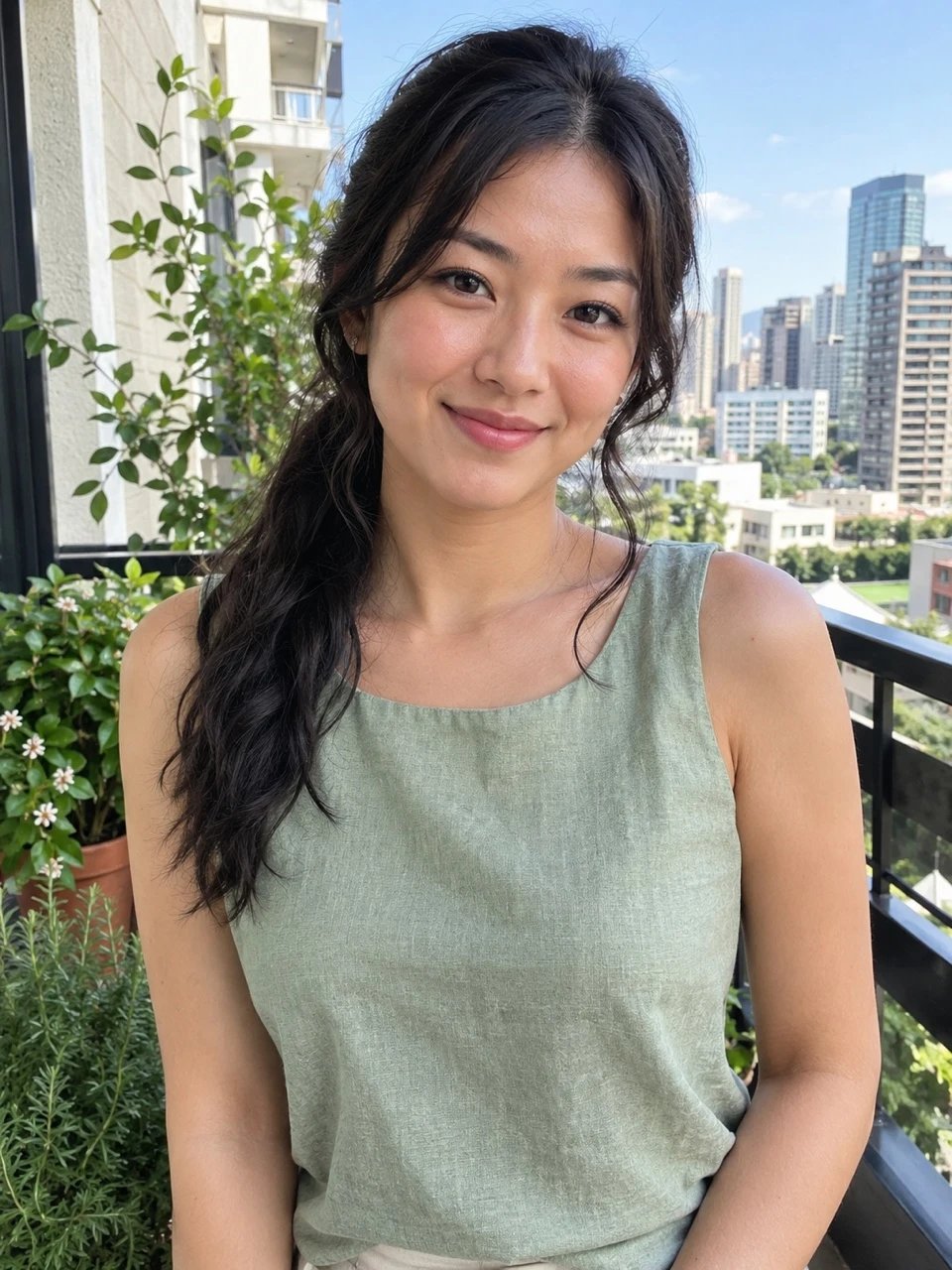
Real result · tap for sound“One photo”
- From $6.99; 720p is $9.99
- Allow about 15 minutes
- Failed renders cost nothing
Charme Dance AI examples from two different photos
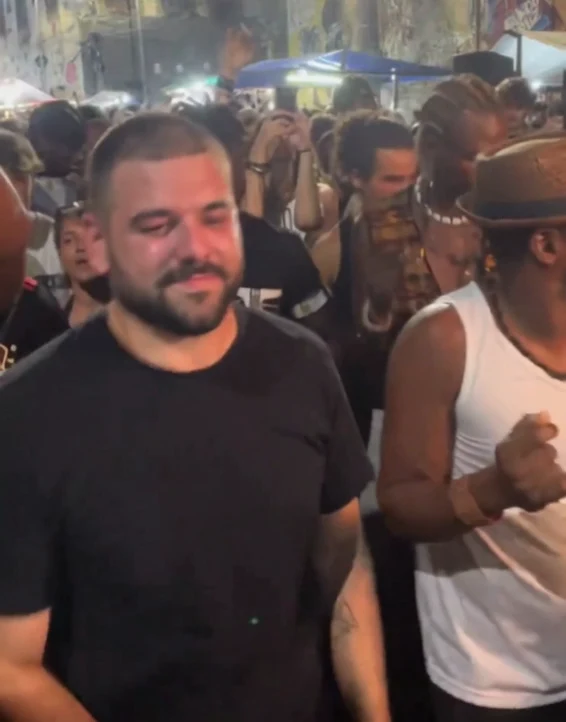
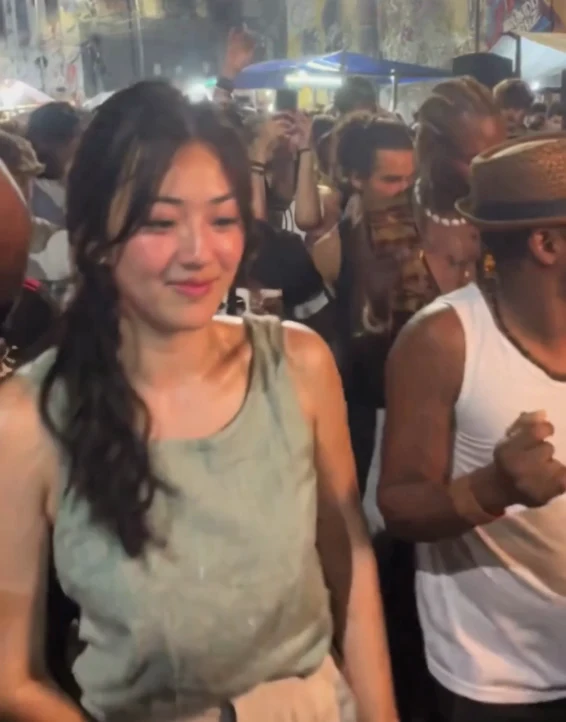
Two actual 480p results, each from one photo: long hair with a sage sleeveless top, and short hair with a black T-shirt. Both include the original sound. Compare the inputs and full clips; small skin and clothing details can change. Tap for sound.
How to make your Charme Dance AI video
The scene, dance and timing are already set. You bring the photo and choose the resolution. Read the Charme Dance AI guide for a closer look at the sequence, photo advice and the finished result.
Step 1: Choose one photo
Use a clear photo of one adult with their face visible and mostly facing the camera. Include their hair and the clothes you want in the video. Avoid a group shot with several possible main subjects.
Step 2: Pick your resolution
Keep the default 720p, or choose 480p or 1080p. The panel shows the single-video price and credit-pack choices before you pay. All three options use the same dance, approximate length and original soundtrack.
Step 3: We check the photo and make the dance
After payment, the photo is checked for visible suitability before video generation. A suitable image supplies the lead dancer’s appearance while the square, crowd and dance come from the scene. We add the original sound to the finished clip.
Step 4: Watch and download
Allow about 15 minutes including processing; busy periods can take longer. Watch the full clip with sound, then download the MP4 and share it with an AI-generated label.
Our stopwatch. Our two actual 13-second 480p examples took 4 min 6 s to 4 min 24 s on the video model, before adding the original sound. Allow about 15 minutes including processing; queues and resolution can change the wait.
720p is $9.99, or use a credit pack
What happens in the Charme Dance AI scene
Find the groove
The opening puts the lead in the square with the surrounding dancers. Small steps and soft knees establish a comfortable rhythm.
Step and sway
The middle keeps the easy side steps, shoulder movement and relaxed hands.
Lean and turn
The later glance, lean and turn complete the movement. Watch this part of the example when deciding whether the effect is right for you: changes in angle and quick arm movement are where small generated details are easiest to notice.
The appeal is the relaxed confidence of the movement. The dancer stays loose through the shoulders and knees, makes small steps, and lets the groove carry the scene. The camera follows naturally while the surrounding adults remain part of the square. The example above shows the complete sequence you are choosing.
Your photo changes the main foreground dancer. The other people keep their own appearance and clothes. The uploaded background is not carried into the scene, and you do not need to copy the dance pose in your photo. A plain standing portrait is enough to supply the visible appearance.
Your photo supplies the Charme Dance AI look
- Lyrics written for your topic
- Two voices, lip-synced
- Pushes in closer at 0:05
- 720p · 9:16 vertical
- 12 seconds, 6 lines
Our examples show side-tied long hair with a sage sleeveless top, and short hair with a black T-shirt. Watch the turns and ending in both clips.
A closer selfie makes the face easy to read but leaves the lower outfit unspecified. A wider photo supplies trousers and shoes too, provided the face stays clear.
Charme Dance AI creates moving frames rather than preserving every photographed pixel. Small marks, fabric textures, jewellery or hand details can change. Higher resolution increases output detail but does not guarantee an exact likeness or eliminate generated changes. Use the actual example as your reference for what this effect can currently do.
| Tier | Sharpest | Credits, 12 s at 720p |
|---|---|---|
| Standard Seedance 2.0 Mini | 720p | 10 |
| Fast Seedance 2.0 Fast | 720p | 17 |
| Pro Seedance 2.0 | 1080p | 20 |
| Ultra Seedance 2.5 | 1080p | 37 |
Every tier offers 5, 8, 10, 12 or 15 seconds in 9:16, 1:1 or 16:9.
Charme Dance AI prices and resolution choices
One video
$9.99
- Pay once for the video you make
- No subscription, nothing renews
- Failed renders cost nothing
Credit packs
from $29
- 100 credits to start
- A default video is 30 credits
- Credits never expire
720p is $9.99, or use a credit pack
A single video costs $6.99 at 480p, $9.99 at 720p or $14.99 at 1080p. These choices use 20, 30 and 45 credits respectively. The page starts at 720p. Each resolution includes the same 13-second dance scene and sound; choosing a higher resolution does not add a different routine or a longer ending.
You can buy one video or use a credit pack. Packs start at $29 for 100 credits, and the checkout panel shows your current balance and the credits needed for the selected option. There is no subscription. Visit all prices if you want to compare pack sizes before making several videos.
Payment comes before the photo review and render. If the photo is unsuitable or generation fails, the credits return to your account balance. Returned credits can be used for another attempt; this does not automatically refund money to your card.
Choose a clear photo for Charme Dance AI
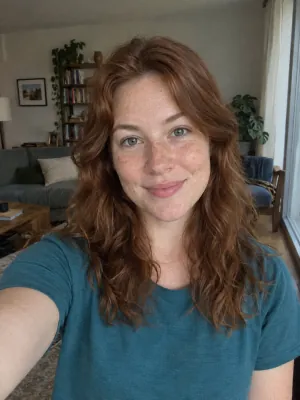
Works: One person, straight on, even light
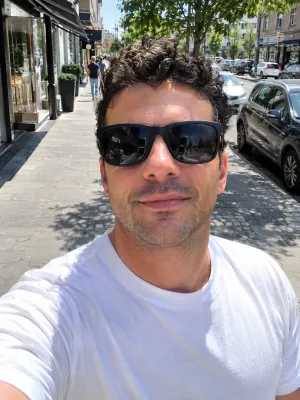
Avoid: Sunglasses
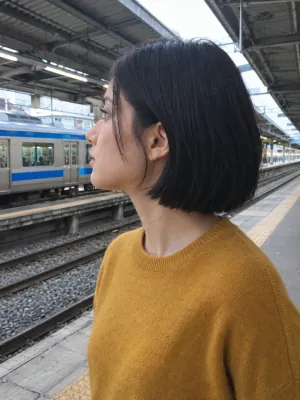
Avoid: Side profile
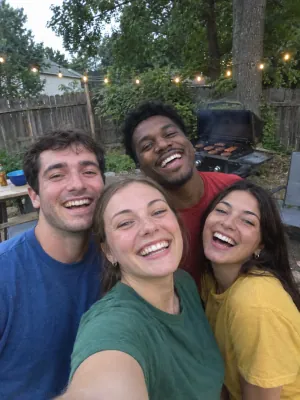
Avoid: Group photo
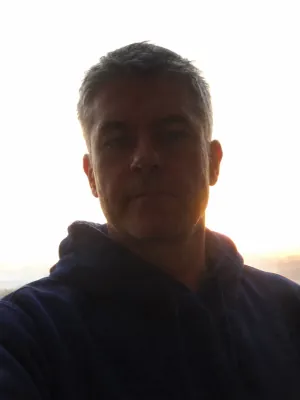
Avoid: Dark or backlit
Start with one adult in good light. Keep the face unobstructed, the eyes visible and the hair inside the frame. A normal phone photo is sufficient. Clear glasses and facial hair are acceptable. Avoid a phone held over the face, a head turned completely away, deep shadow, strong overexposure and heavy blur.
A simple background helps make the intended subject obvious. Small distant people are different from a group shot where several adults could be the lead. Choose another photo if the main person is unclear. Cropping a group down to one person can help, provided it leaves enough detail and does not cut through the face or hair.
This is a fictional AI-personalized dance scene. It is not footage proving that the uploaded person attended the event. Use a photo you have permission to upload and make the AI nature clear when sharing. This fan-made effect is not affiliated with the source performers or event. For order questions or rights concerns, contact support@airapduo.io.
Private photos Deleted automatically after 30 days.
Failed renders cost nothing The credits go back on their own.
One-time payments No subscription. Nothing renews.
Secure checkout Paid through Stripe. We never see your card.
Charme Dance AI questions
What is Charme Dance AI?
It places the adult in your photo in the lead of a relaxed dance scene in a lively square. The video follows the source movement and camera timing, with the original sound included. You supply one photograph, without recording yourself dancing.
Is Charme Dance AI the same as a charm dance filter?
People sometimes search for charm dance AI without the final e. This page uses Charme Dance AI for the personalized version of the smooth dance in the square. Watch the example to check that it is the scene you mean.
Which photo should I upload?
One clear adult photo with a visible face and hair. A selfie or upper-body photo is accepted. Include your whole body and shoes if you want to give the video a source for your complete outfit. Pets and group uploads are not supported here.
How long is the video, and what shape is it?
About 13 seconds in the original portrait framing, approximately 640:818. It is wider than 9:16. We preserve that composition, including nearby dancers, instead of stretching or cropping it to fill a tall phone screen. There is no horizontal option.
Does Charme Dance AI include sound?
Yes. The original soundtrack is added to the finished video at normal speed. You do not need to upload audio or choose a song. You can still change the sound in your social app before posting if you prefer.
How much does Charme Dance AI cost?
480p costs $6.99, 720p costs $9.99, and 1080p costs $14.99. You can also spend 20, 30 or 45 credits from a pack. This trend has no free personalized preview; the public example is available to watch before payment.
How long will my Charme Dance AI video take?
Allow about 15 minutes, including processing. Our two 480p video-model tests took 4 minutes 6 seconds and 4 minutes 24 seconds before audio handling. That observation is not a delivery promise; queues and resolution affect the wait. We email you when the video is ready.
What if generation fails?
The credits return to your account balance. An unsuitable photo is stopped before video generation and also returns its credits. You can then choose another photo or retry from your balance. Contact support for questions about the payment itself.
Your turn in the Charme Dance AI scene
One photo, smooth steps and the original sound. Watch the example, then choose your photo.