Two photos. One elevator conversation.
I Love the Smiths AI Video
Add one photo for the listener and one for the speaker to make an approximately 20-second elevator video with sound, in vertical or landscape format. A 720p video starts at $9.99; generation and delivery times vary.
720p is $9.99, or use a credit pack


Real result · tap for soundTwo photos
- 720p is $9.99
- Generation times vary
- Failed renders: credits returned
I Love the Smiths AI example: three formats
Play the three 720p formats with sound and compare the two input photos. All three use the same generation; the two vertical examples are layouts of that result. Other photos and 1080p have not been tested by these examples.
Landscape · original 16:9
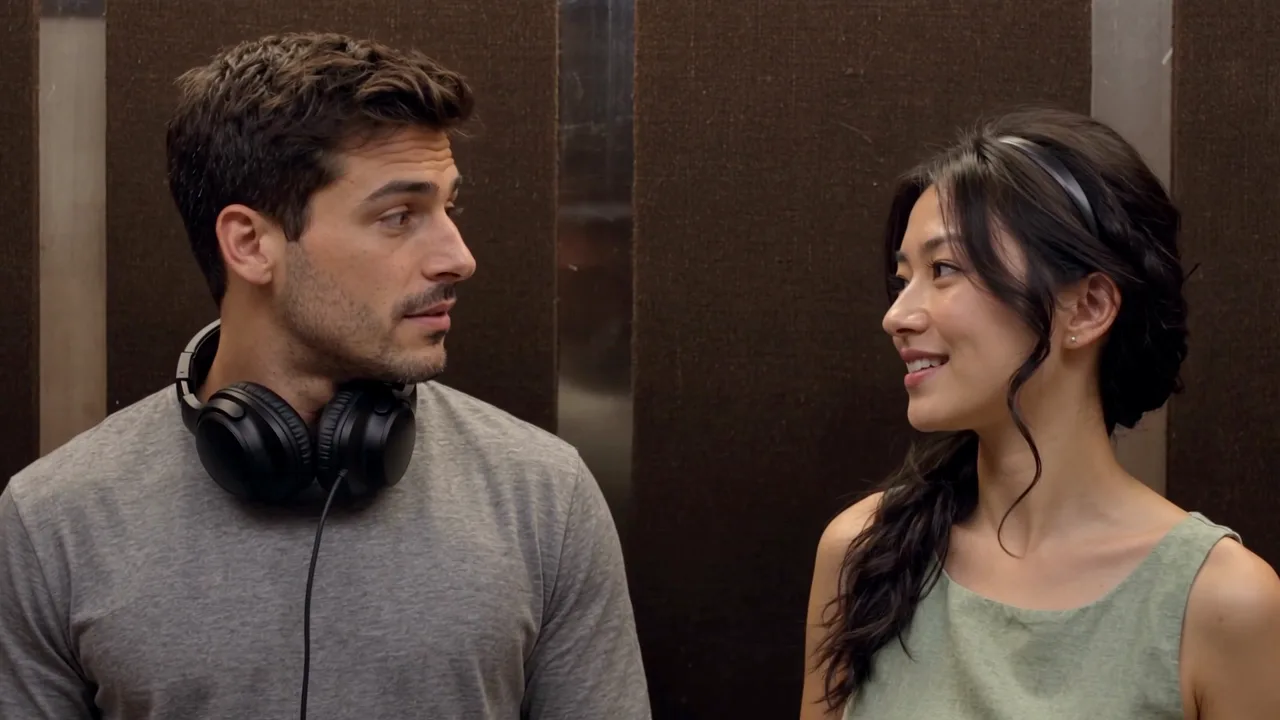
An actual 20-second 720p result from two photos, with sound.
Make one like thisInput photos
Listener Speaker Vertical · full scene
The same 720p result in a vertical frame with a blurred background.
Make one like thisInput photos
Listener Speaker Vertical · stacked
The same 720p result shown twice in a vertical frame.
Make one like thisInput photos
Listener Speaker
How to make an I Love the Smiths AI video
The scene and dialogue are fixed. Choose the people and quality, then make one video; you do not have to write a prompt or upload a video. See the step-by-step guide for photo tips and troubleshooting.
Step 1: Choose the listener
Add one clear adult photo for the person on the left. This person wears the headphones and responds to the speaker.
Step 2: Choose the speaker
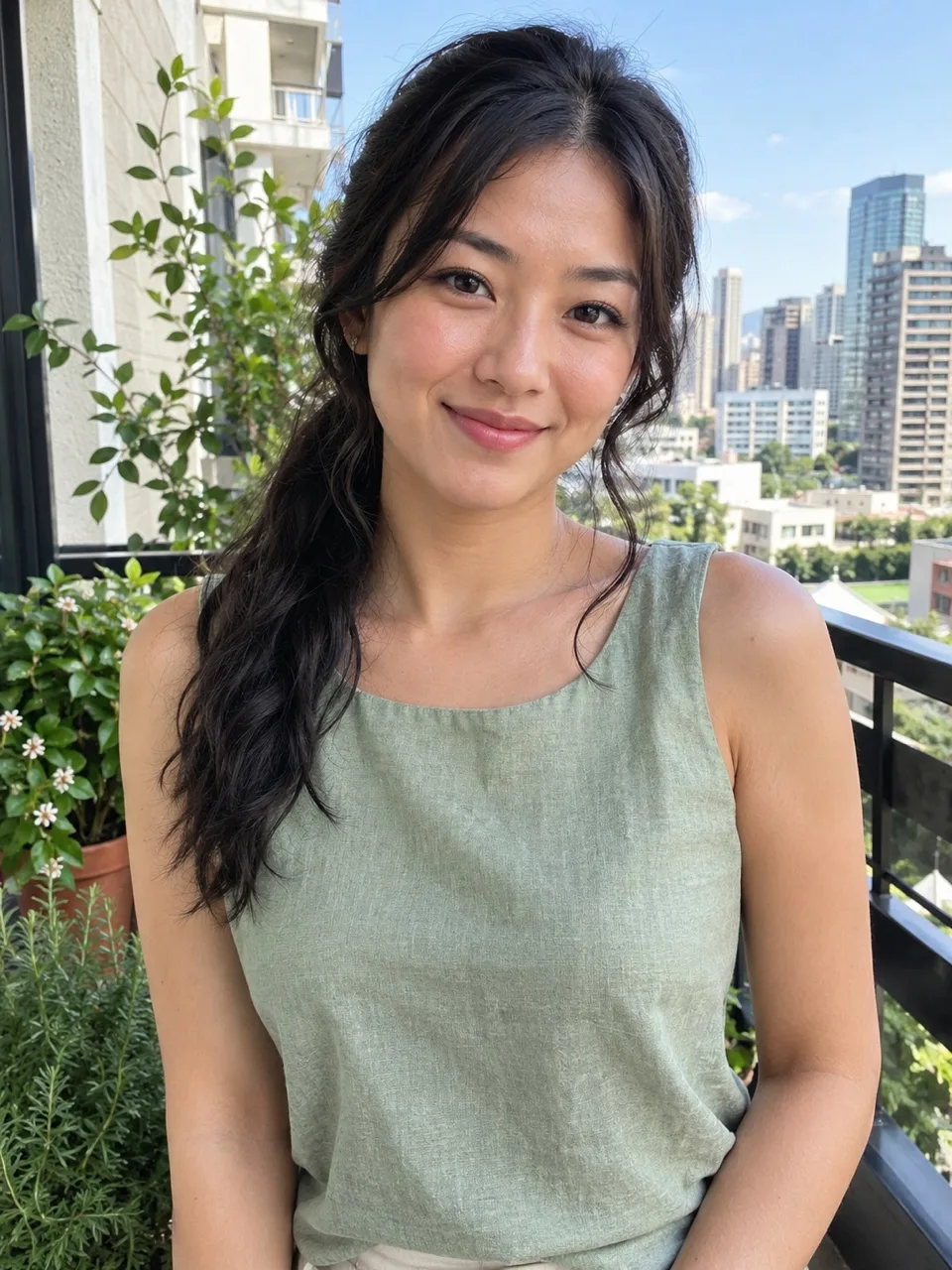
Add a separate adult photo for the person on the right, who notices the music and starts the conversation.
Step 3: Choose a resolution
Pick a vertical or landscape layout, then choose 720p or 1080p. The selection and price appear before payment; the displayed example was made at 720p.
Step 4: Watch and download
When generation finishes, play the video with sound, check both faces and mouth movements, and download your MP4.
720p is $9.99, or use a credit pack
What happens in the I Love the Smiths AI scene?
First photo
The listener stands on the left wearing headphones and turns to the speaker.
Second photo
The speaker stands on the right and starts the conversation.
The exchange
The first line, headphone movement and repeated line are part of the fixed scene.
The result
Both people appear in an approximately 20-second video with the source audio added. Choose a vertical or landscape layout.
The I Love the Smiths elevator scene is from the 2009 film (500) Days of Summer. In the original scene, Tom is the listener and Summer is the speaker. The song playing is “There Is a Light That Never Goes Out” by The Smiths. One person is listening to music through headphones when the person beside them notices it. The listener misses the first line and lowers the headphones when the speaker repeats it.
I Love the Smiths AI places the people from your two photos in that close, horizontal elevator scene. The 20-second version follows the initial exchange and the subsequent interaction. It does not include the later shot of the speaker leaving the elevator or the listener’s final reaction after the doors open. The scene is an AI-generated edit, not a recording of the two people actually meeting in an elevator.
This fixed version is also called the 500 Days of Summer elevator scene or the I said I love the Smiths trend. Other versions recreate the dialogue or use a longer film clip.
Choosing photos for I Love the Smiths AI
- Two adult photos
- Listener and speaker
- Vertical or landscape
- 720p example
- Sound added
Choose one photograph of one consenting adult for each role. Choose a clear, evenly lit face with the eyes, nose, mouth and hair visible. Blur, shadows, sunglasses or hands over the face can make it harder to recognize.
I Love the Smiths AI uses each photo as the appearance reference for its assigned person, but an exact likeness in every frame is not guaranteed. Check both people throughout, including side views. One successful pair of photos does not guarantee another.
Your uploaded photos are stored privately and deleted after 30 days. To make your video, photos are sent to the AI providers used for processing. Read the privacy policy for details.
Dialogue and sound in the elevator video
Dialogue
The fixed scene includes spoken dialogue; it cannot be rewritten in this generator.
Mouth movements
Play the final clip with sound and check the speaking and singing moments.
Audio
The source soundtrack is added after generation; custom voices and audio are not offered.
Sharing
Check the rights and platform rules that apply to the sound and the way you plan to share it.
The reference clip supplies the fixed dialogue and soundtrack, which are added after the video is generated. The generator does not offer a different script, voices or song. Listen to the example to hear this version.
This tool does not establish rights to distribute the film audio or music. Before posting, check the permissions and rules for your intended platform and use.
I Love the Smiths AI price and quality
One video
$9.99
- Pay once for the video you make
- No subscription, nothing renews
- Failed renders cost nothing
Credit packs
from $29
- 100 credits to start
- A default video is 30 credits
- Credits never expire
A 720p video costs $9.99 for one video or 30 credits. A 1080p video costs $14.99 or 45 credits. Choose the quality before checkout. The single-video purchase is a one-time payment; credit packs are available if you want to use a balance across multiple orders.
There is no free personalized preview. The example on this page is a real 720p output made with two example photos. The 1080p setting is available as an order option, but the example does not demonstrate a real 1080p generation. A higher resolution does not guarantee a closer likeness or perfect lip synchronization.
If a photo is rejected or generation fails, the applicable credits return to your account balance under the existing process. A credit returned to your balance is not an automatic refund to your payment card. If a single-video purchase fails, you may request a refund within seven days if the returned credits remain unused. For a completed result you are unhappy with, contact support and provide the order details. Read the pricing page and refund policy before purchasing if you need the full terms.
Review and share your result
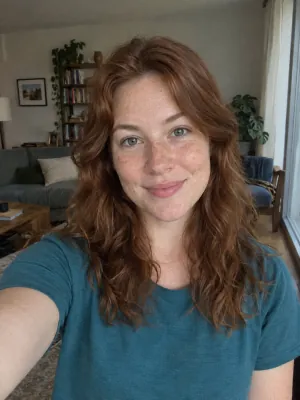
Works: One person, straight on, even light

Avoid: Sunglasses
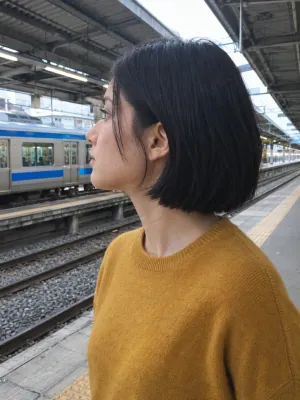
Avoid: Side profile
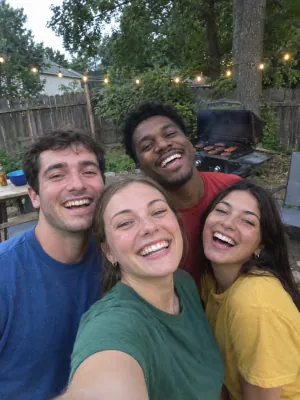
Avoid: Group photo
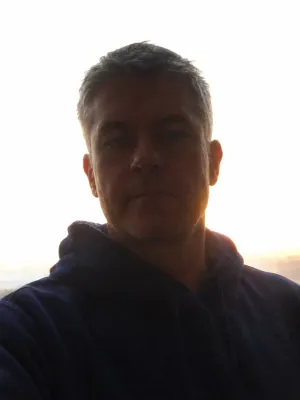
Avoid: Dark or backlit
You retain rights to the content you submit under our terms; the tool does not grant rights to the film or soundtrack. Label AI-generated videos when required and check platform rules before sharing.
Private photos Deleted automatically after 30 days.
Failed renders cost nothing The credits go back on their own.
One-time payments No subscription. Nothing renews.
Secure checkout Paid through Stripe. We never see your card.
I Love the Smiths AI questions
Is this a video or an I Love the Smiths AI photo?
This tool makes an approximately 20-second video, not a still image. It uses two photos and delivers a vertical or landscape MP4 with the fixed scene soundtrack.
Which person wears the headphones?
Photo 1 is the listener on the left and wears the headphones. Photo 2 is the speaker on the right. Swap the input photos before generating if you want to exchange their roles.
Can I choose my own dialogue or voices?
No. The video follows the fixed scene and its audio; the generator does not offer a custom script, voice, accent or speaking style. Camera angles, lighting and timing cannot be adjusted, and individual scenes cannot be regenerated. Listen to the example before ordering.
Will the faces and lip movements be exact?
The tool uses each photo for its assigned person, but exact likeness and lip synchronization in every frame cannot be guaranteed. Review both faces and the spoken and sung parts with sound. The example demonstrates only its own inputs and 720p output.
Can I use one photo or a pet?
This version requires two separate photos of consenting adults, one for each role. A solo or pet version is not offered.
Does it include the entire film scene?
No. The approximately 20-second version covers the conversation shown in the example and ends before the later exit and final reaction. It is a fixed scene, not a customizable film edit.
What resolution and format do I get?
Choose 720p or 1080p for an approximately 20-second MP4, in vertical 9:16 or landscape 16:9. The vertical layouts show either one complete landscape scene on a blurred background or two copies of the complete scene. The example was actually generated at 720p; 1080p has not been verified with a real example.
How much does the video cost?
A single 720p video costs $9.99 or 30 credits; 1080p costs $14.99 or 45 credits. Credit packs are available, and a single-video purchase does not require a subscription.
What if generation fails?
If generation fails or the photo is rejected, the applicable credits return to your account balance. That is not an automatic card refund. Contact support about an unsatisfactory completed video.
Can I use the audio on social media?
The video includes the fixed source soundtrack, but the tool does not grant rights to the film audio or music. Check the platform’s terms and obtain any permissions needed for your intended use.