How to Make the I Love the Smiths AI Video With Two Photos
Make the I Love the Smiths AI video with two photos. See a real elevator example, choose each role, compare versions, and fix common photo problems.
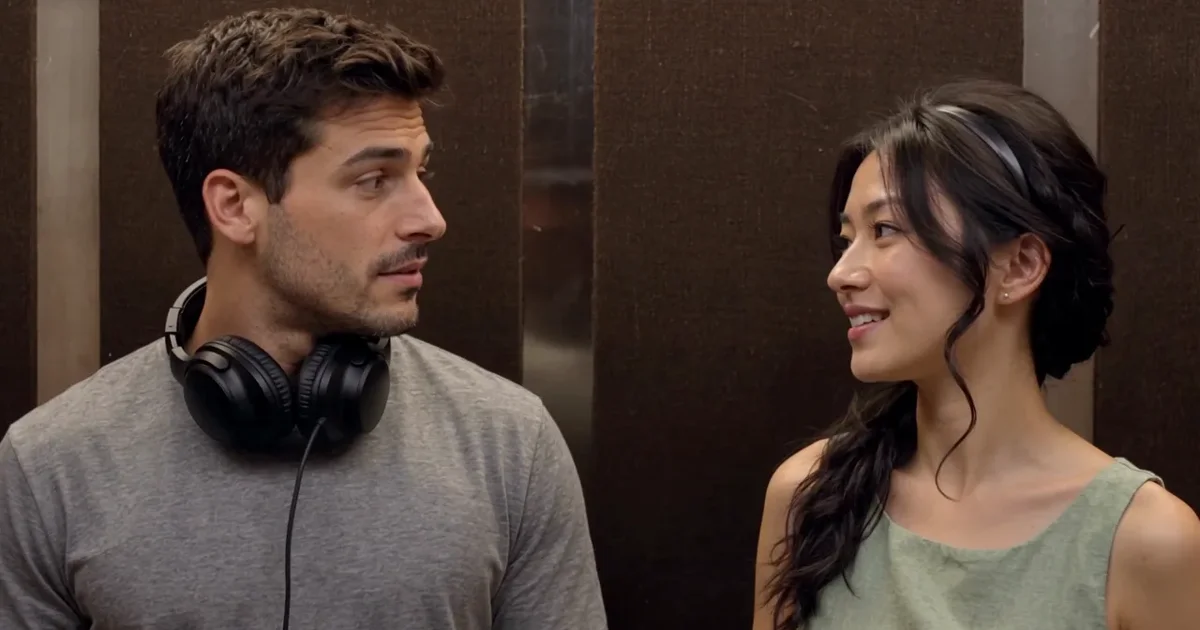
The I Love the Smiths AI video puts two people from your photos into the recognizable elevator conversation from (500) Days of Summer. One person wears headphones; the other notices the song and starts talking. On the I Love the Smiths AI page, add two adult photos to make an approximately 20-second MP4 with the fixed scene soundtrack, in vertical or landscape format. A 720p video costs $9.99; our sample’s video generation took about five minutes, while total order times vary. Watch the example first to hear the dialogue and see where this version ends.
What is the I Love the Smiths AI video trend?
The I Love the Smiths AI video scene is from the 2009 film (500) Days of Summer. Tom is the listener and Summer is the speaker; the song is “There Is a Light That Never Goes Out” by The Smiths. The scene takes place in an elevator. The listener is wearing headphones when another person recognizes the music and says they love the Smiths. The listener does not catch the first remark, moves the headphones and asks for it again. The speaker repeats the line and the exchange continues. The headphones and repeated line make the interaction recognizable.
The trend lets people replace the two characters with themselves and a friend or partner. Some posts use a landscape two-shot; others recreate the scene vertically, change the dialogue or add sound separately. This page's fixed version stays on the exchange and ends before the later elevator exit and final reaction.
The elevator video, moment by moment
The frames below come from our one 720p example made from two adult photos. Timestamps are approximate.
The listener and headphones. The person on the left wears headphones in the elevator while the person on the right starts the exchange. Both photos are used as appearance references for their respective roles.
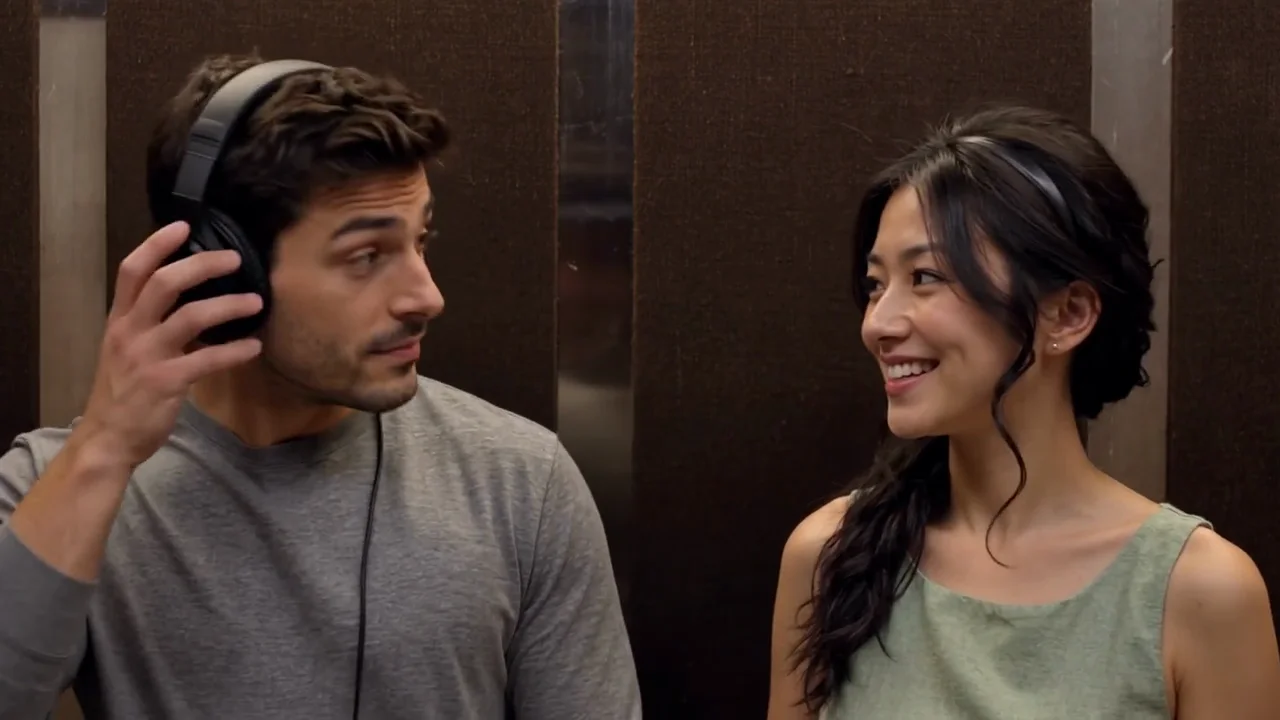
The conversation. The listener responds and moves the headphones. The other person repeats the line. Watch the final video with sound, because individual mouth movements may differ from the reference.
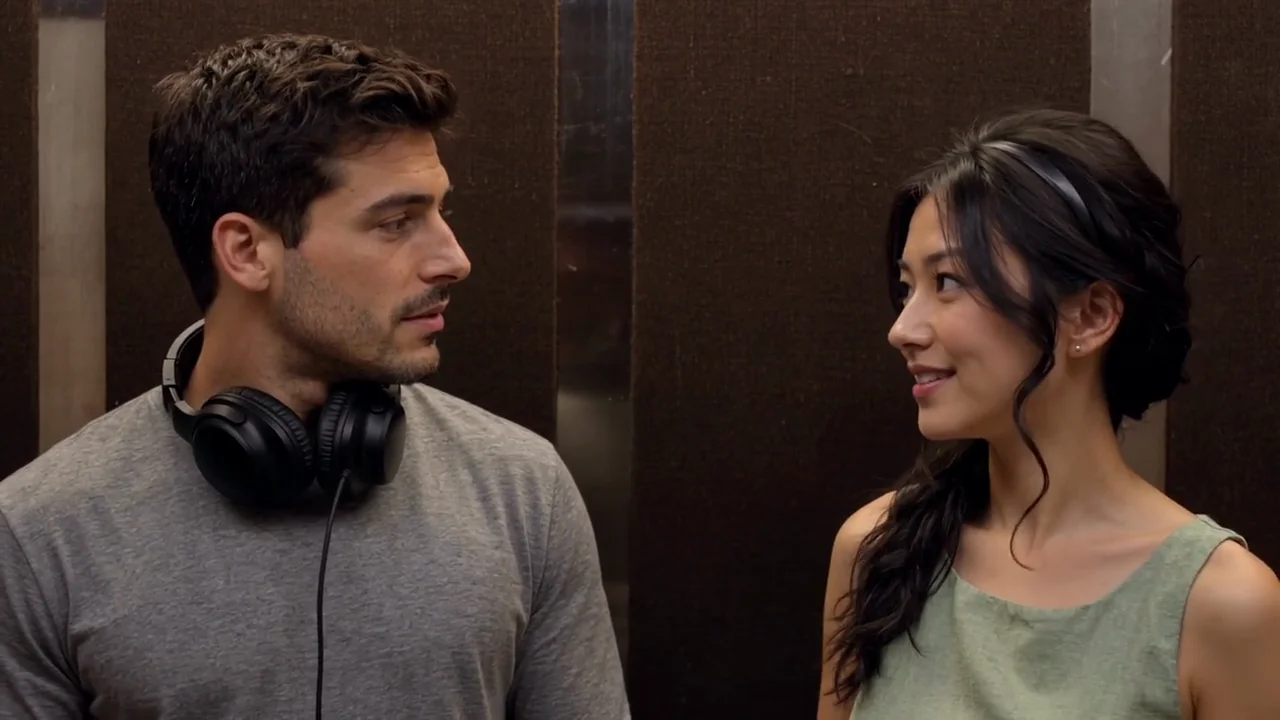
The later interaction. The speaker continues the interaction before the video ends. This example does not show the later exit or the listener's final reaction after the doors open.
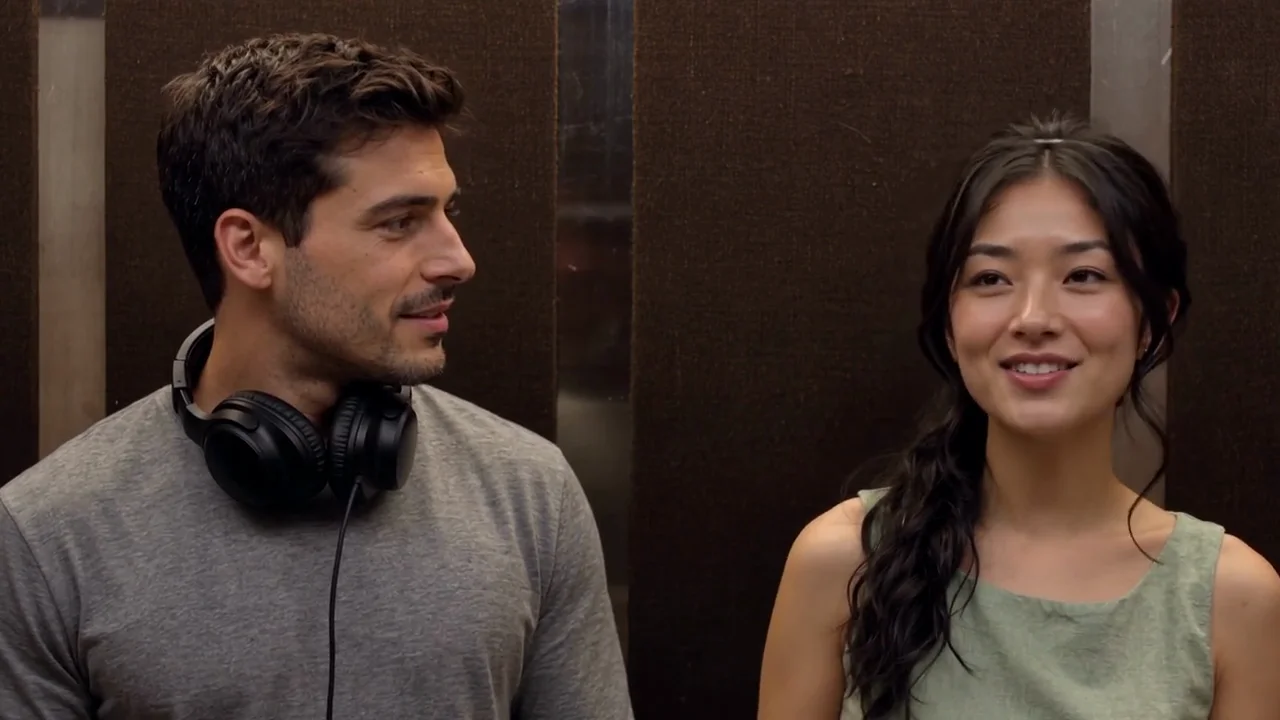
Compare the photos with the result
The first photo is assigned to the listener on the left. The second photo is assigned to the speaker on the right. Compare the faces in the photos with the video, not just their hair or clothing, and play the example with sound before deciding whether this fixed version is the one you want.
 Photo 1
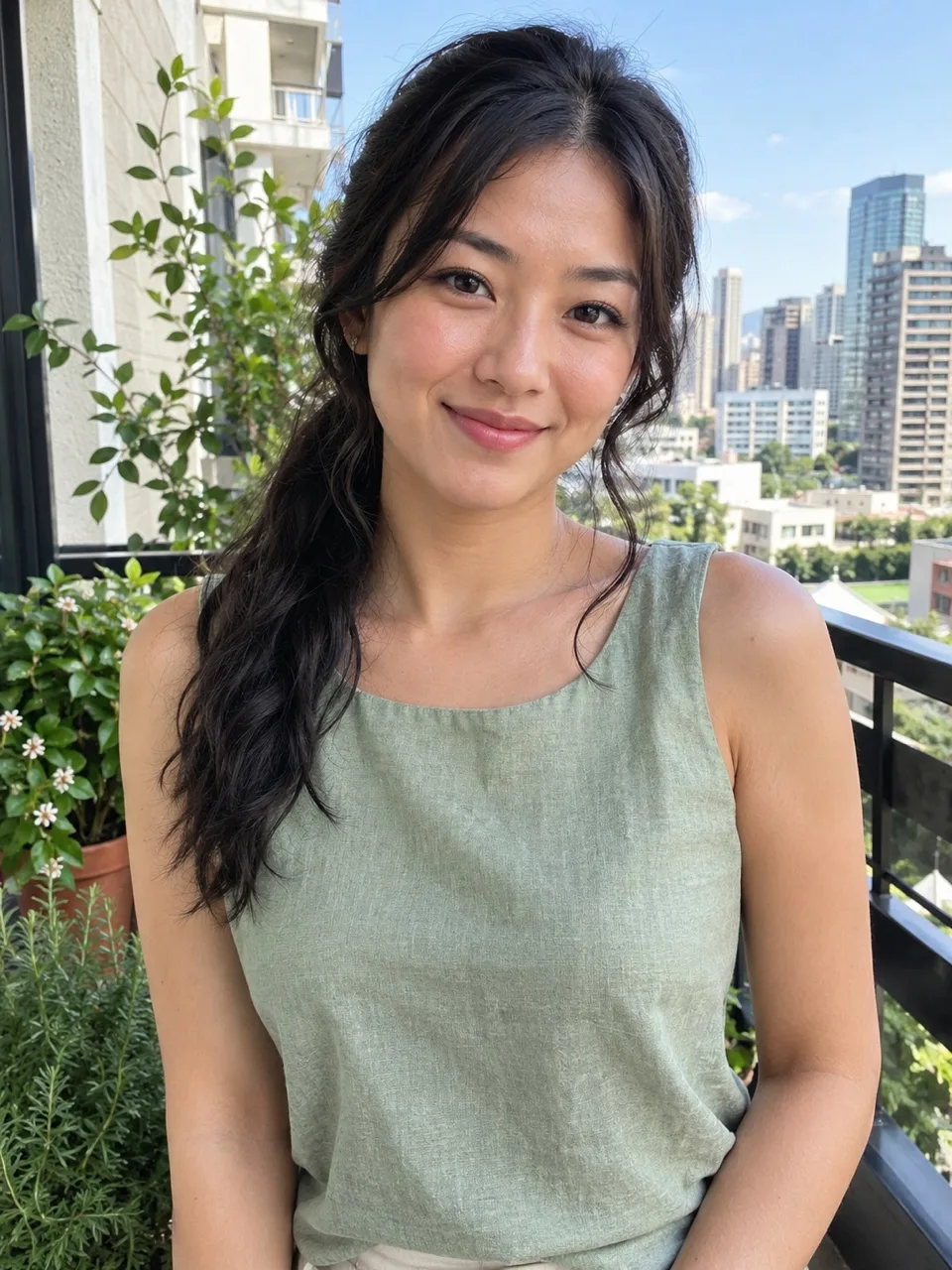 Photo 2
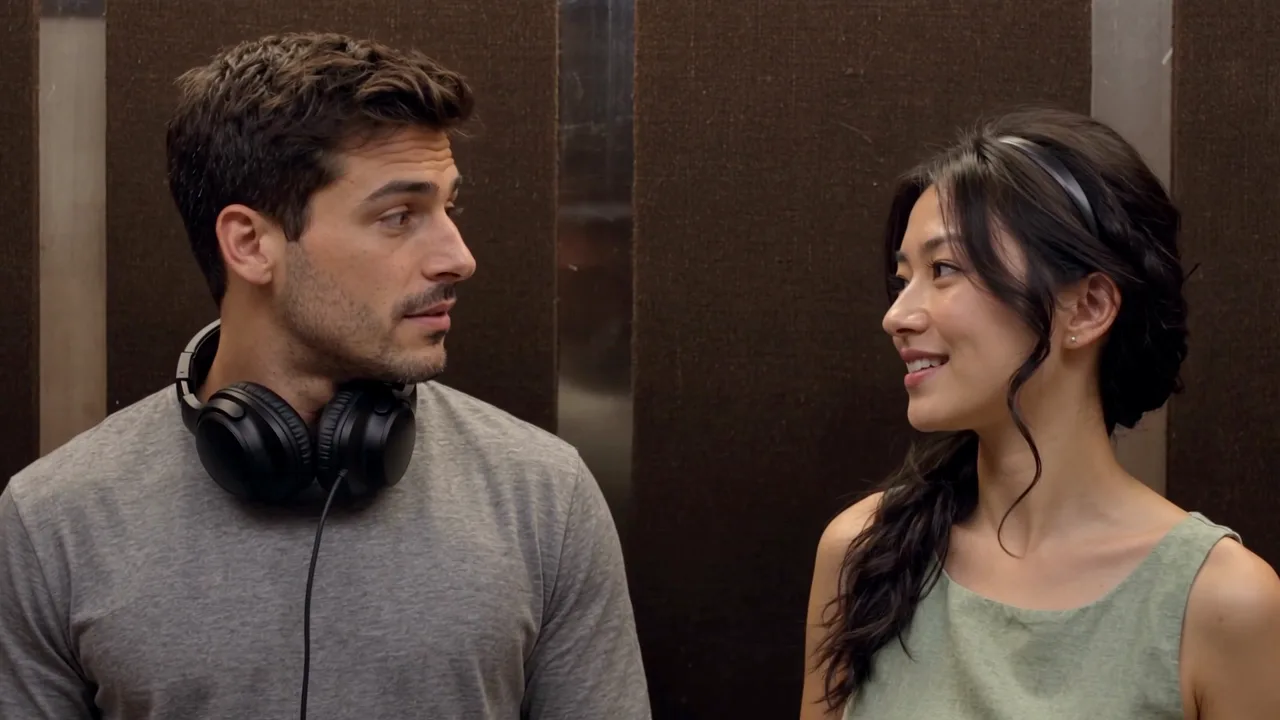 The video
This example shows these two inputs at 720p. It does not guarantee a match for other photos, every frame or the 1080p option. Check both faces, especially when someone turns or a hand approaches the headphones. The example was generated at 720p; a real 1080p example has not been tested.
How to make an I Love the Smiths AI video
- Watch the sample. Open the I Love the Smiths AI video tool and play the example with sound. Check the composition, the fixed dialogue and the point where this version ends.
- Choose the listener. Add a clear photo of one consenting adult to the first slot. That person takes the left-hand role and wears the headphones.
- Choose the speaker. Add a separate photo of another consenting adult to the second slot. That person stands on the right and begins the conversation. Exchange the photos before ordering if you want to swap roles.
- Pick a resolution. The default is 720p; 1080p is also offered. Choose one of two vertical layouts or the original landscape format; all use the same approximately 20-second scene. The example you can watch was made at 720p.
- Order and review. Complete the single-video purchase or use credits. Once the MP4 is ready, play the entire result with sound, check both people and the speaking moments, then download it.
Which photos work best?
Use one clear photo of one consenting adult for each slot. A front-facing or slightly turned face in even light gives the generator a useful view of the eyes, nose, mouth and hair. You do not need to take the pictures in an elevator or wear headphones in them. Each face should be visible and recognizable.
Avoid a very dark face, strong motion blur, sunglasses across the eyes, a hand covering the mouth or an extreme profile that hides much of the face. A group photograph can make it unclear which person the tool should use. Crop or choose a clearer individual picture when possible. Do not use a photo without the person's permission.
Choose photos where individual features are easy to see. If you upload the intended speaker first, swap the files before ordering.
Which version of the elevator scene is this?
| Version | What to expect |
|---|---|
| This fixed elevator video | Two adult photos, approximately 20 seconds, a landscape two-shot arranged in the selected vertical or landscape format, and the source soundtrack. It ends before the later exit. |
| Short vertical recreation | A newly staged vertical scene may use different framing, dialogue or a synthesized soundtrack. Check that tool's example. |
| Longer source-scene edit | A longer edit can include the exit and a final reaction. The exact length and rights depend on the source and service. |
| Still-photo filter | A still image can imitate the elevator look but does not contain the conversation or moving mouths. |
This tool does not offer a solo, pet, custom-dialogue or alternate-ending mode.
You retain rights to the content you submit under our terms; the tool does not grant rights to the film or soundtrack.
Price, sound and delivery
A 720p I Love the Smiths AI video costs $9.99 for one video or 30 credits. The 1080p option costs $14.99 or 45 credits. The finished file is an approximately 20-second MP4 with the fixed source soundtrack, in your chosen 9:16 vertical or 16:9 landscape format. The 720p example is free to watch, but there is no free personalized preview. The one-video purchase does not require a subscription.
The soundtrack is added after the picture is generated. You cannot change the lines, choose new voices, upload a different track or select the music inside this generator. Generation time can vary; the available sample does not establish a reliable time promise for every order. Listen to the result with sound, including the spoken and sung parts, and check whether the visible mouths fit what you hear.
If generation fails or a photo is rejected, applicable credits return to your account balance. Returned credits are not an automatic refund to the payment card. If a single-video purchase fails, you may request a refund within seven days if the returned credits remain unused. See the refund policy for details. For an unsatisfactory completed result, contact support with the order details. The film and music rights depend on your intended use and are not established by this tool.
Troubleshooting the elevator video
| Problem | What to check |
|---|---|
| The wrong person wears headphones | Photo 1 is the listener; photo 2 is the speaker. Swap the files before starting another order. |
| A face does not look recognizable | Compare the face, not only the hair or outfit, with the corresponding input. For a completed unsatisfactory result, contact support with the order. |
| A photo is rejected | Try a clear, well-lit image of one consenting adult with the face unobstructed. |
| The dialogue is not what you expected | Play the example first. The scene and soundtrack are fixed; custom lines and voices are not offered. |
| Mouth movement looks wrong | Exact lip synchronization is not guaranteed. Play the full downloaded video with sound, focusing on the spoken and sung parts. Contact support if the completed result is unsatisfactory. |
| The ending feels short | This version ends before the later elevator exit. The sample shows the actual coverage. |
| The file looks cropped on a social app | Choose a 9:16 vertical layout for short-form platforms or 16:9 for the original frame. Preview the crop and keep captions away from faces. |
Before you share the video
The fixed soundtrack is associated with a film and recording. Check the platform's music and AI disclosure rules, obtain permissions where needed, and get consent from the people in your photos. Keep captions away from faces and preview the crop.
I Love the Smiths AI video questions
How are my photos stored and used?
Your uploaded photos are stored privately and deleted after 30 days. To make your video, the photos are sent to the AI providers used for processing. See the privacy policy for details.
Can I adjust the camera or regenerate part of the scene?
No. The scene, camera, lighting and timing are fixed, and this tool does not offer individual-scene regeneration.
Do I need the original film clip?
No. The tool uses a fixed scene; you add two photos and choose a resolution. You do not upload your own video to this version.
Can I change the dialogue or voices?
No. This video uses the fixed scene soundtrack and does not offer custom dialogue, voices or accents.
Can I make it with one photo or a pet?
No. This version requires two separate photos of consenting adults, one for each role. Solo and pet versions are not offered.
Is the 1080p result shown in the example?
No. The displayed example was generated at 720p. The 1080p option is available, but a real 1080p sample has not been verified.
What happens if my result does not look like us?
Compare both faces with their assigned photos throughout the video. Contact support with the order details if a completed result is unsatisfactory; an exact match cannot be guaranteed.
Does the video include the elevator exit?
No. This approximately 20-second video ends before the later exit and the listener's final reaction.